









A Beginner’s Guide to Using Double Exposure in Photoshop
Share:
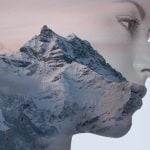
Last month, we shared some work by Alon Avissar, where he implemented double exposure photography by putting together different models with different seasons. The results were both colorful and incredibly eye-catching.
So how did it all get put together? Photographer Andrew Klokow sat down and made a quick, easy to follow tutorial for us, and it’ll show you exactly that. Though it doesn’t involve the seasonal aspect of the project, this video basically guides us along with a picture of a a woman and a bouquet of flowers. If you’re a wedding photographer, the tutorial might actually hold some extra interest for you.

The cool thing about double-exposure is that there’s so much that can be done with it to make a project that really draws someone’s attention. Even if there isn’t a premise, putting two photos together just always manages to look interesting. But at the end of the day, it can be tricky. With all the blending options, alignment, and opacity issues working with double exposure brings onto the table, it can be a bit frustrating. So take this video and start off with the basics; after you get the hang of it, you’ll start experimenting more and more down the road.
[Via Fstoppers]

Maaz Khan
Maaz Khan started off teaching himself photography with a disposable Kodak camera he got for his 7th birthday. His main weapons of choice are now the 5D Mark II, and an LG G2 when mobility calls.

Join the Discussion
DIYP Comment Policy
Be nice, be on-topic, no personal information or flames.
10 responses to “A Beginner’s Guide to Using Double Exposure in Photoshop”
Sorry but I’ve got to chime in here. No mater what tool you use in PS, this is not double exposure. This is layering that looks like double exposure. Double exposure is accomplished in camera not inPS and is totally different art. This is not DE.
Aw, c’mon. Don’t be a spoilsport.
By convention, a lot of what one does in photoshop is named after the in-camera or darkroom technique it’s supposed to replicate. We’re not actually burning anything, either, nor are we taking a sponge to the monitor.
So when someone says “using double exposure in photoshop”, it’s coloquially understood to be “replicating double exposure”.
Except that is not double exposure. Not even close really. The two techniques are completely different and only vaguely resemble one another. Why not just call it what it is, layering. There are a ton of photo groups out there that showcase double exposure as it is done IN CAMERA wether that be on Film or digital and the results are often radically different than what you would get from this PS technique.
You can get close enough results. Especially with film. Make a silhouette shot where the background is absolutely, completely blown out, and then make your double exposure. You’ll get something like this.
Actually, seeing the photoshop process, it’s a pretty similar process and technique. The first photo works as a screen (that’s even the command!: The overexposed zones saturate the film, and thus the second exposure is shown throughout the parts of the first photo that weren’t blown.
So, yesh. Also, some cameras cannot do double exposures. This is a good stopgap measure.
Wait, how do you do it in camera?
Mathew, first you need a digital camera with ‘Multiple Exposure’ capability. Most Nikon’s have this feature and some Canon cameras do as well. The concept is simple but in practice it can be challenging to get great results, but everyone should know how to do this with their camera. The manufactures put it there for a reason. They intend for you to be as creative as possible with the tool. Just as Grive says above: Make your first exposure that is high contrast (dark shape in foreground and light background, your second exposure you place the subject over the place where the dark area was in the first exposure. The result will be a nearly blown out background, with the subject contained within the silhouette.
Its very close to in camera DE. Its very hit and miss trying to get anything interesting in camera DE. Photoshop gives you far more creative control. And there are great artists making them in Photoshop, its not only the province of in camera DE.
I agree with most of what you say, except call the process what it is: DE is done in the camera, the process in PS should be called ‘Layering’ or something like that. NOT DE. If it’s done in PS is is not ‘Exposure’ of any kind. The two processes couldn’t be more different. Calling this process DE implies that this was done in camera. This article does not make that clear.
Actually looking at it again, this is exactly how in camera double exposure (DE) looks, the only difference is that Alon is adding textures or colored backgrounds.
Photographer Sarah Byrne is creating in Camera DE’s with her Canon 5D MKIII. They look exactly like Photoshop created DE. See for yourself
http://dylandsara.com/canon-5d-mark-iii-double-exposure-tutorial/
The difference between in camera DE and Photoshop DE is that you have far more more creative control in Photoshop. You can blend your main subject with any background photo you have shot, and by using masking, can fade any part of the main image to blend with the background.
You also do not need a $3000 pro camera either.
I will never limit myself creatively to just what I can achieve in a camera, when you can create amazing art beyond the lens.
i still love this effect :-)