




























How to use channels to create masks in Photoshop – a comprehensive tutorial
Feb 3, 2018
Udi Tirosh
Udi Tirosh is an entrepreneur, photography inventor, journalist, educator, and writer based in Israel. With over 25 years of experience in the photo-video industry, Udi has built and sold several photography-related brands. Udi has a double degree in mass media communications and computer science.
Share:
If you are doing any kind of compositing or digital work that requires masking and object extraction you owe it to yourself to watch this video. Stefan Kohler of RawExchange is giving an 80 minutes tour of masking and object extraction that goes from the very basics of masking all the way to techniques used high-end retouchers. And best of all, it’s 100% free. just head over and watch it on youtube.
Here is the tutorial, broken down part-by-part: (hint, even if you’ve been doing this for a while, you may wanna watch the intro and basic parts, as the amount of quick-tips is staggering)
- Introduction ? https://youtu.be/0pDLpx8hgSk
- Why do I need masks ? https://youtu.be/0pDLpx8hgSk?t=51s
- Selections ? https://youtu.be/0pDLpx8hgSk?t=3m59s
- Channels ? https://youtu.be/0pDLpx8hgSk?t=16m15s
- Refine with the Brush ? https://youtu.be/0pDLpx8hgSk?t=23m46s
- Temporary Adjustment Layers ? https://youtu.be/0pDLpx8hgSk?t=56m40s
- Saturation masks ? https://youtu.be/0pDLpx8hgSk?t=1h3m48s
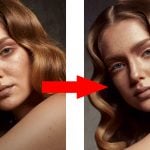
If you are not sure why you need a masking tutorial, have a look at this quick before and after, using any other tool would probably be so time-consuming that it would not be worth it.


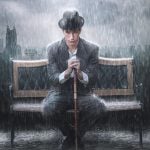
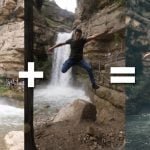
Same goes for this:


[How to use CHANNELS to create MASKS in Photoshop | Stefan Kohler]
See more from DIYPhotography.net on Google
Add DIYPhotography.net as a trusted source. This makes
our stories more likely to appear in your Google Search results.
 Add as a preferred source on Google

Udi Tirosh
Udi Tirosh is an entrepreneur, photography inventor, journalist, educator, and writer based in Israel. With over 25 years of experience in the photo-video industry, Udi has built and sold several photography-related brands. Udi has a double degree in mass media communications and computer science.

Join the Discussion
DIYP Comment Policy
Be nice, be on-topic, no personal information or flames.
One response to “How to use channels to create masks in Photoshop – a comprehensive tutorial”
Fantastic stuff. Thanks for sharing.