


























Darkroom 7 Launches with Rebuilt Engine, Faster Editing, and New Creative Tools
Dec 17, 2025
Alysa Gavilan
Alysa Gavilan has spent years exploring photography through photojournalism and street scenes. She enjoys working with both film and mirrorless cameras, and her fascination with the craft has grown over the decades. Inspired by Vivian Maier, she is drawn to capturing everyday moments that often go unnoticed.
Share:
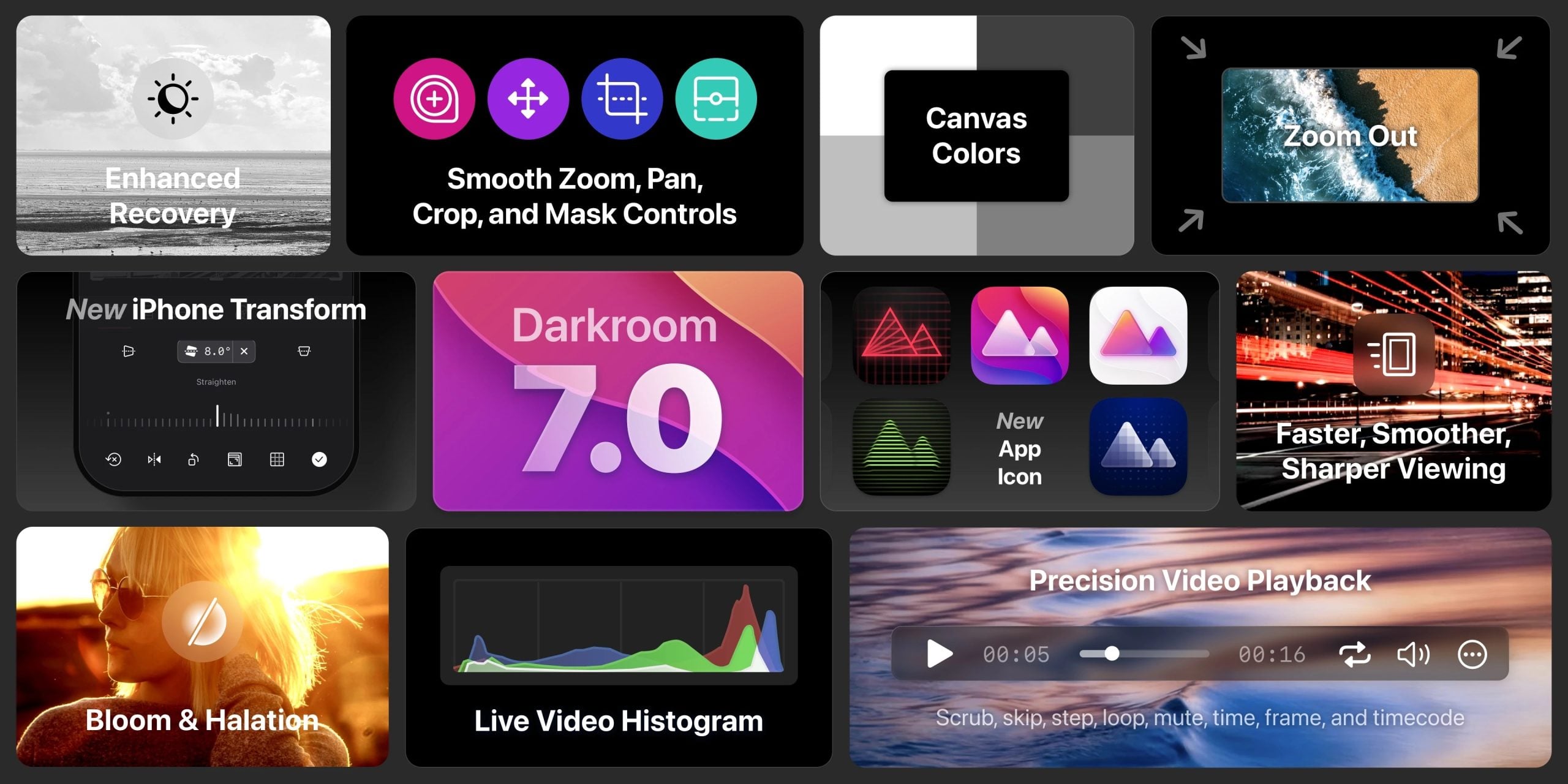
If you’ve spent time editing photos on your iPhone, iPad, or Mac, you might have felt impatient when large RAW files or long edits slowed you down. With Darkroom 7, the popular photo and video editor has been fundamentally reworked from the ground up to deliver a smoother, faster, and more reliable experience across platforms.
This update represents one of the most significant overhauls in the app’s history and has been drawing attention from photographers and mobile editors alike for the depth of its improvements.
Darkroom has always aimed to balance powerful editing tools with an intuitive interface, but Darkroom 7 goes further by introducing a fully rebuilt render engine and creative tools that enhance both performance and creative expression.
For photographers who rely on quick edits between shoots or on the move, this update shifts the app closer to the capabilities you’d expect from high‑end desktop software while keeping the familiar workflow you’ve come to appreciate.
A Fresh Foundation: Rebuilt Rendering Engine
At the core of Darkroom 7 is a completely new rendering engine designed to meet the demands of modern photo and video editing. The developers reengineered the system to handle large RAW files, high‑resolution images, and demanding video formats more smoothly.
Improved responsiveness means sliders react more consistently, zooming and panning feel fluid, and edits apply instantly even on complex files. This update affects nearly every interaction, from basic exposure adjustments to pixel‑level refinements.
One of the most noticeable benefits of the new engine is faster image loading and browsing. Large libraries that might have lagged in earlier versions now scroll more fluidly, and previews render at maximum quality without the visual glitches that sometimes appeared in the past. You can also zoom far beyond the frame for detailed inspection of pixels, helping you fine‑tune edits or check for noise and sharpness with ease.
Creative Tools: Bloom and Halation
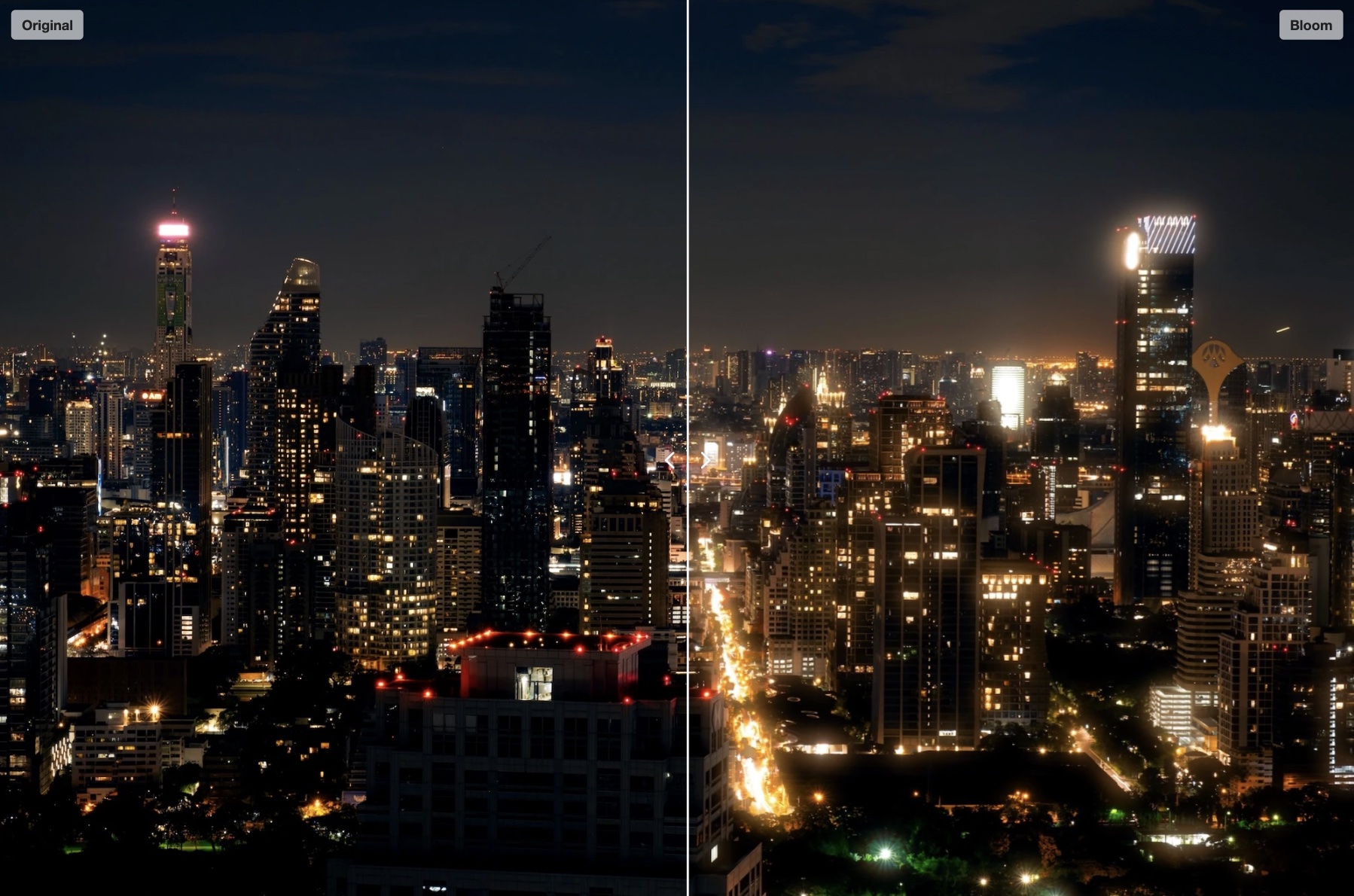
Darkroom 7 introduces two expressive tools that bring analog‑inspired characters to digital images. The Bloom effect adds a soft, luminous glow that spreads highlights gently across a scene. This can add mood to night shots, dreamy portraits, or atmospheric landscapes that benefit from a hint of light diffusion. The Halation tool emulates a film‑era light leakage effect around high‑contrast edges. It can give street scenes, backlit subjects, or sunset images a richer, more textured quality.
These tools offer new avenues for creative expression without requiring complex workflows. They are particularly interesting for photographers who want to evoke a nostalgic or cinematic feel directly in their mobile edits.
Video Editing Enhancements
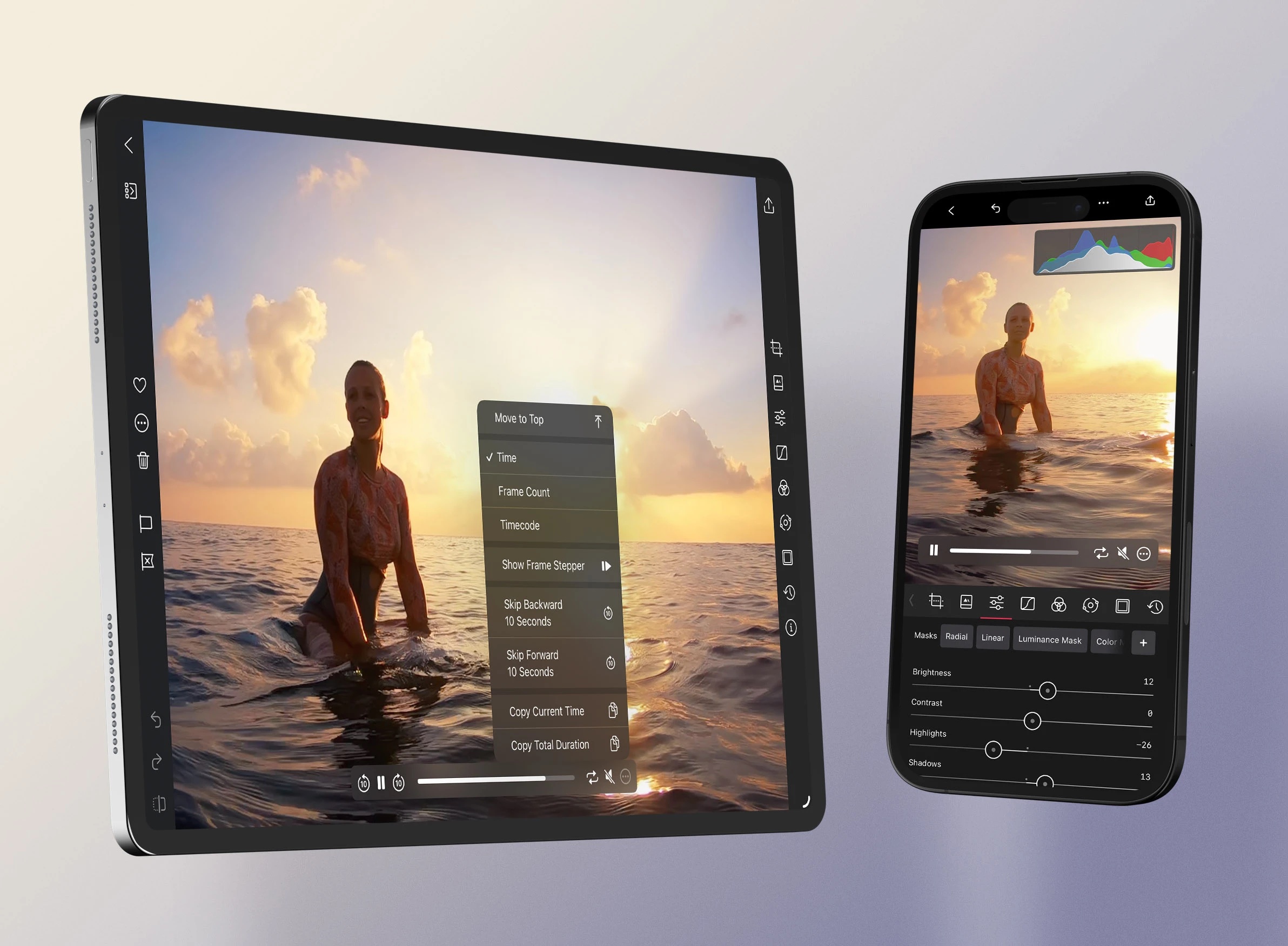
Darkroom’s video editing has also seen major improvements in this release. Playback support covers slow motion, ProRes files, and 8K footage with frame‑accurate scrubbing and movable control placement on Mac. A real‑time, hardware‑accelerated histogram now updates instantly during playback and adjustments, giving you accurate feedback as you refine exposure and color.
These upgrades bring video editing closer to parity with photo editing by providing more precise control and faster feedback on changes. For content creators who edit clips on the same device they shoot on, this enhances efficiency and workflow continuity.
Improved Highlight and Shadow Recovery
Another important change in Darkroom 7 is the shift to linear color space for highlight and shadow adjustments. This allows the app to access the full depth of image data during editing, which improves the amount of recoverable detail in bright highlights and deep shadows. The result is more natural and lossless tonal transitions, especially when working with RAW files.
This refinement can be especially useful for high‑contrast scenes where both highlights and shadows carry visual information you want to retain. This update improves the accuracy of exposure correction and gives you more control over dynamic range.
Enhanced Viewing and Interaction
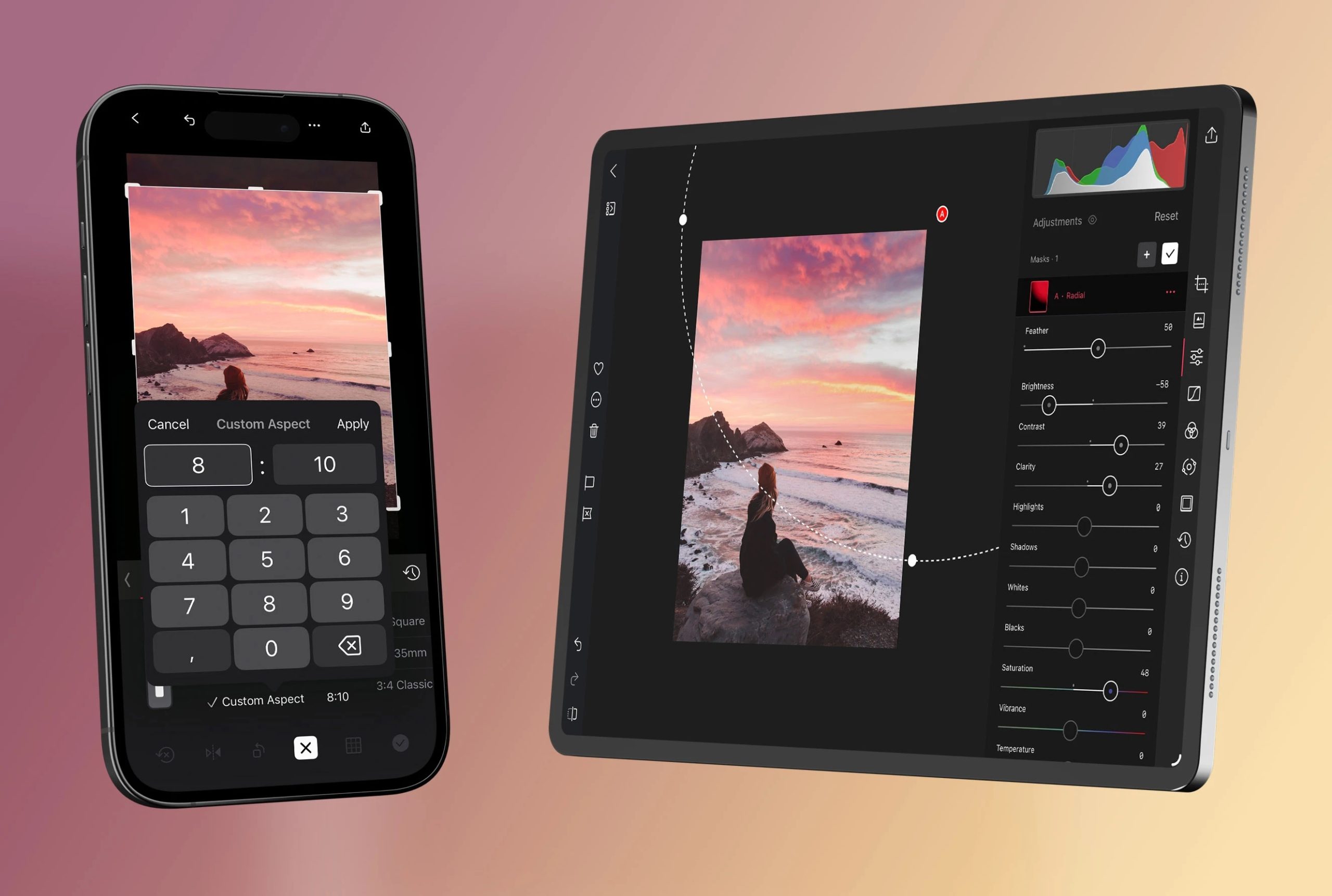
Darkroom 7 also makes changes to how you interact with your work. Zooming, cropping, masking, and navigating tools have been rebuilt to feel more precise and responsive. Canvas background colors are now customizable, and previews load faster, reducing distraction when evaluating edits. These refinements may seem subtle, but they add up to a working environment that feels more responsive and less frustrating during long editing sessions.
On iOS, the transform tools now match the feature set of the Mac version, including custom aspect ratios and improved grid overlays. These additions help unify the editing experience across devices, making it easier to work consistently on your latest project whether you’re on the go or at your desk.
For you as a photographer or content creator, the update offers faster workflows, more expressive editing options, and a more reliable editing environment across platforms. As Darkroom continues to develop, this foundation could support even more ambitious tools in the years ahead.
[Images via Darkroom]
See more from DIYPhotography.net on Google
Add DIYPhotography.net as a trusted source. This makes
our stories more likely to appear in your Google Search results.
 Add as a preferred source on Google

Alysa Gavilan
Alysa Gavilan has spent years exploring photography through photojournalism and street scenes. She enjoys working with both film and mirrorless cameras, and her fascination with the craft has grown over the decades. Inspired by Vivian Maier, she is drawn to capturing everyday moments that often go unnoticed.
Related Posts
 No, the BBC weren’t in Tokyo covering the Olympics – It was faked using a game engine
 DxO PhotoLab 6’s DeepPRIME XD engine takes AI-powered raw file denoising to the next level
 JWST Photographs Apep’s Spiraling Dust Engine and Hidden Third Star
 Cut Through Your Photo Library Faster with Excire’s Updated AI Tools
Join the Discussion
DIYP Comment Policy
Be nice, be on-topic, no personal information or flames.
One response to “Darkroom 7 Launches with Rebuilt Engine, Faster Editing, and New Creative Tools”
In New Zealand Son Recently been to Karori Woolworths to Buy Ham and Bread on Monday 15 December 2025.
And So DIYPhotography, Canada, Mexico, Central America, Caribbean, South America, Polynesia, Greenland, Europe, United States, Japan, New Zealand, Africa, West Asia, Philippines, Vietnam, Laos, Cambodia, Thailand, Myanmar, Micronesia, Melanesia, Singapore, Central Asia, South Asia, North Korea, South Korea, Malaysia, Indonesia, Brunei, East Timor, Bermuda, Saint Pierre and Miquelon and Everyone, now all go have a best upgraded realest strongest extremely biggest fighting and moreover to get all the money, everything, whatever and many more out from 3 Sextuple Country List: List 1 China/Mongolia/Taiwan/Macau/Hong Kong/Australia, List 2 North Korea/South Korea/Central Asia/South Asia/Myanmar/Vietnam and List 3 Laos/Thailand/Cambodia/Philippines/Micronesia/Melanesia into 1 Quadruple Country List: List 1 New Zealand/United States/Europe/Singapore for every time.