




























Blackmagic Camera 2.0 Brings Multi-Cam Control and More to Android
Jan 31, 2025
John Aldred
John Aldred is a photographer with over 25 years of experience in the portrait and commercial worlds. He is based in Scotland and has been an early adopter – and occasional beta tester – of almost every digital imaging technology in that time. As well as his creative visual work, John uses 3D printing, electronics and programming to create his own photography and filmmaking tools and consults for a number of brands across the industry.
Share:

Blackmagic Design just dropped a major update for Android users, and it’s packed with features that could be a big deal – depending on how you use them. Blackmagic Camera for Android 2.0 now supports several Android tablets, including the Xiaomi Pad 6 and Samsung Tab S9, along with Samsung’s latest S25 series phones.
But the real buzz comes from multi-device remote control and monitoring, and some upgrades aimed at serious mobile filmmakers. Yes, it’s been around for iPhone since August, but the Android version has caught up very quickly since its initial release.
Remote Control for Multiple Devices: Game-Changer or Just Convenient?
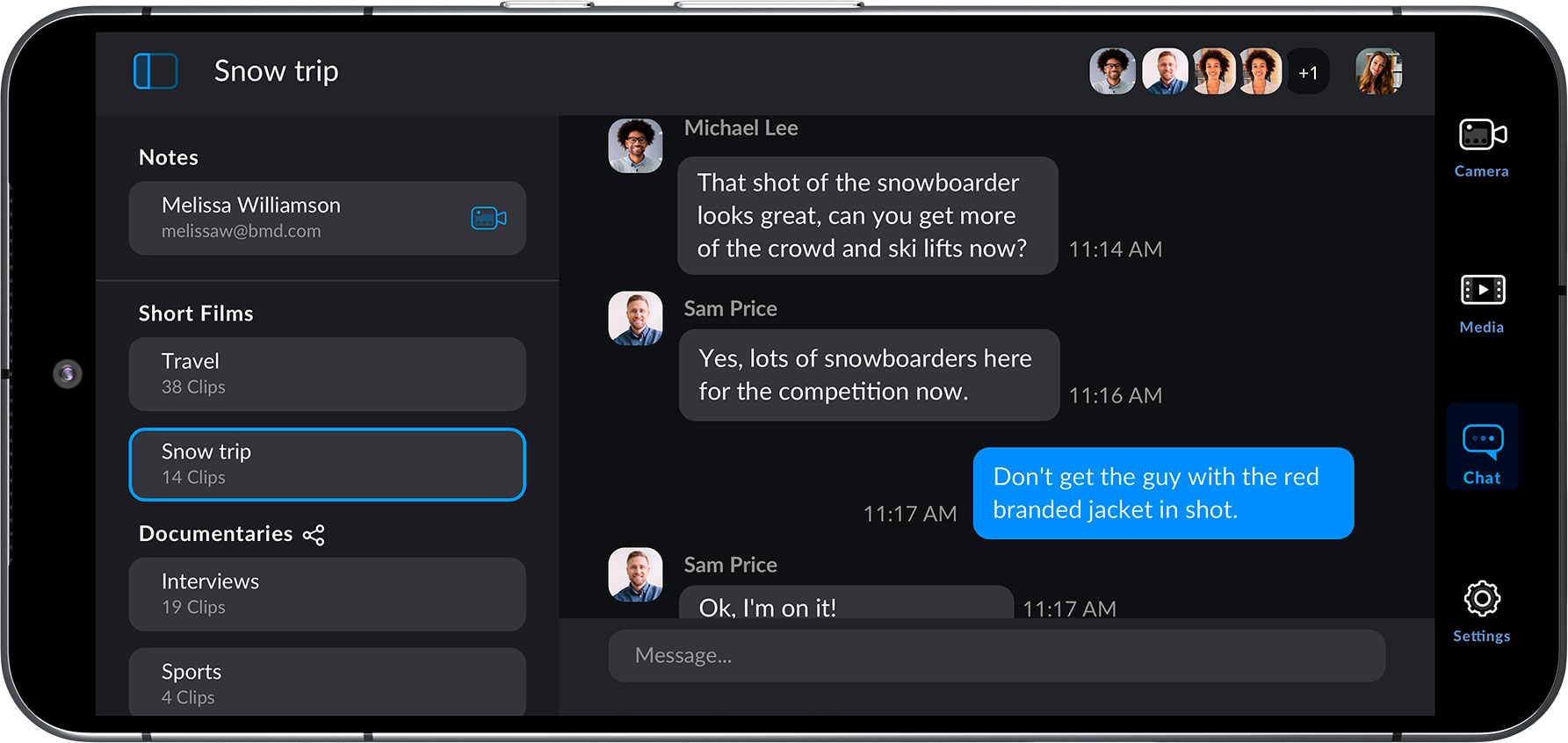
One of the headline features is the ability to control and monitor multiple devices on the same WiFi network. Set one device as the controller, and you can tweak settings, view multiple camera feeds, and start or stop recordings across the board. If you’re capturing events or multi-cam setups, this could make things a lot easier. No need to run around adjusting each device manually – just do it all from a tablet.
But before you throw away your traditional gear, there are limits. The feature sounds ideal for smaller, on-the-go projects, but it’s unlikely to replace professional multi-cam setups just yet. Still, for Android-based vloggers and mobile filmmakers, it could be a handy way to keep things streamlined.
High Frame Rates and Lens Control: More Toys for Sony Users
If you own a Sony Xperia device, you’re in luck – this update lets you capture up to 120 or 240 fps, which is great for slow-motion work. Blackmagic has also added support for the Tilta Nucleus USB system, offering lens control directly from the app. Whether this makes a difference depends on how you shoot, but it’s a nice touch for anyone needing precision.
Blackmagic’s Signature “Hollywood in Your Pocket” Approach
As always, Blackmagic promises a cinematic look with easy-to-access digital film controls. With a tap, you can adjust frame rates, shutter angles, ISO, and white balance, plus shoot in vertical or 16:9 aspect ratios. The app also integrates with Blackmagic Cloud, making collaboration on DaVinci Resolve projects possible from just about anywhere.
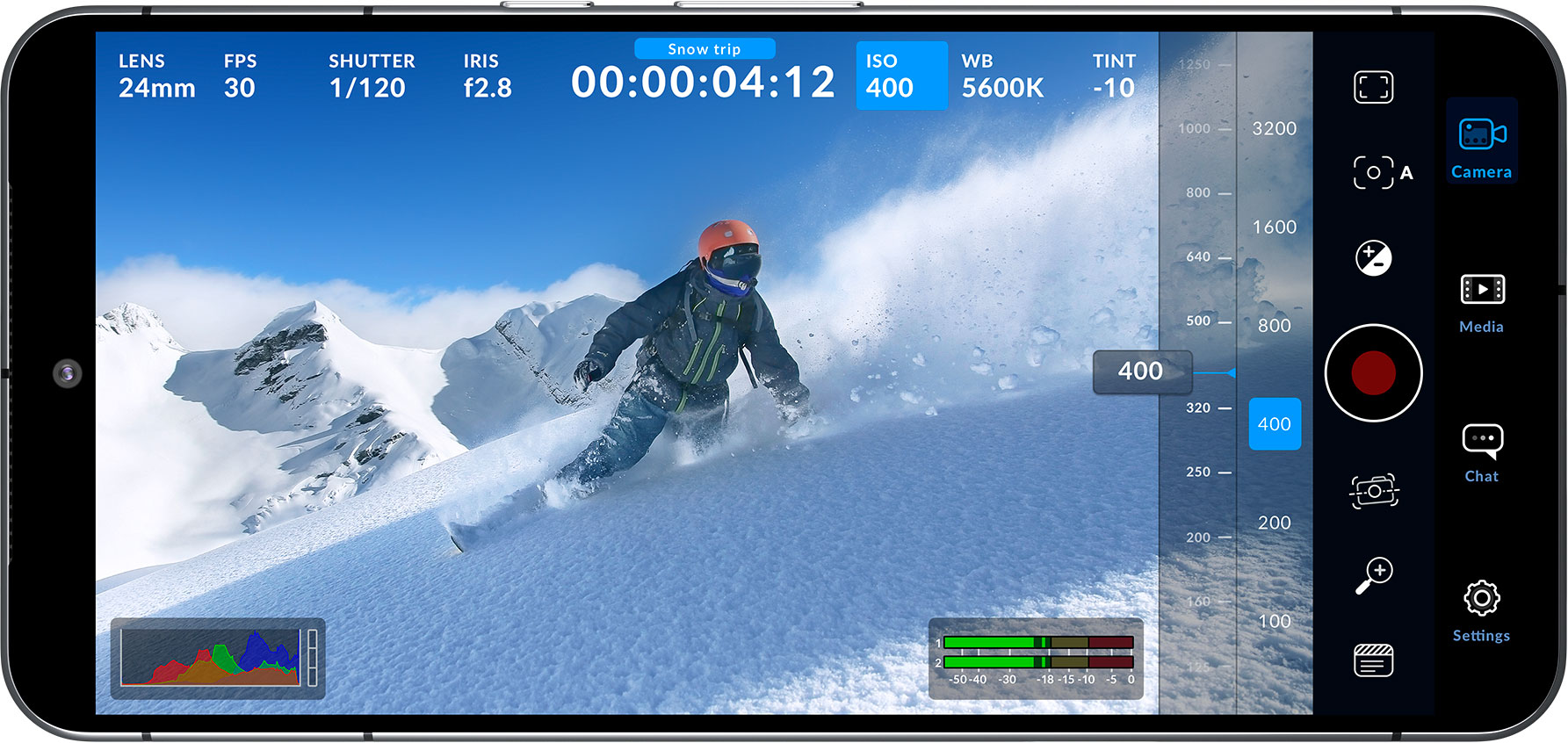
That said, while the tools are impressive – focus peaking, zebras, LUTs, and more—it’s worth asking if they’ll see serious use. Sure, the app packs plenty of pro-level features, but for most creators using smartphones, is this overkill or a dream come true? Time will tell.
Free but Not Perfect
Blackmagic Camera for Android 2.0 is available now on Google Play, free of charge. It’s a feature-rich app, no doubt, but whether it can replace dedicated gear for professional shoots is a different question. If you’re the type to push your mobile gear to its limits, though, it’s definitely worth checking out.
See more from DIYPhotography.net on Google
Add DIYPhotography.net as a trusted source. This makes
our stories more likely to appear in your Google Search results.
 Add as a preferred source on Google

John Aldred
John Aldred is a photographer with over 25 years of experience in the portrait and commercial worlds. He is based in Scotland and has been an early adopter – and occasional beta tester – of almost every digital imaging technology in that time. As well as his creative visual work, John uses 3D printing, electronics and programming to create his own photography and filmmaking tools and consults for a number of brands across the industry.


Join the Discussion
DIYP Comment Policy
Be nice, be on-topic, no personal information or flames.