


























Aiarty Fixes Noisy and Soft Photos Without the “AI Look”. Now 49% Off for Lifetime License
Nov 28, 2025
Dunja Đuđić Kalinin
Dunja Djudjic is a multi-talented artist based in Novi Sad, Serbia. With 15 years of experience as a photographer, she specializes in capturing the beauty of nature, travel, concerts, and fine art. In addition to her photography, Dunja also expresses her creativity through writing, embroidery, and jewelry making.
Share:
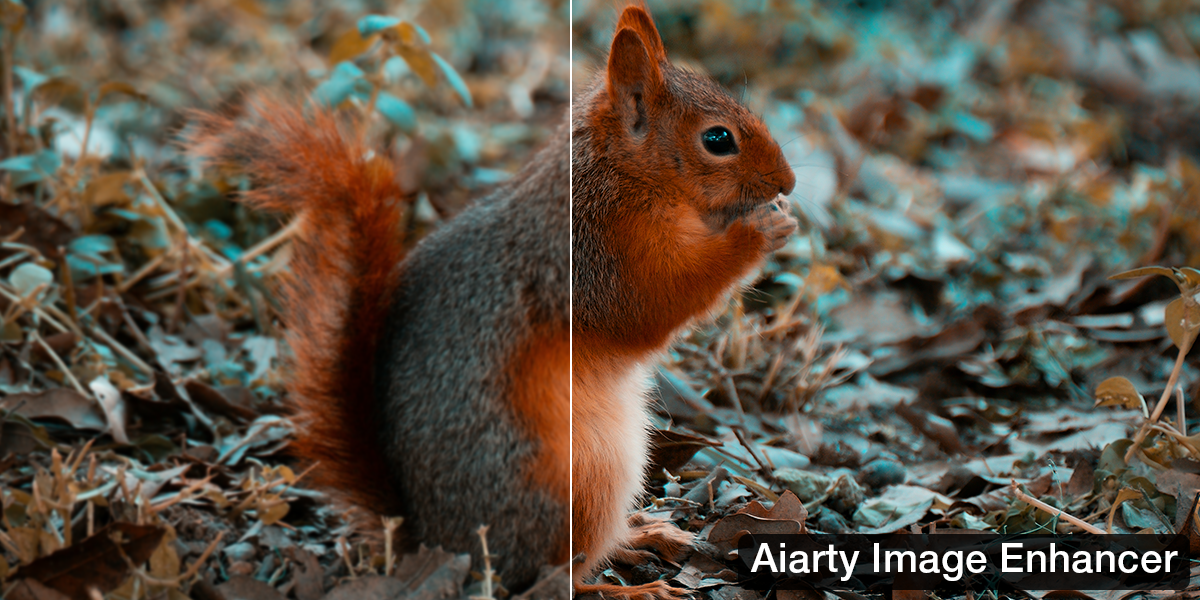
As photographers, we don’t exactly have a shortage of editing tools to choose from (thankfully). But many of them are hard to learn on the one hand, or overly automated on the other. And not to mention many AI image editors try to “fix” images in a way that totally strips them of personality.
Enter Aiarty Image Enhancer, which takes a different approach. Instead of using AI to completely reimagine your photos, it focuses on recovering them. That means helping you bring back detail lost to noise, motion blur, or low light, without flattening textures or applying a “look” you didn’t ask for. If you prefer working with RAW files, it feels less like a gimmick and more like a practical, lightweight AI image editing solution.
What Does Aiarty Offer?
We sometimes deal with noise, blur, and exposure issues that we just can’t fix in-camera. Or we could, but we only see the mistakes once we transfer the photos to the computer. Whatever the case may be, Aiarty helps clean up those problem shots efficiently and naturally. By the way, Aiarty currently provides a holiday offer, and you can get the discount here. Or keep reading and decide after completing the article.
Denoise: Handling High-ISO Photos Without Smudging the Details
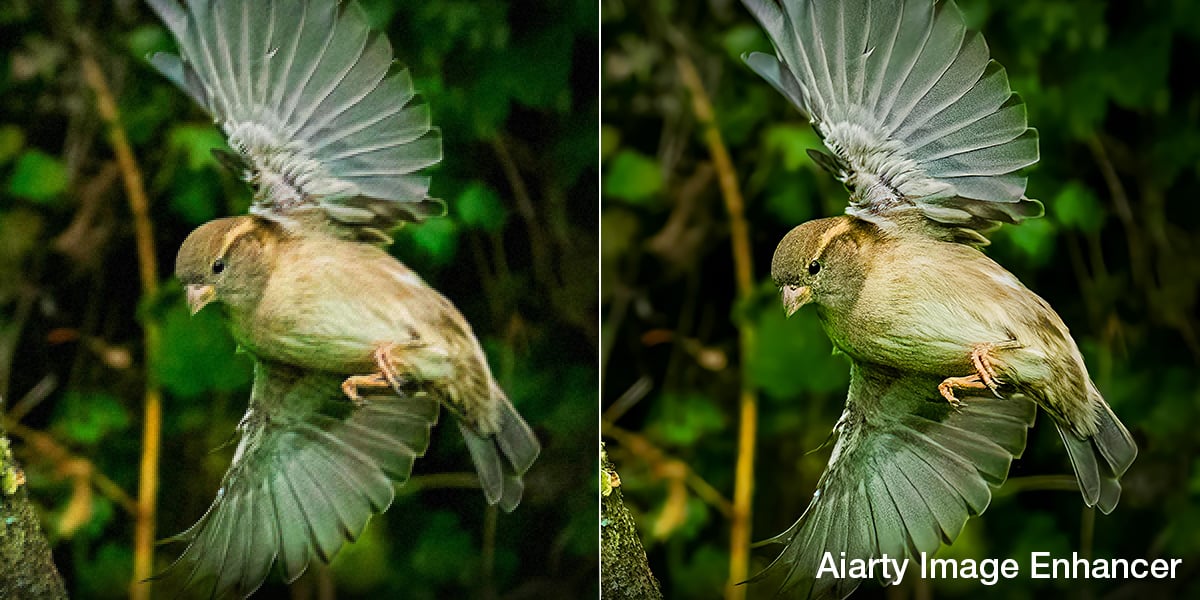
High ISO is a reality for low-light or fast-action photography. Aiarty reduces luminance and chroma noise while preserving fine details like feathers or hair. In a test image shot at ISO 6400 on a Sony A7s with a Leica 50 APO, it removed noise without flattening texture or creating a plastic look.
Sharpen: Fixing Motion Softness and Missed Focus
For images that are slightly soft, Aiarty can pull back lost detail. On a wide-aperture portrait at f/1.4, it restored iris sharpness and eyelash edges gently. The result looked natural, with no haloing or over-sharpened artifacts.
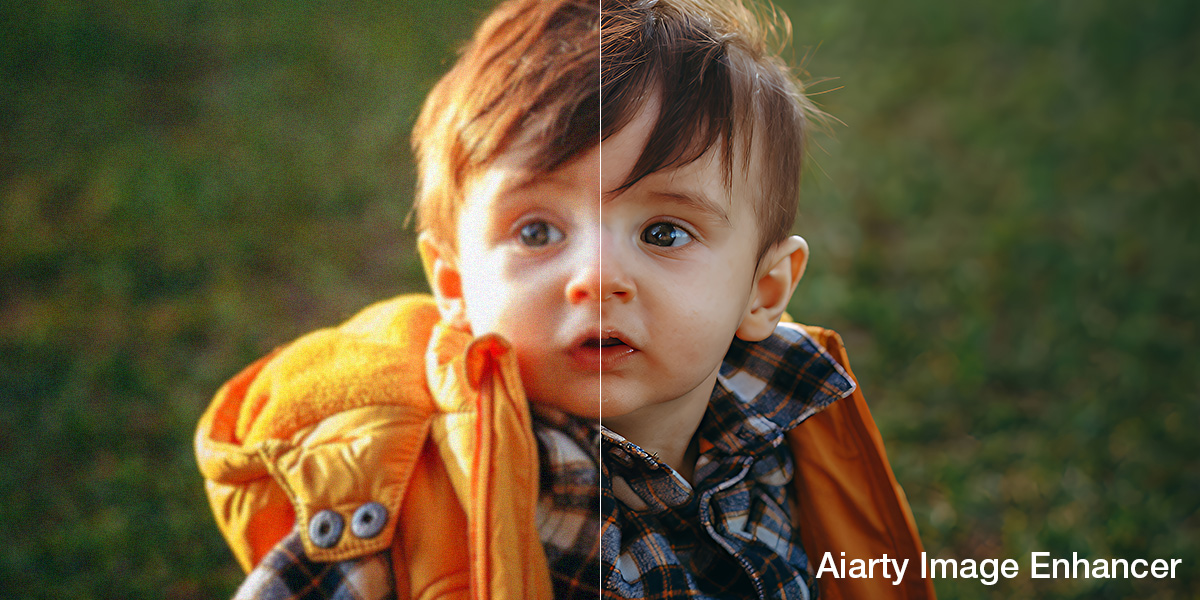
Color: Manual Adjustments That Behave Like Photography Tools
Aiarty includes a manual color panel that lets you fix white balance, exposure, or shadows without applying an automatic filter. In a warm, backlit portrait, it corrected yellow tones and lifted shadows while maintaining the original mood.
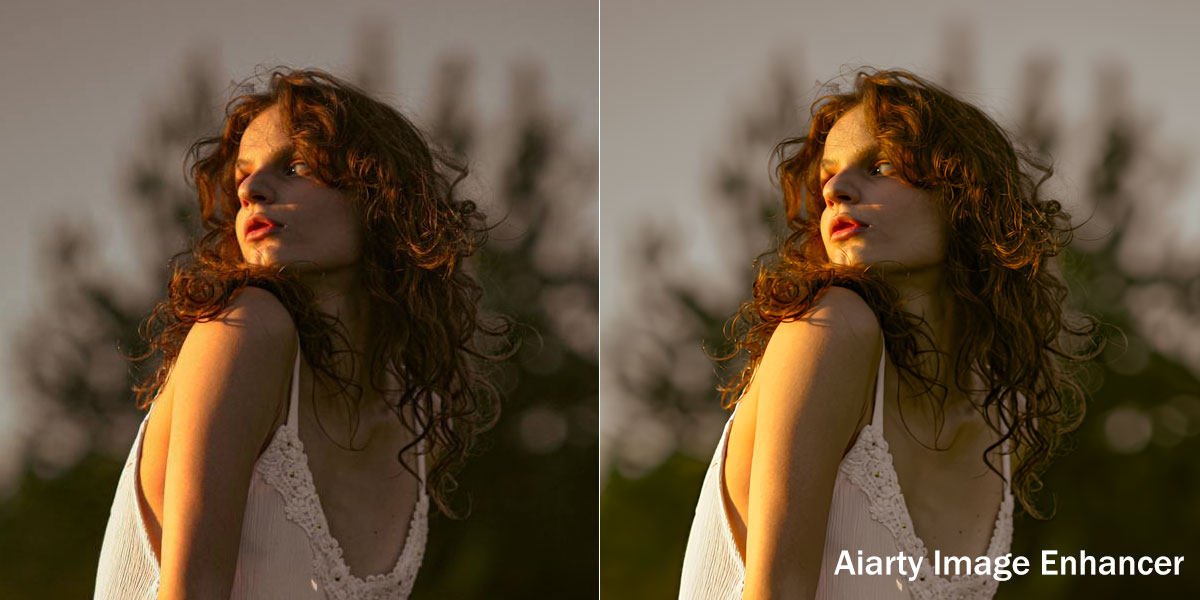
Restore Details: Bringing Back Texture in Low-Light or Soft Images
When shooting in dim conditions, detail often disappears. Aiarty restored texture and clarity in an ISO 5000 indoor shot without inventing details or smoothing the image unnaturally.
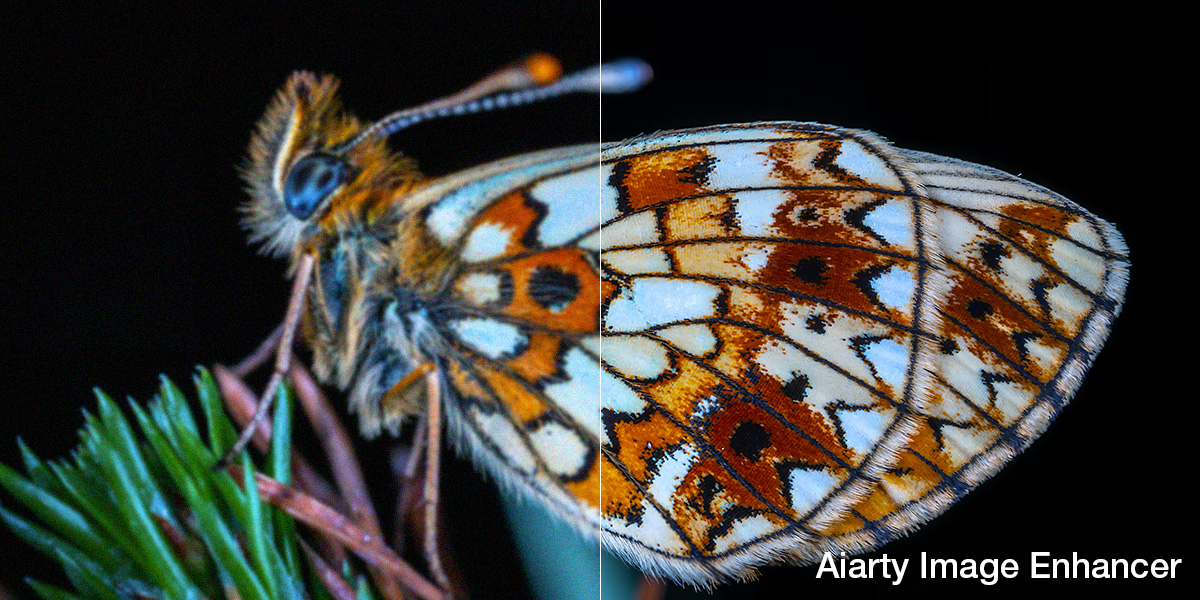
Upscale: Turning Small or Old Images into Large, Printable Files
Aiarty’s upscaling can enlarge images by 2× to 8× with clean structure. A cropped 6MP wedding photo was upscaled 4× and printed at 18×24 inches without visible artifacts or loss of clarity. It’s ideal for reviving older or heavily cropped files. Now I wanna try this with my favorite photo.
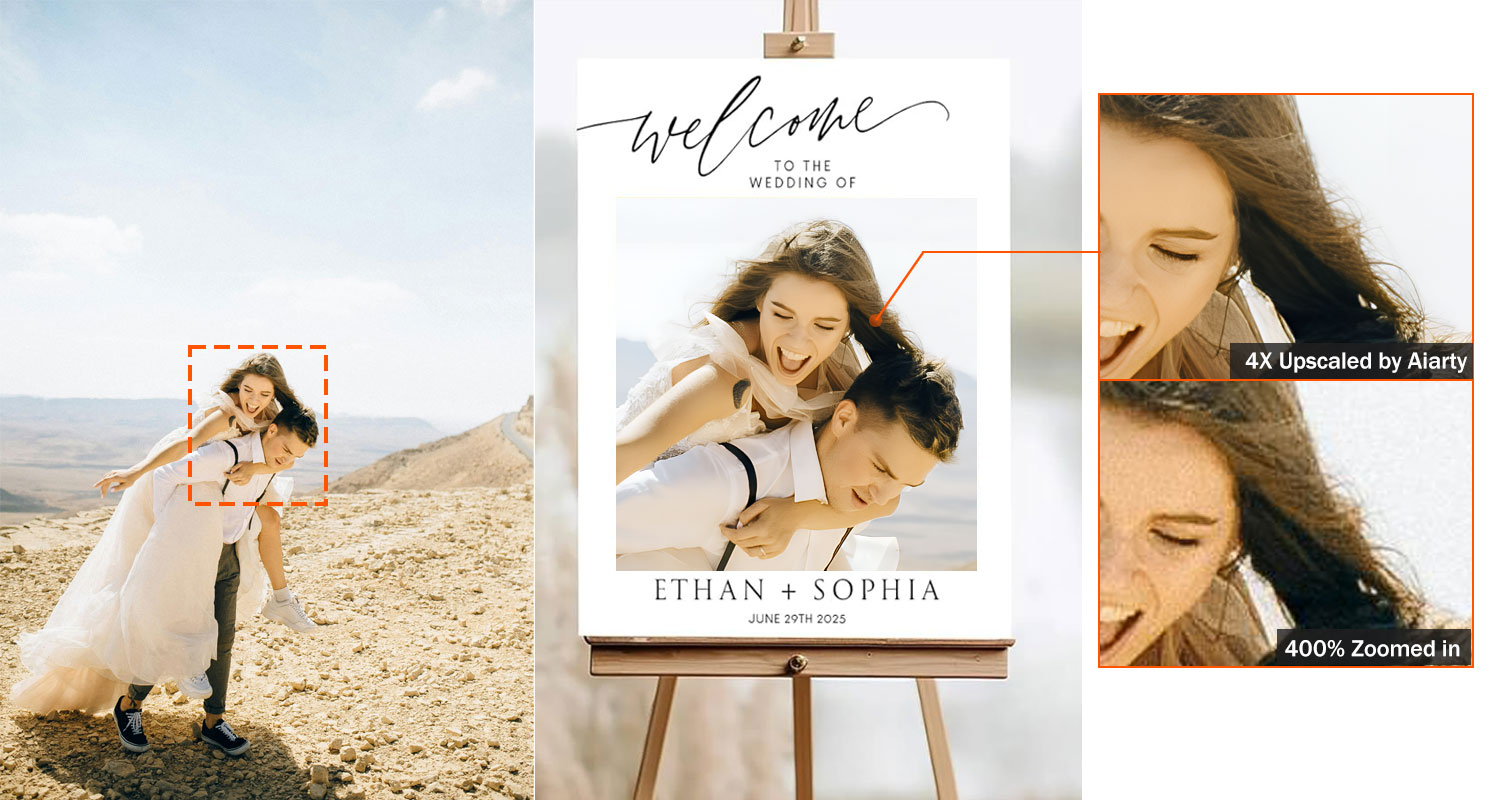
Real-World Use
Based on the examples above, I can see Aiarty stepping onto the scene in many different shooting scenarios and genres. For example, it could help you resize and upscale some of your older shots, especially if you’ve been into digital photography for ages. Or if, like me, you used to shoot smaller JPGs instead of RAW files (ah, the old days).
Sharpening and denoising can be particularly useful for event, wedding, or portrait photographers capturing fleeting expressions in challenging light. As a concert photographer, I’d definitely give this a shot as well!
How Aiarty Fits into Your Editing Workflow
You don’t need to overhaul your editing process to use Aiarty. Here’s a typical workflow that complements existing software you use, like Lightroom or Capture One:
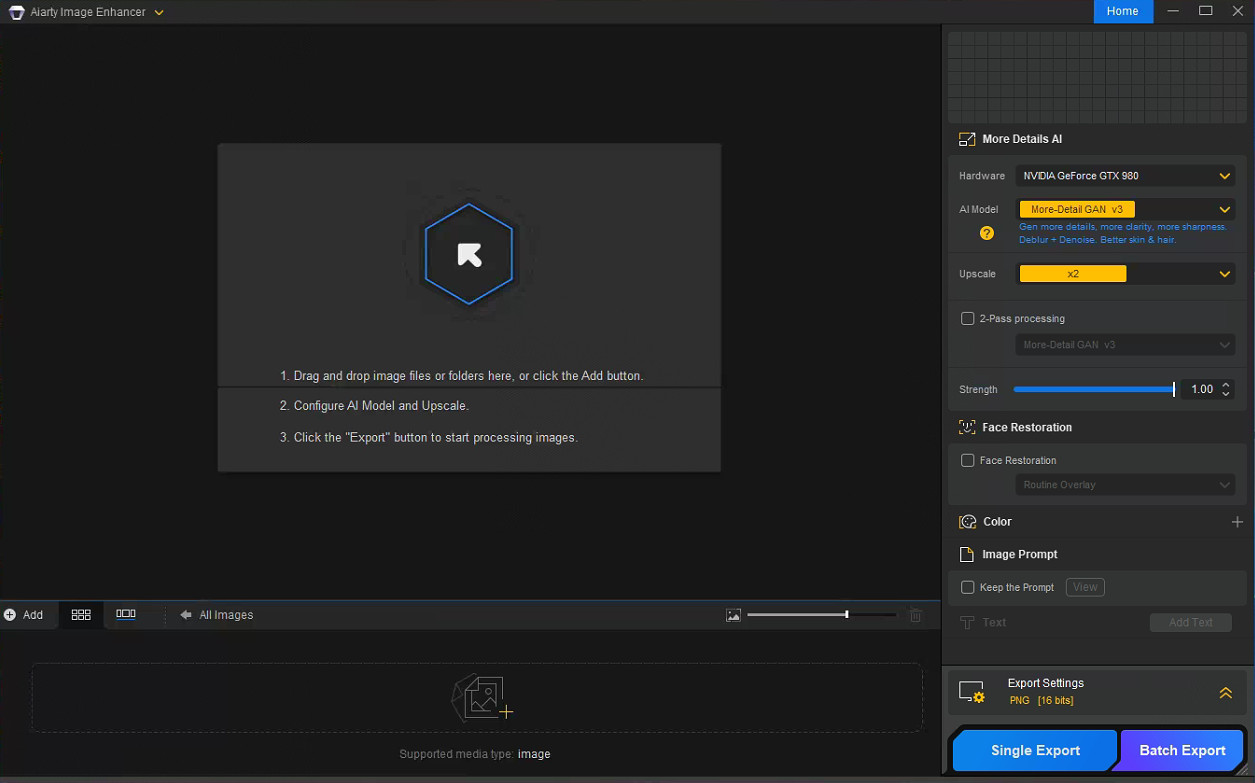
- Drag and Drop Your Images – Aiarty Supports RAW and JPEG formats.
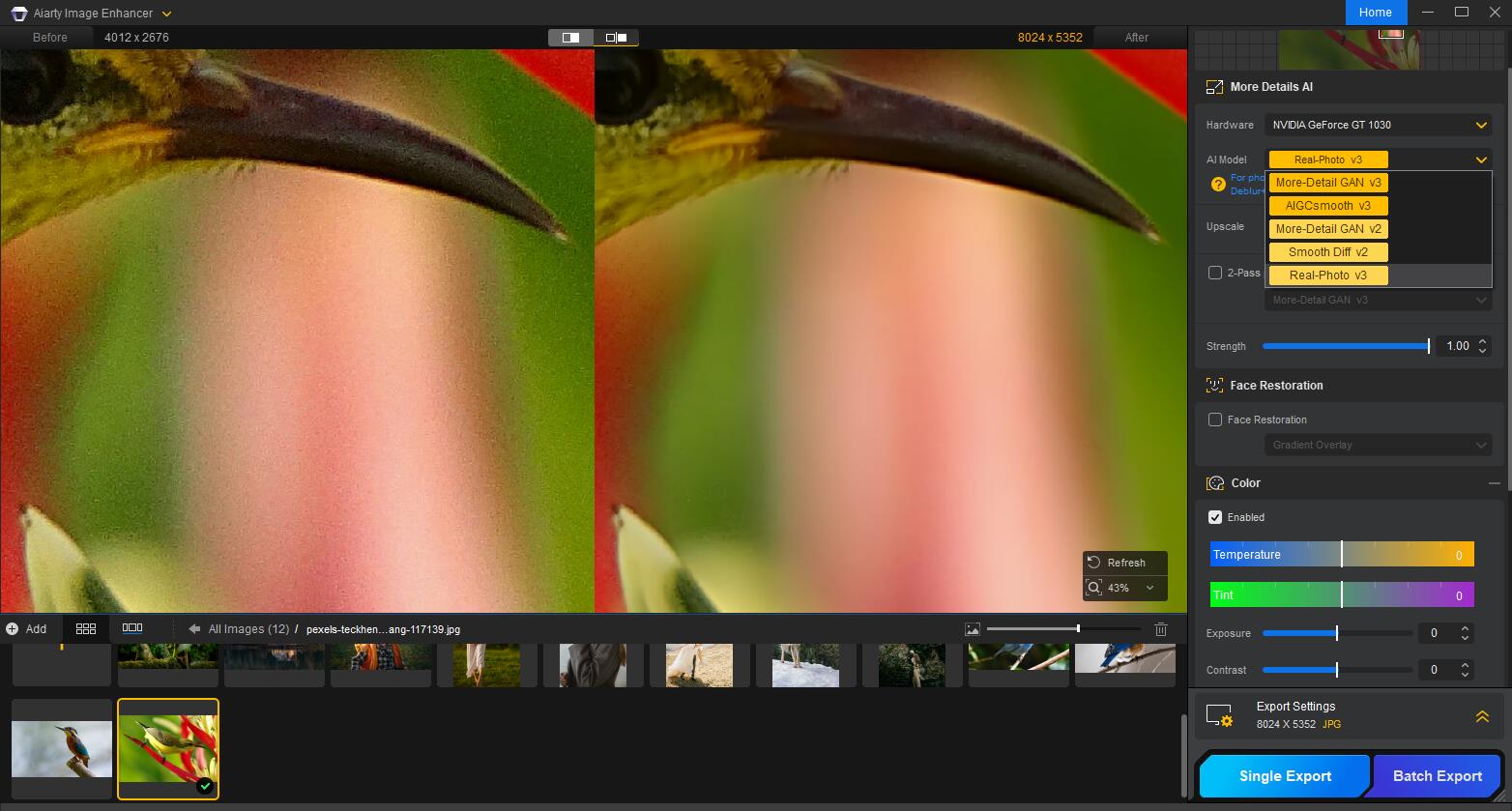
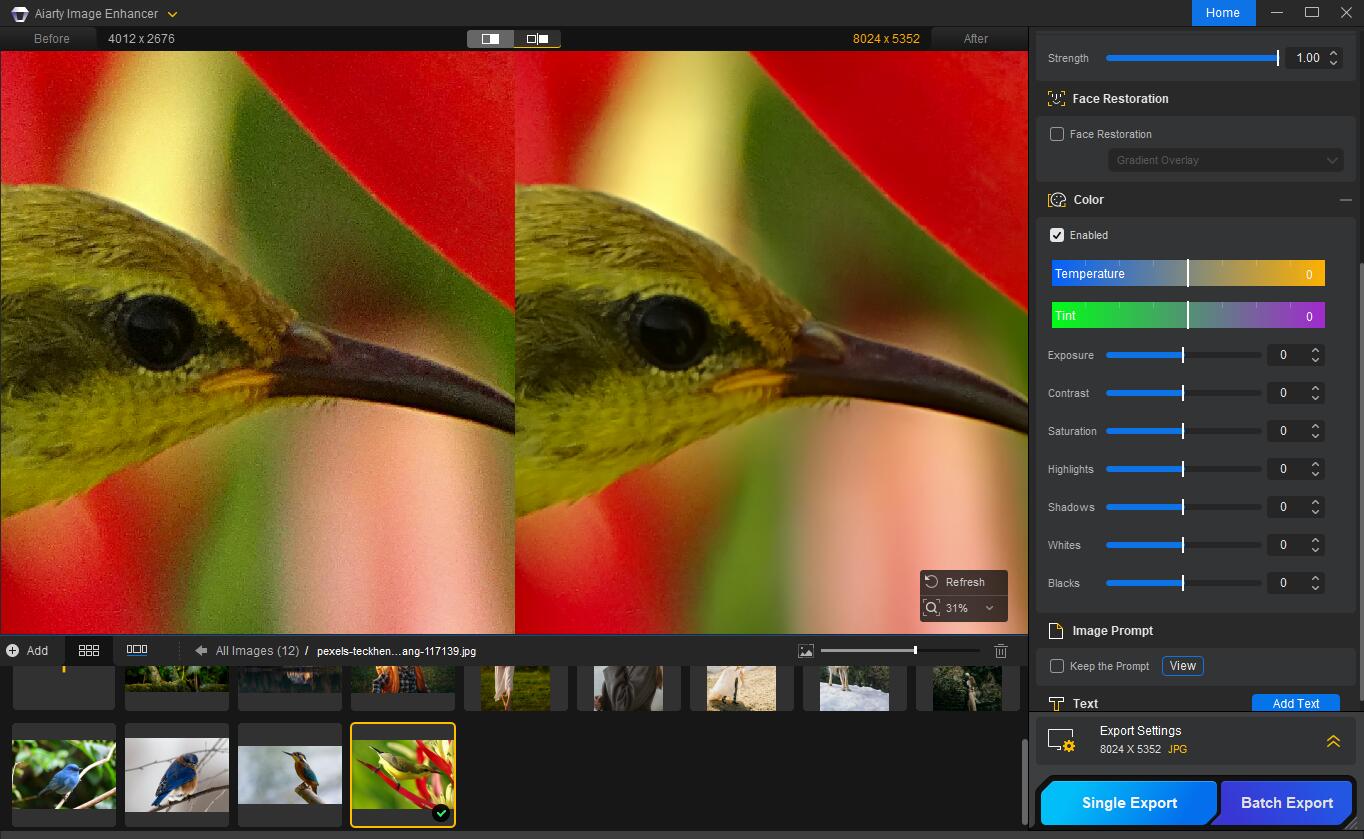
- Select an AI Model – Choose from options like More-Detail GAN v3 (for skin, fabric, hair) or Real-Photo (for general photo enhancement).
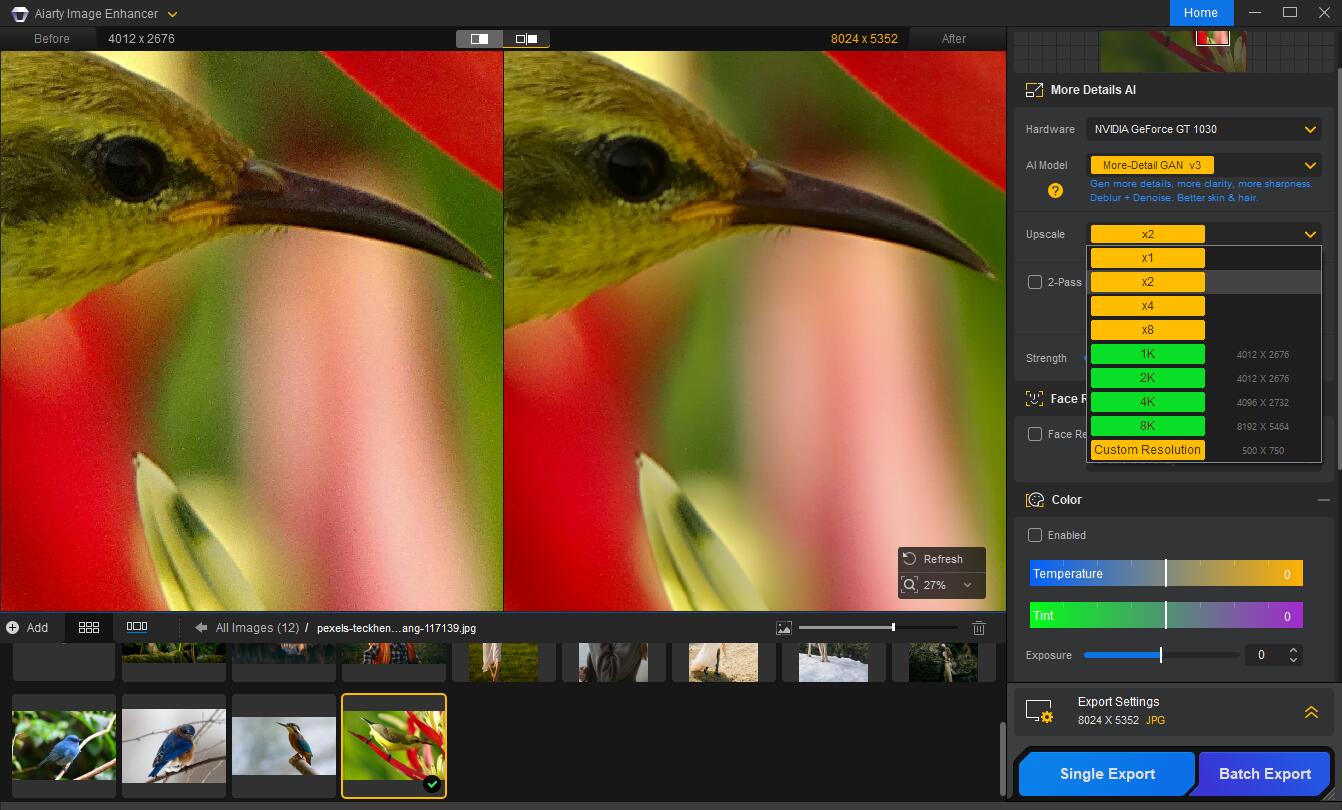
- Set Upscaling Factor – From x1 to x8 or resolutions up to 32K.
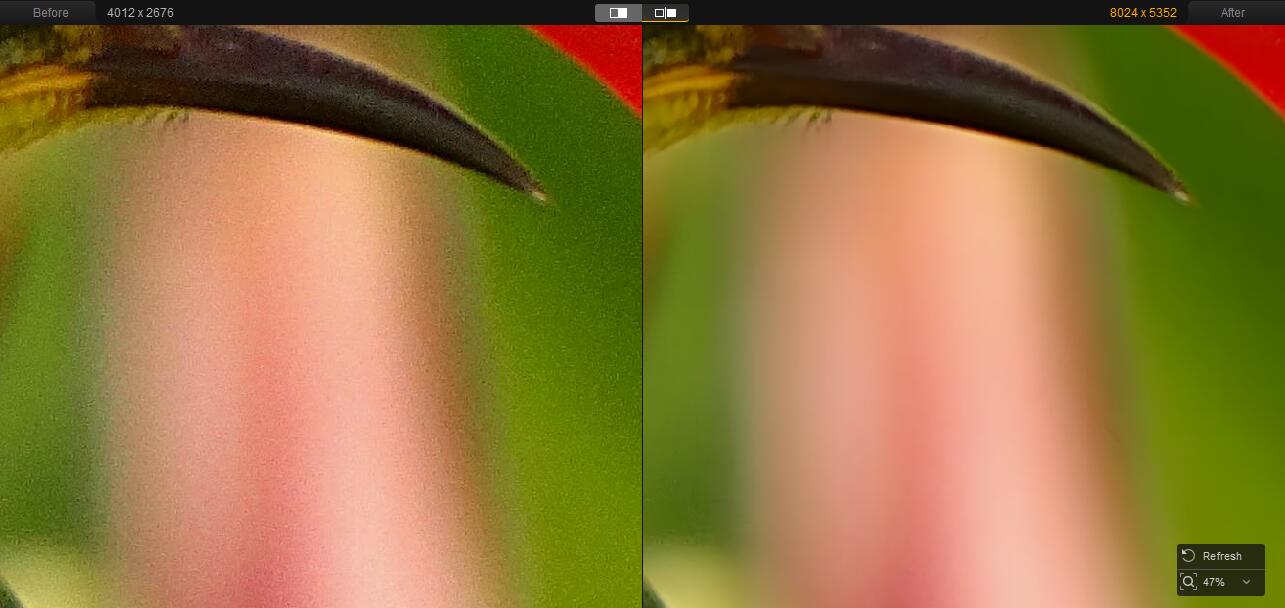
- Preview the Result – See side-by-side comparisons and swap models if needed.
- (Optional) Fine-Tune Color – Manually adjust temperature, contrast, tint, and more.
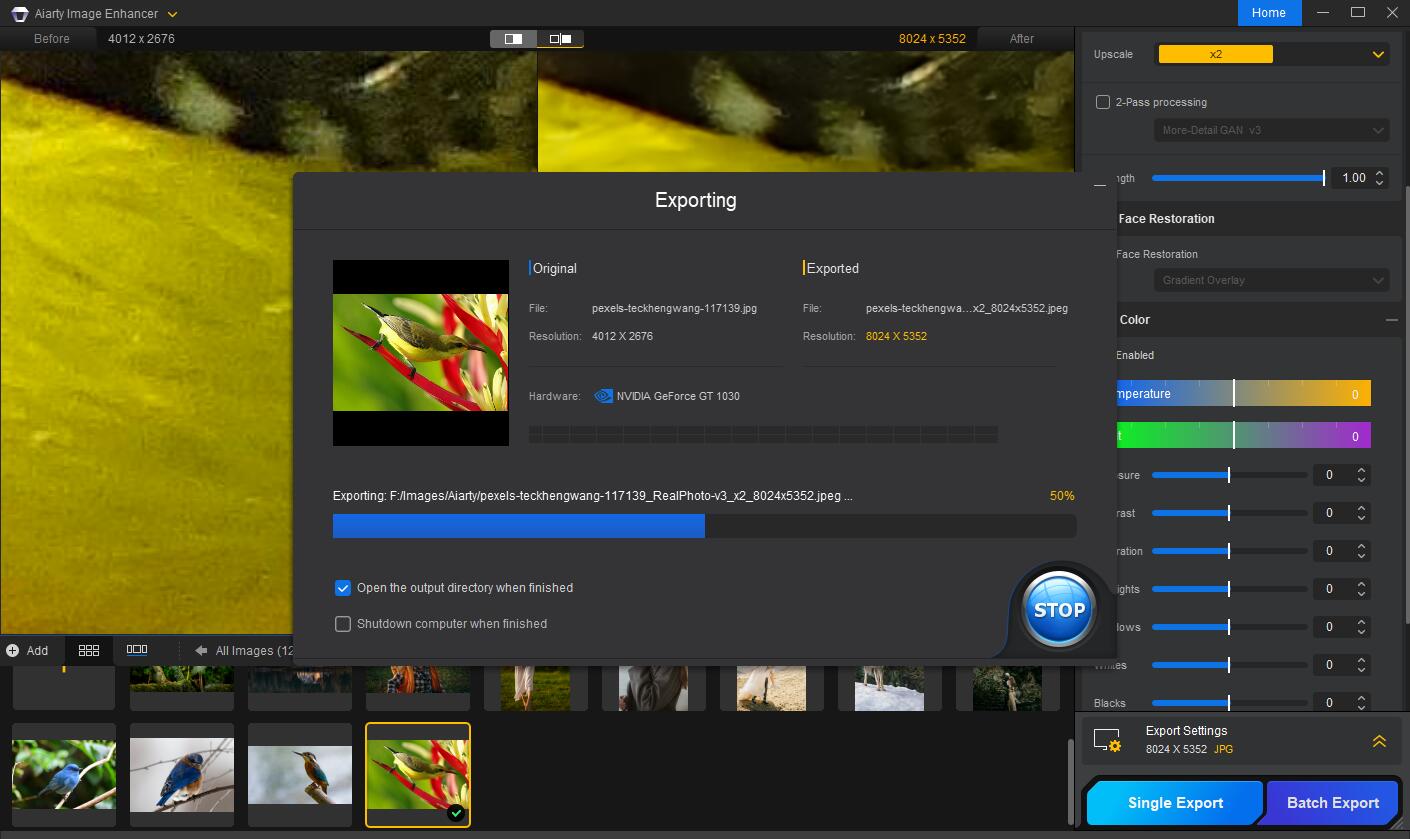
- Export Your Image – Save individually or batch-export for speed.
Whether you’re cleaning up wildlife shots at ISO 6400 or rescuing portraits from focus misses, Aiarty provides a fast and reliable AI image editing workflow without added complexity.
What Makes Aiarty Stand Out?
As I mentioned, many AI tools allow you to completely alter your images and the people and landscapes in them. It’s not necessarily bad, but it’s not always what you want. Personally, it’s not something I’ve ever used. Aiarty, on the other hand, seems to understand the needs of photographers who just want to enhance their original images, not change skies, reduce people’s weight or add smiles.
Its strength lies in restraint. Noise reduction keeps detail intact. Sharpening avoids halos. Color tools give you control instead of replacing your judgment. And everything can be previewed in real-time before you commit to the changes.
If other AI image editing software are just too much for you, or you find them inflexible, Aiarty may feel like a welcome shift.
Pricing and Availability
There’s currently a 49% discount on Aiarty Image Enhancer’s lifetime license for 3 computers. Yup, no subscription! Priced at just $99, it makes it a solid pick for photographers looking to clean up noisy, low-light, or motion-soft shots without committing to a subscription. If you’d rather buy the software for only one year and pay a subscription annually, it’s priced at $79.
You can claim the deal on Aiarty’s website and start turning your “almost” shots into keepers.
Disclaimer: This post is part of a paid partnership with the featured brand. While sponsorship supports our work, all editorial content is independently written and reflects the voice and standards of DIYP. We only cover products we believe are relevant, trustworthy, and of interest to our readers.
See more from DIYPhotography.net on Google
Add DIYPhotography.net as a trusted source. This makes
our stories more likely to appear in your Google Search results.
 Add as a preferred source on Google

Dunja Đuđić Kalinin
Dunja Djudjic is a multi-talented artist based in Novi Sad, Serbia. With 15 years of experience as a photographer, she specializes in capturing the beauty of nature, travel, concerts, and fine art. In addition to her photography, Dunja also expresses her creativity through writing, embroidery, and jewelry making.
Related Posts
 Aiarty Image Matting: From Messy Edges to Print-Ready Photos in Minutes
 Don’t Choose A Unique Style: Finding Your Voice in a Noisy Room
 Weasel Gets The Ride Of His Lifetime While Clinging To The Back Of A Flying Woodpecker; Expert Says It’s Real
 Man dies after slipping off a cliff while trying to capture the selfie of a lifetime in Hong Kong
Join the Discussion
DIYP Comment Policy
Be nice, be on-topic, no personal information or flames.
One response to “Aiarty Fixes Noisy and Soft Photos Without the “AI Look”. Now 49% Off for Lifetime License”
How does it compare to Topaz?