




Knives Out Director Launches an iPhone Camera App With a Film Look
Nov 2, 2026
Alysa Gavilan
Alysa Gavilan has spent years exploring photography through photojournalism and street scenes. She enjoys working with both film and mirrorless cameras, and her fascination with the craft has grown over the decades. Inspired by Vivian Maier, she is drawn to capturing everyday moments that often go unnoticed.
Share:
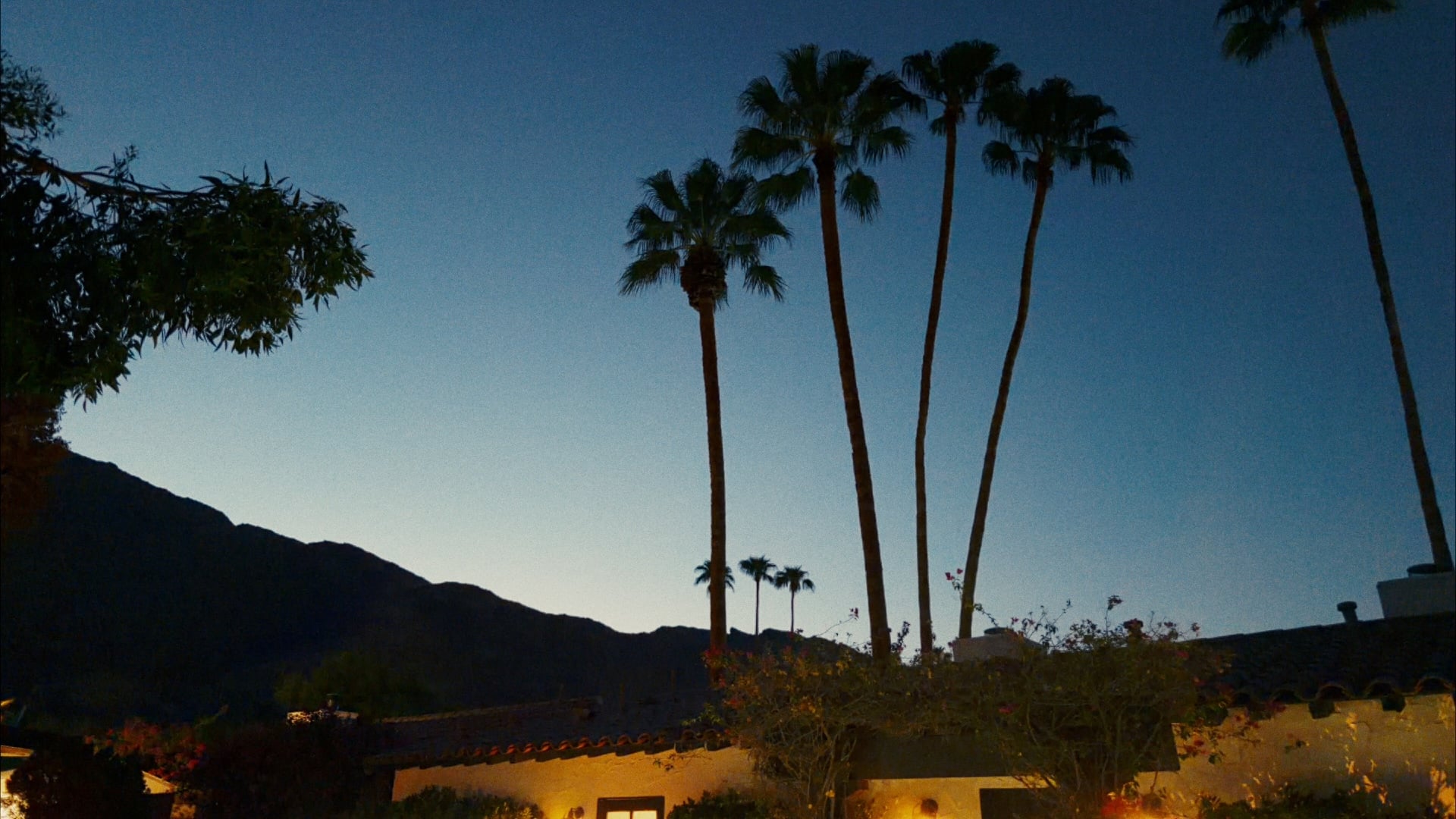
Smartphone cameras have become remarkably good at producing finished looking images, but that look is largely shaped by the processing built into the phone. Chromagraph takes a different approach.
Developed by filmmaker Rian Johnson, cinematographer Steve Yedlin, and color science coder Eric Cameron, the iPhone camera app starts with RAW image data and applies its own color and texture processing instead of relying on the phone’s usual image pipeline.
Johnson introduced the app in a post on X, explaining that he initially asked Yedlin to build it because he takes a lot of photographs with his iPhone and wanted a camera app that matched his preferred visual style. The processing is based on the look Yedlin developed for the Knives Out films.
A different approach to iPhone image processing
Chromagraph’s main distinction is that it does not simply place a filter over an image already processed by the iPhone camera. According to the app description, it bypasses the phone’s default look processing and builds the image from RAW data using its own methods.
This matters for photographers who want more control over the appearance of their images. Rather than starting with Apple’s standard rendering and adjusting it afterward, Chromagraph applies a separately developed look from the beginning.
There is one unusual aspect to the shooting experience. Users compose their photographs through the viewfinder without seeing the finished Chromagraph rendering immediately. They take the picture first, then open the gallery to view the processed result. The approach is designed to resemble shooting with film, where the final image is not visible at the moment of exposure.
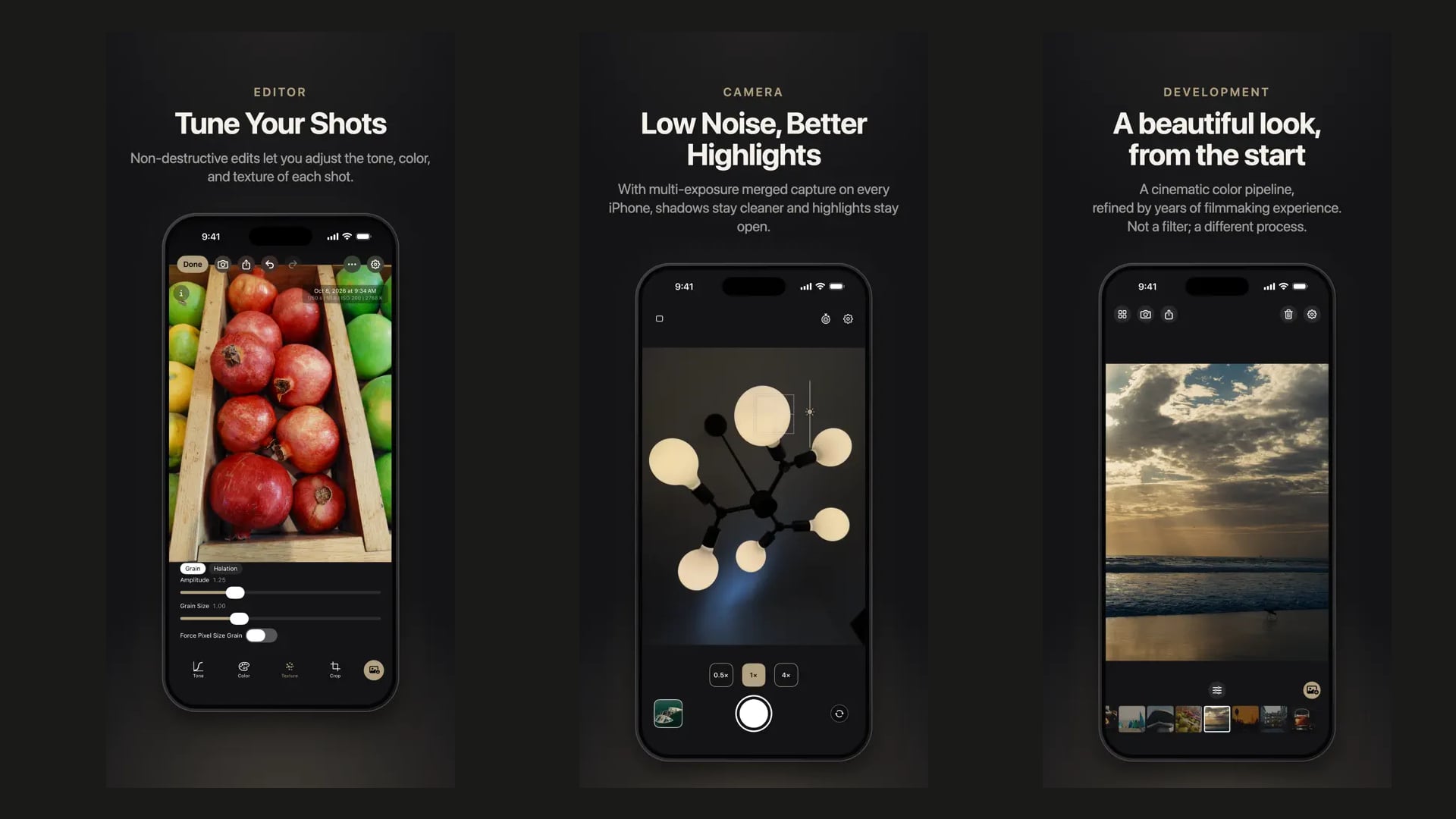
Color, exposure, grain, and halation controls
The app includes tools for adjusting color, exposure, grain, and halation. These controls let photographers fine tune their images while retaining the visual character of Chromagraph’s processing.
Chromagraph also keeps the original RAW files in its gallery, with the app displaying the processed look and any adjustments made. Users can export smaller versions for sharing or save finished images to their phone’s photo library.
Automatic export is available in the preferences, allowing photographs to be sent to the library as JPEG or HEIC files with the Chromagraph look applied. This gives users the option of keeping RAW files for further editing while having ready to share versions available.
For photographers who prefer working with RAW files in their usual editing software, retaining the originals is an important part of the workflow.
Why Chromagraph is iPhone only
Chromagraph is currently available only for iPhone. Johnson said the team chose Apple’s platform because the consistency of its hardware makes it possible to develop and tune the processing with greater confidence.
Supporting the wide variety of Android devices would be difficult for the small development team, particularly when each phone can have different camera hardware and image processing characteristics.
The app is also limited to still photography. Johnson said the team may explore video in the future, although he noted that this would likely be possible only on recent generations of Pro iPhones.
Can your iPhone photos use a different visual language?
Chromagraph is an interesting option for photographers who enjoy shooting with their phones but want something beyond the familiar smartphone image processing. Its RAW based approach, custom rendering, and adjustment tools offer a more deliberate way to create a consistent photographic look.
The bigger question is how much difference Yedlin’s processing makes to everyday photographs. For iPhone photographers looking for a distinct visual style, Chromagraph offers a new image making tool worth exploring.
See more from DIYPhotography.net on Google
Add DIYPhotography.net as a trusted source. This makes
our stories more likely to appear in your Google Search results.
 Add as a preferred source on Google

Alysa Gavilan
Alysa Gavilan has spent years exploring photography through photojournalism and street scenes. She enjoys working with both film and mirrorless cameras, and her fascination with the craft has grown over the decades. Inspired by Vivian Maier, she is drawn to capturing everyday moments that often go unnoticed.
Related Posts
 Citus iPhone Camera App Builds Film Looks From Real Scanned Rolls, No Monthly Subscription Fee
 Inspiring Short Film Takes You Inside The Mind Of Director Turned Photographer Jakob de Boer
 Photographer Takes an iPhone 5s, iPhone 6, & iphone 6+ to Iceland: This Is How They Compared
 The Canon Cripple Hammer is pure “conspiracy theory” says Canon director
Join the Discussion
DIYP Comment Policy
Be nice, be on-topic, no personal information or flames.