

























How to create Photoshop Actions to make star trails from a single photo
Jun 15, 2018
John Aldred
John Aldred is a photographer with over 25 years of experience in the portrait and commercial worlds. He is based in Scotland and has been an early adopter – and occasional beta tester – of almost every digital imaging technology in that time. As well as his creative visual work, John uses 3D printing, electronics and programming to create his own photography and filmmaking tools and consults for a number of brands across the industry.
Share:

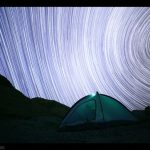
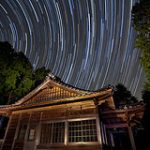
Star trails are a common subject amongst astrophotographers. When they’re not trying to capture the milky way, they’re showing the path that our stars take in the night sky. The process for creating these isn’t dissimilar from shooting timelapse with digital. You take a lot of photos over a period of time and then stack them on top of each other in Photoshop.
But this technique from Nemanja Sekulic shows you a way to do this with just a single image. It’s not going to be a perfect recreation of how the stars move through the sky, but it will let you achieve a similar effect. Nemanja demonstrates how to (mostly) automate the process using Photoshop actions that you create yourself.
The basic principle is quite simple.
- Duplicate your image layer
- Set the blending mode of the duplicate to lighten
- Use the transform tool to rotate your image just slightly
But doing this once just creates a slight blur in your shot. What you need to do is to start recording an action before you perform the above tasks. Then you can just tell it to play over and over until you get a star trail length that you’re happy with.

Often, you’ll end up with a blurred environment on the ground with this method. So, Nemanja takes his original layer and cuts out the ground so that he can add it back on top of the layers created by the action.

Overall, it’s a pretty cool result and it offers a lot of possibilities to get some unique looks – looks that obviously couldn’t happen in the real world.
Of course, even just getting that one shot to start with means you still have to head out at night into the freezing cold dark.
See more from DIYPhotography.net on Google
Add DIYPhotography.net as a trusted source. This makes
our stories more likely to appear in your Google Search results.
 Add as a preferred source on Google

John Aldred
John Aldred is a photographer with over 25 years of experience in the portrait and commercial worlds. He is based in Scotland and has been an early adopter – and occasional beta tester – of almost every digital imaging technology in that time. As well as his creative visual work, John uses 3D printing, electronics and programming to create his own photography and filmmaking tools and consults for a number of brands across the industry.


Join the Discussion
DIYP Comment Policy
Be nice, be on-topic, no personal information or flames.
One response to “How to create Photoshop Actions to make star trails from a single photo”
Tq for introducing this method!!! I sort of ran into a problem where it leaves square shape that is not being able to process.please help me out.