


























How to create a mechanical shutter release for your digital point & shoot camera
Nov 19, 2019
John Aldred
John Aldred is a photographer with over 25 years of experience in the portrait and commercial worlds. He is based in Scotland and has been an early adopter – and occasional beta tester – of almost every digital imaging technology in that time. As well as his creative visual work, John uses 3D printing, electronics and programming to create his own photography and filmmaking tools and consults for a number of brands across the industry.
Share:

Most cameras these days offer some kind of built-in WiFI or Bluetooth control that allows you to fire your camera from an app on your smartphone. But not all of them do. The Ricoh GRII is one of those cameras that actually does offer some remote control via an app or USB remote, but sometimes you still want that tactile feel of pushing a shutter button, and the immediate response it gives.
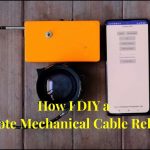
One GRII owner, Steloherd, has created his own method of firing the camera’s shutter via a traditional mechanical shutter release cable. It attaches via the camera’s hot shoe, and then the cable just screws into the top to push down the regular shutter button.

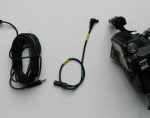
Steloherd says he made the mechanical cable release bracket because he wasn’t very comfortable with the Ricoh CA-3 remote shutter release, which connects through the GRII’s USB port. He says the cable isn’t very flexible and little movements of the cable can shift the camera when he sets it down on a flat surface without a tripod. He also does not use smartphones.

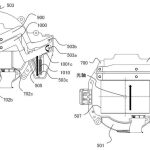
The lever is made from three main parts. There’s the foot which slides into the camera’s hot shoe, an arm to mount the release cable, and a lever which the cable pushes down to fire the shutter (although he says it’s not essential, it’s merely to protect it from scratches). These three components are held together by a single screw going into the hot shoe mount.


It’s a neat idea, and I’ve seen a few others do similar over the years to add an external shutter release to cameras. Typically, though, it’s to add an external shutter release ones that don’t have a USB or smartphone option, often to be able to shoot timelapse. In those cases, instead of the mechanical shutter release cable, a servo motor or linear actuator and an Arduino was used to push down a lever onto the camera’s shutter button.
You can check out Steloherd’s complete build instructions on Instructables.
[via Hackaday / Images: Steloherd, CC BY-NC-SA 4.0]
See more from DIYPhotography.net on Google
Add DIYPhotography.net as a trusted source. This makes
our stories more likely to appear in your Google Search results.
 Add as a preferred source on Google

John Aldred
John Aldred is a photographer with over 25 years of experience in the portrait and commercial worlds. He is based in Scotland and has been an early adopter – and occasional beta tester – of almost every digital imaging technology in that time. As well as his creative visual work, John uses 3D printing, electronics and programming to create his own photography and filmmaking tools and consults for a number of brands across the industry.

Join the Discussion
DIYP Comment Policy
Be nice, be on-topic, no personal information or flames.
3 responses to “How to create a mechanical shutter release for your digital point & shoot camera”
I’m sure someone could do a little 3D printed mold around the shutter that would look better…. also their is infrared triggers now… or via usb…
But this is a clever setup non the less
But, why?
Both my Fujifilm X100F as my X-T2 can do this without modifications…