

















Hasselblad X2D II 100C Can Now Shoot Tethered Straight Into Capture One
Nov 19, 2026
Dunja Đuđić Kalinin
Dunja Djudjic is a multi-talented artist based in Novi Sad, Serbia. With 15 years of experience as a photographer, she specializes in capturing the beauty of nature, travel, concerts, and fine art. In addition to her photography, Dunja also expresses her creativity through writing, embroidery, and jewelry making.
Share:
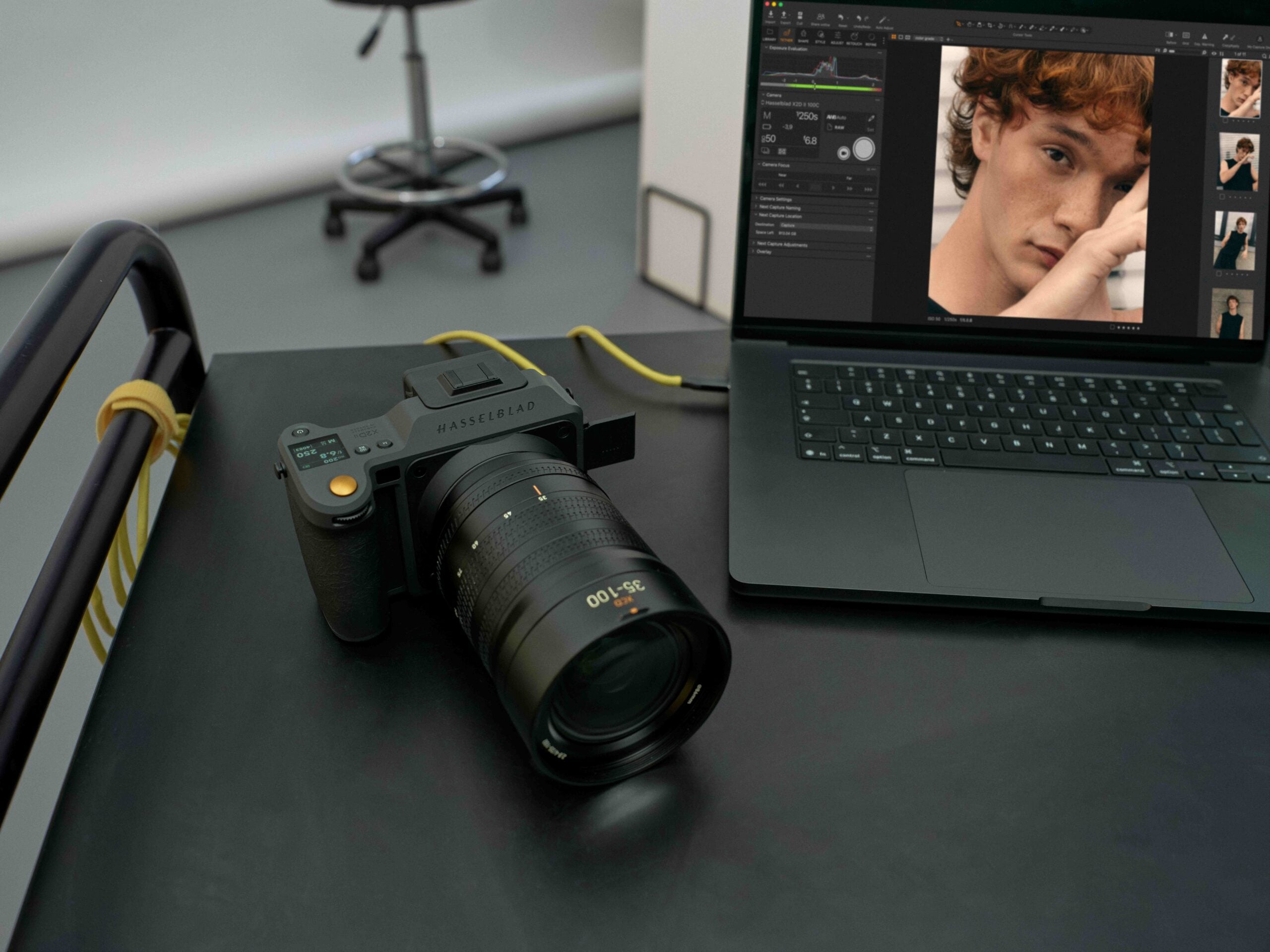
If you shoot with a Hasselblad X2D II 100C, you can now plug it straight into Capture One and shoot tethered. Every 100-megapixel frame lands on your screen at full resolution the moment you take it, and you can review, grade, and mask it in the same app you’ll eventually export from. All you need is X2D II 100C firmware 1.4.15.7 and Capture One 16.9.1 for desktop or Capture One Mobile 4.3.0, and all of these are available now.
Hasselblad and Capture One announced the update on November 18. It’s the next step in the partnership the two Scandinavian companies kicked off in July, when Capture One added native Hasselblad RAW support, its full editing toolset, and dedicated XCD lens profiles. Tethering was promised for later in the year, and it showed up with about six weeks to spare.
What Tethering Brings to the X2D II
The connection is wired, via USB. Once you’re plugged in, here’s what you get:
- Full-res review on the spot. You can check focus and exposure while the set is still live and nobody has moved. On a 100MP, 16-bit file, catching a soft eye on screen beats discovering it in post.
- Edits that carry over. Capture One’s toolset is there from the first frame, and the grades and masks you apply to it carry over to the shots that follow.
- Everyone looks at the same file. In studio portrait, still-life, and commercial work, the client and the art director see the same image as the photographer, so the feedback happens during the shoot instead of after it.
According to the company’s release, Hasselblad shooters have explicitly asked for this feature:
“We are always listening to our photographers, and tethering support for Hasselblad cameras was one of the top requests when our collaboration with Capture One was announced earlier this year,” said Bronius Rudnickas, Global Marketing Manager at Hasselblad. “We are delighted that this workflow option is now available, giving Hasselblad photographers and creatives worldwide greater flexibility in their creative journeys.”
Capture One CEO Rafael Orta framed it as the missing piece of the puzzle: “Hasselblad photographers have had the editing workflow since July, and now they have the full picture. You pick up your camera, you plug in, and it just works.”
What You Need
- Camera: Hasselblad X2D II 100C with firmware 1.4.15.7
- Software: Capture One 16.9.1 for desktop, or Capture One Mobile 4.3.0
- Connection: a USB cable
One thing to keep in mind: tethering is limited to the X2D II 100C for now. The original X2D 100C and the CFV 100C digital back got native RAW support in Capture One back in July (in version 16.8.3 and Mobile 3.3.4), but this announcement doesn’t mention tethering for either of them.
Availability
Tethered shooting for the X2D II 100C is live today. If you already use Capture One, update the software and the camera firmware, and you’re good to go. If you’re new to Capture One, there’s an exclusive 90-day trial, which is plenty of time to test the workflow on a few real shoots before you commit.
See more from DIYPhotography.net on Google
Add DIYPhotography.net as a trusted source. This makes
our stories more likely to appear in your Google Search results.
 Add as a preferred source on Google

Dunja Đuđić Kalinin
Dunja Djudjic is a multi-talented artist based in Novi Sad, Serbia. With 15 years of experience as a photographer, she specializes in capturing the beauty of nature, travel, concerts, and fine art. In addition to her photography, Dunja also expresses her creativity through writing, embroidery, and jewelry making.




Join the Discussion
DIYP Comment Policy
Be nice, be on-topic, no personal information or flames.