























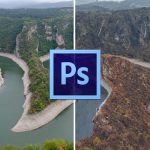
This free Photoshop plugin removes background in a single click
May 6, 2019
Dunja Đuđić Kalinin
Dunja Djudjic is a multi-talented artist based in Novi Sad, Serbia. With 15 years of experience as a photographer, she specializes in capturing the beauty of nature, travel, concerts, and fine art. In addition to her photography, Dunja also expresses her creativity through writing, embroidery, and jewelry making.
Share:

There are several ways to make cutouts in Photoshop, but now there’s a plugin that does it for you in a matter of seconds. Recently launched by remove.bg, this plugin lets you remove background in a single click. It’s free for download, but there are extra perks if you opt for one of the paid versions.
Previously, remove.bg was released only as a free web-based app. You were supposed to upload a photo to the website and AI would do the rest. When it was first launched, it was only capable of removing background from images of people, but now you can use it for product shots, too. I played with it a bit back then to see how it worked, and you can see the results here.
Now there’s also a Photoshop plugin that lets you cut out the subject and remove the background from images. So, how does it work? First, you need to install the plugin, and you can download it at Adobe Exchange. After this, there will new menu option available in Photoshop at Window > Extensions > Remove Background. When you click the Remove Background button, the image is processed through the remove.bg API. So, bear in mind that you need an active Internet connection and an API key from remove.bg.
Now, as for the pricing, the free plan lets you process 50 small images (up to 0.25 megapixels, e.g. 625×400) for free each month. However, photographers will likely benefit more from some of the paid plans. They start from $9 per month up to $219 per month, depending on the number of images you need to process.
Although the 0.25 MP images are really tiny, if you work on small web graphics, the free plan can be quite enough. The remove.bg team confirmed to DPReview that this limitation is due to technical reasons. Still, they’re working on support for higher resolutions in the future, so photographers will likely have more benefits from the free plan soon.
[via DPReview]
See more from DIYPhotography.net on Google
Add DIYPhotography.net as a trusted source. This makes
our stories more likely to appear in your Google Search results.
 Add as a preferred source on Google

Dunja Đuđić Kalinin
Dunja Djudjic is a multi-talented artist based in Novi Sad, Serbia. With 15 years of experience as a photographer, she specializes in capturing the beauty of nature, travel, concerts, and fine art. In addition to her photography, Dunja also expresses her creativity through writing, embroidery, and jewelry making.



Join the Discussion
DIYP Comment Policy
Be nice, be on-topic, no personal information or flames.
15 responses to “This free Photoshop plugin removes background in a single click”
Always a condition
This is an ad right?
FREE!
“Now, as for the pricing, the free plan lets you process 50 small images (up to 0.25 megapixels, e.g. 625×400) for free each month. However, photographers will likely benefit more from some of the paid plans. They start from $9 per month up to $219 per month, depending on the number of images you need to process.”
* Photoshop not included.
Vga isn’t a photo in 2019
Adobe should just buy up that company and include it free with their subscription model.
It will give them the competitive edge
An amazing conclusion. But It already has. They keep track of everything in a year.
I saw “free” in the title, opened the comments expecting to learn that it’s not actually free, was not disappointed.
“free” for credit car sized files……..from $9 to $200+ per moth for anything decent
Yeah, disappointed to find out that it is a paid subscription and the file size is limited. I will say, though, it does work as billed. The subscription would not be so onerous if I can bring my RAW files into PS and extract them to their original size.
The online version, although limited, is hands down the best. However, a number of pictures the AI – s?mingly – has problems with. A little to alot of tedious pre editing must be done prior to online uploading and background removal. Even then it still may not remove bg with sufficient enough efficacy. If it’s a must need cut-out you could spend 10 to 15 minutes on one complete removal. Photo quality is obviously important, and, while editing a pre cut photo’s lighting, shadows, colors etc., isn’t that big of a deal – the most obvious and biggest issue is the incompatibility with the RBg/Ps plugins to Android devices. All android users to my knowledge will be limited to the online version only.
If any of you guys know a reliable way to sync the rbg plugin to Photoshop app on android I’d be most grateful. All of my research suggests it’s impossible as Ps/Adobe is primarily for IOS devices. Sucks really because all RBg apps for android are no where near half as good as remove.bg. Maybe they’ll work it maybe not. Hopefully android/chrome get their A.I game up to par soon.
Not free you get one image to remove the background then after you have to pay $1.99 per image
Photoshop Plugin awesome conclusion. i already use this software. Adobe photoshop plugin must need background removal. Photo quality is obviously important, and, while editing a pre cut photo’s lighting, shadows, colors etc.
DIYPhotography reviews a free Photoshop/Remove.bg plugin that removes a background with a single click — impressively fast, but often rough around the edges.
DIY Photography
Photo Retouching LDT, we take your fast-cutout images and refine them into clean, professional results. Raw AI or plugin mask? Fine as a start — we’ll polish it to perfection.