
























Why DaVinci Resolve Studio Might Be the Smartest $295 You’ll Ever Spend on Your Video Workflow
Nov 7, 2025
Alex Baker
Alex Baker is a portrait and lifestyle driven photographer based in Valencia, Spain. She works on a range of projects from commercial to fine art and has had work featured in publications such as The Daily Mail, Conde Nast Traveller and El Mundo, and has exhibited work across Europe
Share:

If you’ve spent any time in the creator trenches, juggling photo shoots, video edits, and late-night colour-grading marathons, then you’ve probably used DaVinci Resolve. It’s the Swiss-army knife of post-production, combining editing, colour correction, audio, VFX, and motion graphics all in one sleek package. And best of all, it’s free. But that’s also the problem. Resolve’s free version really is so good that many people never stop to wonder what they’re missing.
For all its strengths, the free edition is just the beginning. Resolve Studio, the paid upgrade ($295), is all about speed and precision. It will take your footage to the next level when you hit the ceiling of what the free version can do. The Studio version can be the difference between “good enough” and “fully professional.” Let’s take a look at the differences between the two versions and why the Studio version is worth the upgrade.

What does the free version give you?
Firstly, the free version of DaVinci Resolve is remarkably capable. According to Blackmagic Design, it’s “the world’s only solution that combines editing, colour correction, visual effects, motion graphics and audio post production all in one software tool.” In practice, that means you can cut, grade, mix, composite and deliver your project without ever leaving a single application. It consolidates what used to require an entire suite of programs, and it does so with a sleek, modern interface that’s intuitive enough for beginners yet deep enough for pros.
The free version supports everything from standard HD right up to Ultra HD (3840×2160) in most 8-bit formats, which covers the vast majority of hybrid shooters and YouTubers. You also get access to professional-grade tools (the same ones used on major films and commercials) without spending a penny. For most DIY filmmakers and photographer-videographers, that’s huge.
You can learn industry-level post-production workflows, experiment with grading and effects, and deliver polished work straight from your laptop, all with zero licensing cost. It’s a complete, all-in-one creative playground, and that’s before you even think about upgrading to Studio.
Compared with Davinci’s main competitor (yes, Adobe, I’m looking at you!), you have to subscribe to the Adobe Creative Cloud and become competent in After Effects and Premiere Pro to get anything near what the free version of Davinci can do. That option will set you back around $60 a month and has quite the learning curve.
What do you get extra with DaVinci Resolve Studio?
So what does DaVinci Resolve Studio bring to the table? According to Blackmagic Design, the Studio version “includes everything in the free version plus the DaVinci AI Neural Engine, dozens of additional Resolve FX, temporal and AI spatial noise reduction, text-based editing, Magic Mask, film grain, optical blur and more. It also supports 10-bit video up to 120 fps and resolutions beyond 4K.” Here are the main features of the Studio version and why yo might want to consider the upgrade:

Key Features
Higher resolution / higher frame-rate / better bit-depth support
Studio supports up to 10-bit workflows, higher frame rates (up to 120 fps) and resolutions beyond standard 4K (even up to “massive 32K” per Blackmagic’s description). If you shoot with higher-end cameras, drones, action cams or RAW formats, or you’re editing slow-motion footage, then the extra headroom gives you more latitude. Even if you’re mostly shooting conventional 4K/30fps, you may benefit from better rendering, better quality, and smoother playback. The extra resolution also means that you’ll be able to edit VR180 and 360 footage in the highest resolution possible, which is very important for creating realistic VR visuals.
AI tools & advanced effects
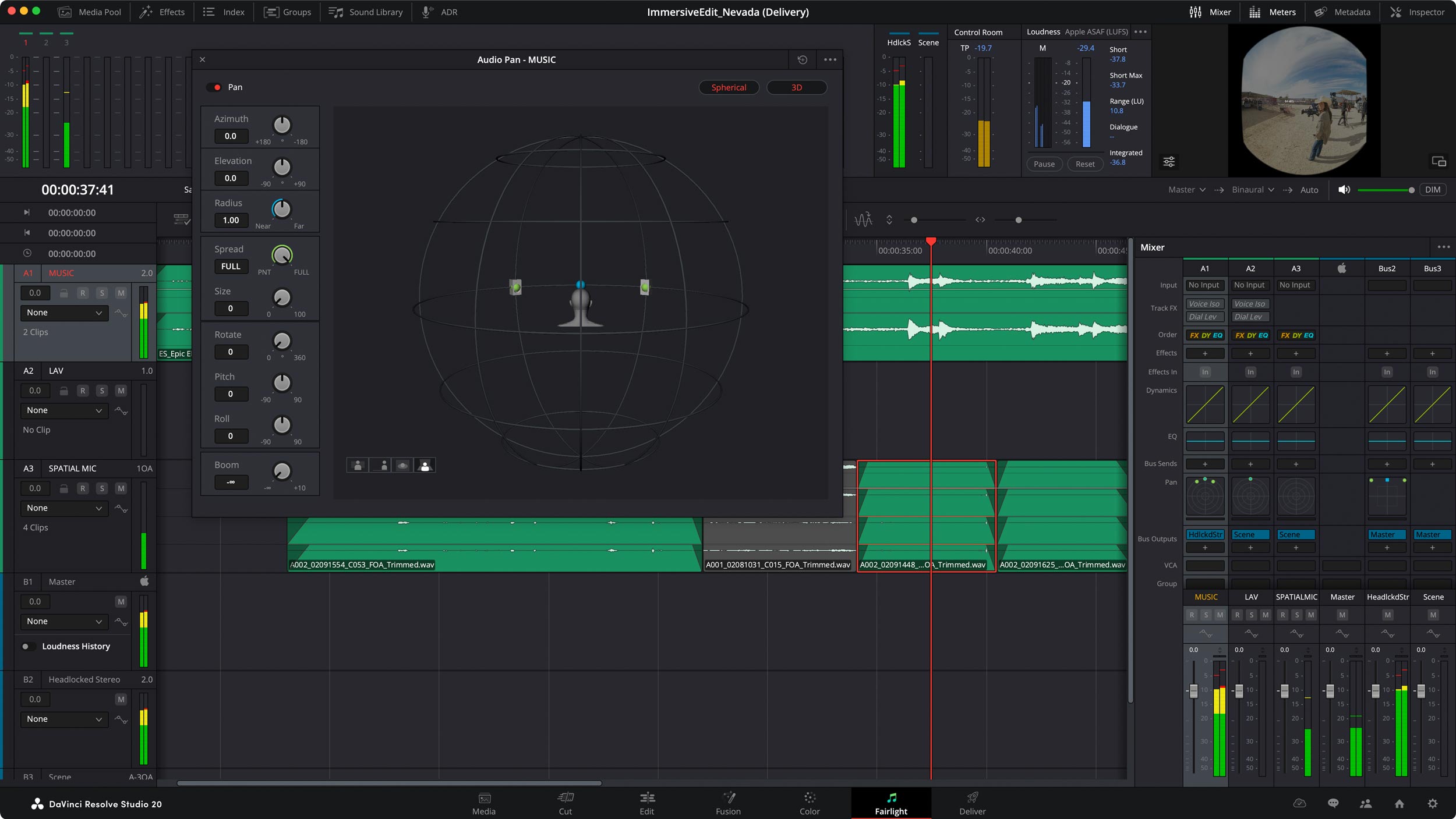
Studio gives you access to the DaVinci AI Neural Engine, which powers tools such as object detection, facial recognition, speed warp retiming, auto colour matching, and more. Additional effects, such as film grain and optical blur, allow you to stylise in-house without needing external plugins. For a DIY filmmaker who wants to deliver higher-end looks, whether for YouTube, client work or personal filmmaking, having built-in advanced effects and AI assists speeds you up and lifts your output quality.
Noise reduction and lens correction
One of the biggest practical advantages of DaVinci Resolve Studio is its suite of image-cleaning and correction tools. The software’s temporal and spatial noise reduction features can work wonders on footage shot in less-than-ideal conditions, such as dimly lit interiors, high-ISO night scenes, or handheld documentary work where you can’t control every light source. Studio also adds advanced lens distortion correction, stereoscopic 3D options, and detailed HDR scopes that make precision grading far easier.
For anyone working in imperfect lighting or experimenting with high dynamic range imagery, these features open up valuable creative headroom. You can recover cleaner images, fix optical quirks, and confidently push your grades further without worrying about introducing noise or artefacts.
Collaboration, plug-ins, multi-GPU and workflow integration
DaVinci Resolve Studio also steps things up behind the scenes, offering broader support for multi-GPU systems, remote grading and monitoring, and even scripting and automation through Python and Lua. It’s designed to slot neatly into professional pipelines with advanced asset management and shared media storage, but those benefits aren’t limited to big studios.
Even if you’re a solo creator, the difference is tangible: faster exports, smoother playback, better GPU utilisation and smarter media handling all translate into less time waiting and more time creating. The result is a workflow that feels cleaner, faster and more reliable.
New features in version 20
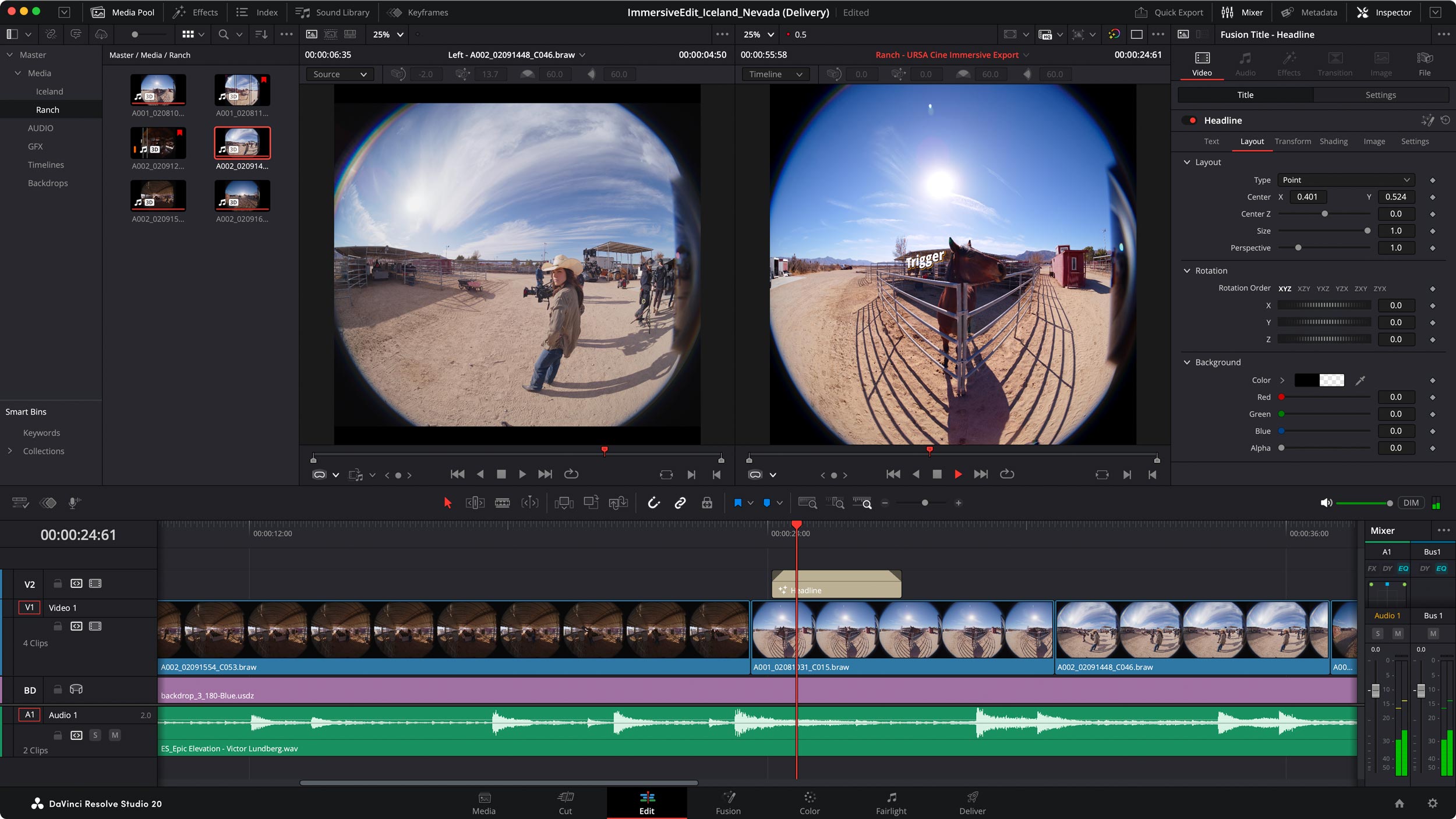
The latest DaVinci Resolve 20 update introduces over 100 new tools and refinements, many of which are powered by AI. Highlights include IntelliScript, which can automatically generate timelines from text; AI-driven animated subtitles; the new Multicam SmartSwitch for faster multicam editing; and an updated voice-over palette that streamlines narration work. These additions continue Blackmagic Design’s push toward more intelligent, more efficient workflows that let creators focus on storytelling.
While the free version still offers the same solid foundation, it’s in Studio where these cutting-edge tools unlock the full potential of Resolve’s AI engine and give users access to the most advanced creative features Blackmagic has ever released.

When it makes sense to upgrade
Here are a few scenarios where moving to Studio might be beneficial:
- You shoot higher-end footage — e.g., 10-bit, RAW, high frame-rate, UAV/drone or high-iso low-light. The Studio version gives you tools to process and deliver that kind of footage with fewer compromises.
- You want to deliver a professional look — For example, if you’re doing commissioned video work, commercial content, high-quality YouTube, or you want to grade for HDR and do more than the baseline.
- You’re workflow-heavy or iterative — If you spend many hours editing, trimming, fussing with effects, subtitles, multicam, or collaborating with others. The time savings and improved tools may pay off.
- You plan to invest in your creative tool-kit — If you see yourself upgrading hardware (GPUs, monitors, storage) and want software that can scale, then Studio gives you “room to grow”.
When you might stay on the free version
On the flip side, there’s nothing wrong at all with continuing on the free version. It’s superb for many creators. You might stick with it if:
- You shoot conventional footage (8-bit, 4K/30fps or lower), and your delivery is for web/YouTube/Instagram, where ultra-high-end output isn’t critical.
- You’re primarily a stills photographer experimenting with video, or an occasional video maker, and the free tools already cover your needs.
- Your budget is tight, or you’re still finding your feet with editing/grading — you can learn the full workflow via the free version, then upgrade when you’re ready.
- You don’t require the advanced AI, multicam, noise reduction, HDR or collaboration features.
What does this mean for hybrid shooters?
If you’re a hybrid shooter (stills + video), the big question is whether the upgrade cost (for Studio) translates into meaningful creative value for you. Here are the main takeaways:
- Learning curve vs. payoff: The free version already provides a powerful platform. Learning how to grade, edit, apply effects and mix audio in one unified tool is a huge win. Once you’re comfortable and feel limited by what you can’t do, then the Studio upgrade becomes compelling.
- Creative headroom: Upgrading gives you headroom for more ambitious work — think slower motion, higher quality grading, cleaner noise, stylised effects, stronger output. Even if you’re not using the top specs now, having the option matters.
- Time is your resource: If you’re spending a lot of time on editing or have client deadlines, smoother rendering, better effects, and faster workflows may justify the upgrade sooner.
- Budget vs value: On one hand, Studio is a one-time cost (or licence cost) that unlocks a lot. On the other hand, you may not need every feature. If you upgrade too early, you might underuse it.
- Future-proofing: Video technology is evolving rapidly, with higher resolutions, HDR, AI tools, and remote collaboration capabilities. Upgrading positions you to stay current rather than hitting a ceiling later and needing to switch tools.

Conclusion
In short: yes, for many serious video shooters and hybrid creators, upgrading to DaVinci Resolve Studio is a smart move. If you find yourself bumping into the limits of the free version (slower exports, noisier footage, limited effects, higher frame-rates), the Studio version gives you the next level. But it’s not mandatory. The free version is still astonishingly capable and is a perfectly credible choice for many.
However, if you continue to progress, you will eventually reach the limits of the free version. That’s where the Studio version is a great option, with no subscription costs, just a one-time fee that you will easily recoup through the faster workflow it enables.
See more from DIYPhotography.net on Google
Add DIYPhotography.net as a trusted source. This makes
our stories more likely to appear in your Google Search results.
 Add as a preferred source on Google

Alex Baker
Alex Baker is a portrait and lifestyle driven photographer based in Valencia, Spain. She works on a range of projects from commercial to fine art and has had work featured in publications such as The Daily Mail, Conde Nast Traveller and El Mundo, and has exhibited work across Europe
Related Posts
 How Davinci Resolve went from $250,000 to $295
 Blackmagic DaVinci Resolve 20.1 Debuts First Full Apple Vision Pro Immersive Workflow
 Blackmagic DaVinci Resolve 16 now comes with “Content-aware Fill” style features for video
 DaVinci Resolve 18.1 finally brings vertical and square video support for TikTok, Instagram and other social platforms
Join the Discussion
DIYP Comment Policy
Be nice, be on-topic, no personal information or flames.