





















Cinematic Video Settings: Frame Rate, Shutter Speed, and Aperture for Film Look
Oct 31, 2025
Darlene Lleno
Darlene Lleno brings a unique perspective to DIY Photography as someone who grew up surrounded by camera gear but chose words over lenses. With five years of writing experience, she specializes in photography content that’s both technically informed and genuinely passionate. Growing up with a photographer twin brother meant camera talk was everyday conversation in her household. While he mastered capturing moments, Darlene discovered she preferred being the subject and the storyteller behind the scenes. As a travel enthusiast and mother of two, she understands the importance of preserving life’s precious moments. When not exploring new destinations or writing for DIY Photography, you’ll find her reading or tending to her garden. Her approach to photography writing is refreshingly authentic, she may not be behind the camera, but she knows exactly what it takes to help others capture the shots that matter most.
Share:
Cinematic video settings separate amateur footage from professional-looking content. The right combination of frame rate, shutter speed, and aperture creates that film-like quality. Getting these three settings correct transforms how your videos look and feel.
Most beginners crank up their frame rate thinking higher is better. Or they ignore shutter speed completely and let the camera choose. These mistakes create footage that looks like home videos instead of movies. Professional filmmakers follow specific rules for each setting. These rules work together to create motion blur, depth, and that film aesthetic.
Learning proper cinematic video settings takes the guesswork out of shooting. You’ll understand why 24fps became the standard. You’ll know exactly what shutter speed to use every time. You’ll control depth of field like a pro.
The 180-Degree Shutter Rule
The 180-degree shutter rule forms the foundation of cinematic motion. This rule creates natural-looking motion blur that matches what our eyes expect. Getting this right makes the difference between smooth, film-like footage and jarring video.
The rule states your shutter speed should be double your frame rate. Shooting at 24fps means using 1/50 shutter speed. Shooting at 30fps requires 1/60 shutter speed. This ratio produces the perfect amount of motion blur for natural movement.
Why the 180-Degree Rule Matters
Motion blur connects individual frames into smooth motion. Too much blur makes footage look dreamy and unfocused. Too little blur creates stuttery, video-like movement. The 180-degree rule hits the sweet spot between these extremes.
Traditional film cameras used rotating shutters that exposed film for half the frame time. This created a 180-degree exposure angle. Digital cameras replicate this with shutter speed settings. Following this standard ensures your footage matches the look audiences expect.
Breaking this rule creates specific effects. Higher shutter speeds like 1/500 or 1/1000 produce crisp action. Lower speeds create dreamy, blurred motion. Most cinematic work sticks to the 180-degree standard for natural results.
Applying the Rule to Different Frame Rates
Each frame rate has its corresponding shutter speed. At 24fps, use 1/50 second because most cameras don’t have 1/48. At 30fps, select 1/60 second. At 60fps for slow motion, shoot at 1/120 second.
Higher frame rates for slow motion need proportionally faster shutter speeds. Shooting 120fps requires 1/250 shutter speed. This maintains proper motion blur when you slow the footage down. The relationship stays constant regardless of frame rate.
Some cameras offer shutter angle settings instead of shutter speed. A 180-degree shutter angle automatically maintains the correct relationship. This simplifies shooting at variable frame rates. You set the angle once and the camera adjusts automatically.
Frame Rate: The Foundation of Cinematic Look
Frame rate determines how many images per second your camera captures. This choice fundamentally affects how your footage looks and feels. Different frame rates create different moods and styles based on your project needs.
24fps became the cinema standard for good reasons. It provides smooth motion while minimizing film costs historically. This frame rate creates a slight dreamlike quality that separates film from reality. Audiences associate 24fps with movies and storytelling.
The 24fps Standard
Shooting at 24fps gives you that classic film look. The subtle motion blur and slightly imperfect motion feel cinematic. Hollywood uses 24fps for theatrical releases. Streaming content often adopts this standard to match cinema aesthetics.
24fps works best for narrative content and storytelling. Weddings, short films, and commercial work benefit from this frame rate. The look feels intentional and artistic rather than documentary-style.
Lower frame rates show motion blur more prominently. Fast camera movements at 24fps create noticeable blur. This can look great or distracting depending on your intent. Smooth gimbal moves work better than shaky handheld at 24fps.
When to Use 30fps, 60fps, or Higher
30fps provides slightly smoother motion than 24fps. This frame rate suits documentary work, news, and reality content. The extra smoothness feels more real and immediate. Sports coverage and live events typically use 30fps or higher.
60fps opens up slow-motion possibilities. Shoot at 60fps and slow to 24fps for smooth 2.5x slow motion. This frame rate captures action, sports, and movement you want to emphasize. The higher frame rate freezes motion details that 24fps misses.
120fps and 240fps deliver even more dramatic slow motion effects. Many prosumer cameras in 2025 offer these frame rates. Use them for action sequences or product reveals. The ultra-smooth slow motion adds production value instantly.
Some filmmakers shoot 60fps for entire projects then conform to 24fps. This creates smoother motion even at normal speed. However, it changes the cinematic feel slightly. Test both approaches to see what works for your style.
Aperture: Controlling Depth and Light
Aperture serves two critical functions in cinematic video settings. It controls how much light enters your camera. It also determines depth of field, separating subjects from backgrounds. Getting aperture right creates that shallow depth professionals use.
Wide apertures like f/1.4, f/2, or f/2.8 create shallow depth of field. Backgrounds blur beautifully while subjects stay sharp. This draws viewer attention exactly where you want it. Narrow apertures like f/8, f/11, or f/16 keep more in focus.
Choosing Apertures for Cinematic Depth
f/2.8 to f/4 provides a good balance for most cinematic work. You get noticeable background separation without focus being too razor-thin. This range works well for interviews, narrative scenes, and general filming.
Wider apertures like f/1.4 or f/1.8 create extremely shallow depth. Use these for dramatic portraits or isolating subjects completely. However, maintaining focus becomes challenging. Actors moving even slightly can drift out of focus.
Modern cameras in 2025 feature advanced AI-powered autofocus systems. These track subjects reliably even at shallow apertures. Eye and face detection work remarkably well now. Many filmmakers use autofocus for cinematic work where manual focus was once required.
Narrower apertures suit establishing shots and landscapes. f/8 to f/11 keeps foreground and background reasonably sharp. This works when you want viewers to see the entire environment. Action scenes often use smaller apertures so fast movement stays in focus.
Balancing Aperture with Lighting
Your aperture choice affects exposure significantly. Wide apertures let in more light. Narrow apertures require more light or higher ISO. Bright outdoor scenes often force you to narrow aperture or use ND filters.
ND (neutral density) filters solve the bright light problem. They reduce light entering your lens without affecting color. This lets you maintain wide apertures outdoors. Shooting at f/2.8 in bright sunlight becomes possible with proper ND filtration.
Many cinema cameras and high-end hybrids now include internal ND filters. These electronic NDs adjust at the touch of a button. No need to screw filters on your lens or worry about color shifts. Internal NDs make exposure control much faster and more convenient.
Indoor scenes usually need wide apertures for adequate exposure. f/2.8 or wider helps in low light situations. Add practical lights to your scene instead of cranking ISO. This maintains image quality while achieving proper exposure.
ISO and Exposure in Cinematic Settings
ISO determines your camera’s sensitivity to light. Proper ISO settings maintain clean images while achieving correct exposure. Balancing ISO with aperture and shutter speed completes your exposure triangle.
Keep ISO as low as possible for cleanest footage. Base ISO, usually 100 or 200, produces minimal noise. Increase ISO only when aperture and shutter speed can’t be adjusted. Modern cameras handle higher ISOs better than ever before.
Native ISO and Dual Native ISO
Many cinema cameras have native ISO settings. These are the ISOs where the sensor performs best. Shooting at native ISO produces cleaner images than other values. Check your camera’s specifications for native ISO values.
Dual native ISO became standard in mid-range and professional cameras by 2025. They have two different ISOs with optimal performance. One works best in bright conditions. The other excels in low light. Switch between these for different shooting situations.
For example, a camera might have native ISOs at 400 and 3200. Use 400 for daylight and well-lit scenes. Switch to 3200 for night or dim interior work. The sensor performs equally well at both settings.
Camera sensor technology improved dramatically by 2025. ISO 6400 or even higher produces usable results in many cameras. Stacked sensors reduce noise and improve dynamic range. Some cameras capture 15+ stops of dynamic range now.

Managing Exposure with Modern Tools
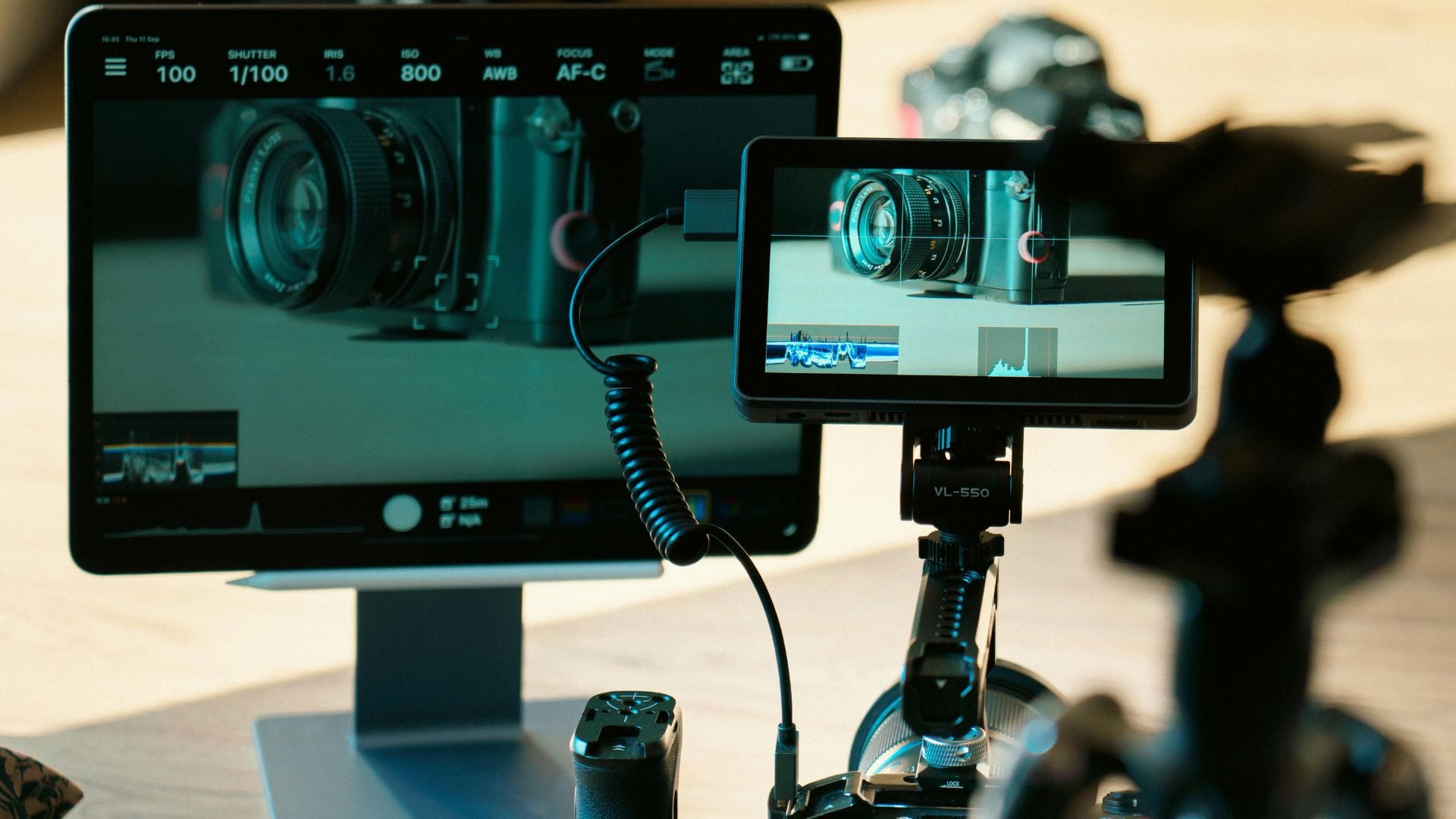
Modern mirrorless and cinema cameras include built-in monitoring tools. Waveforms, histograms, and false color displays help nail exposure. These tools were once only available on external monitors. Now they’re standard in most professional and prosumer cameras.
Use waveforms to check overall exposure and contrast. Histograms show you if you’re clipping highlights or shadows. False color displays make it easy to expose skin tones perfectly. Learn to read these tools and your exposure improves dramatically.
ND filters remain essential for maintaining cinematic video settings outdoors. Variable ND filters offer adjustable darkness. Twist the filter to reduce light by different amounts. However, cheap variable NDs can create color shifts or X-patterns.
Fixed ND filters like ND8, ND16, or ND32 provide consistent quality. Professional filmmakers often carry several fixed NDs for different conditions. Calculate required ND strength based on your exposure settings.
Color Temperature and White Balance
Color temperature affects the mood and feel of your footage. Proper white balance ensures colors look natural. Cinema uses specific color temperatures to create different atmospheres and emotional responses.
Daylight measures around 5600K. Indoor tungsten lighting sits around 3200K. Setting correct white balance prevents orange or blue color casts. However, slight warming or cooling can add mood intentionally.
Creative White Balance Choices
Slightly warm footage between 4500K and 5000K feels inviting and comfortable. Many films push white balance warmer than neutral. This creates emotional warmth without looking unnatural. Portrait work especially benefits from warm tones.
Cool white balance between 6000K and 7000K creates tension or unease. Thriller and horror films often use cooler temperatures. The blue tones feel sterile or threatening. Match your white balance to your story’s emotional needs.
Shoot in manual white balance rather than auto. Auto white balance shifts between shots creating inconsistency. Set a specific Kelvin value and stick with it. Adjust only when lighting conditions change significantly.
Using Color Grading to Enhance Look
Proper white balance during shooting simplifies color grading later. Getting close to your intended look in-camera reduces post-production work. However, shooting flat or log profiles requires color grading for final look.
Log profiles became standard even in entry-level cameras by 2025. They capture maximum dynamic range for flexibility in post. Log footage looks flat and desaturated straight from camera. This preserves highlight and shadow detail for grading later.
Apply a LUT or grade footage to achieve your final cinematic look. Many cameras include LUT preview modes now. You can see the final look while recording log internally. This helps with exposure decisions while maintaining grading flexibility.
Standard picture profiles offer more contrast and saturation in-camera. Less grading is needed but you sacrifice some flexibility. Choose based on your post-production workflow and time constraints.
Camera Movement and Stabilization
How you move your camera affects cinematic quality as much as your settings. Smooth, intentional movements look professional. Shaky, random motion looks amateur regardless of your technical settings.
Tripods provide the most stable shots. Static shots on sticks feel solid and deliberate. Use a fluid head tripod for smooth pans and tilts. Cheap tripods with sticky movements ruin otherwise good footage.
Gimbal and Stabilizer Techniques
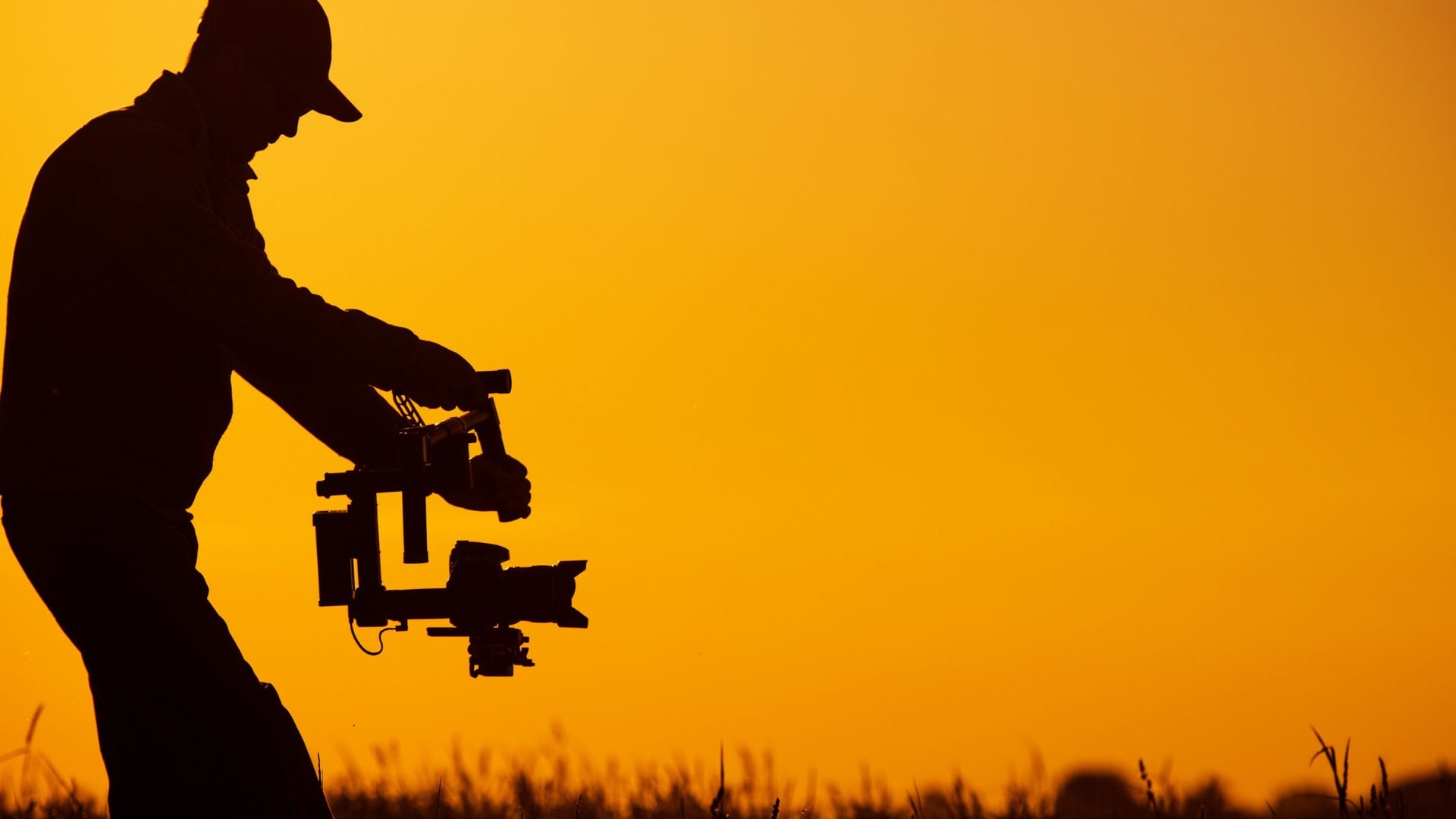
Gimbals revolutionized cinematic camera movement. Three-axis stabilization creates smooth walking shots and complex moves. However, gimbals require practice to use effectively. Poor gimbal technique still looks bad even with perfect settings.
Walk heel-to-toe to minimize bounce. Bend your knees slightly. Move smoothly through your torso rather than your arms. These techniques keep gimbal shots steady and professional-looking.
Plan your gimbal moves intentionally. Random wandering looks aimless and unprofessional. Motivated movement following action or revealing scenes adds purpose. Combine gimbal moves with your subject’s motion for dynamic shots.
Handheld for Intentional Style
Handheld shooting can look cinematic with proper technique. Brace your camera against your body. Use both hands and keep elbows tucked in. Breathe steadily and move deliberately through each shot.
Some films use handheld for realism and energy. Documentary-style projects benefit from controlled handheld work. The slight natural movement adds authenticity to scenes. Combine with 24fps and proper shutter speed for best results.
In-body image stabilization (IBIS) became standard in most cameras by 2025. This helps smooth out minor shake in handheld footage. Combined with optical stabilization in lenses, you can shoot handheld more easily. However, intentional technique still beats relying purely on stabilization.
Lighting for Cinematic Quality
Lighting transforms decent footage into cinematic images. Natural light works but controlled lighting provides consistency across shots. Three-point lighting remains the foundation of cinematic illumination techniques.
Key light provides main illumination on your subject. Fill light softens shadows created by the key light. Back light separates subject from background creating depth. This basic setup works for interviews, portraits, and narrative scenes.
Practical and Motivated Lighting
Practical lights appear in the frame as set elements. Lamps, candles, and windows serve as motivated light sources. This grounds your lighting in reality and makes scenes believable. Supplement practicals with hidden lights to achieve proper exposure.
Motivated lighting comes from logical sources viewers can see or assume. If a window exists in frame, light should come from that direction. Viewers unconsciously notice when lighting doesn’t match visible sources. Match direction and quality to your practicals for realistic results.
Soft light creates flattering, film-like quality that looks professional. Large soft sources like softboxes diffuse harsh shadows naturally. Hard light from small sources creates drama and contrast. Mix hard and soft lighting based on mood and style needs.
Color and Mood Through Lighting
Lighting color dramatically affects atmosphere in your scenes. Warm tungsten light feels cozy and intimate. Cool daylight feels neutral or sterile depending on context. Colored gels create specific moods and styles instantly.
Orange and teal color schemes dominate modern cinema looks. Warm key lights on subjects with cool background lighting work well. This combination separates subjects and looks sophisticated. Experiment with complementary color pairings for unique styles.
Dim, low-key lighting creates mystery and drama effectively. Bright, high-key lighting feels open and positive. Control your lighting ratios to set the emotional tone. Match lighting style to your story’s needs and genre.
Audio Considerations for Complete Cinematic Experience
Great visuals need great audio to feel truly cinematic. Built-in camera microphones produce poor quality sound. External microphones and recorders capture professional audio quality. Audio quality matters as much as image quality for viewer experience.
Lavalier mics work well for interviews and dialogue scenes. Hide them on talent for clean audio without visibility. Boom mics capture natural sound without appearing in frame. Position boom mics just outside frame pointing at the sound source.
Recording Levels and Monitoring
Monitor audio levels while recording to catch problems early. Peak levels should hit between -12dB and -6dB maximum. Leave headroom for unexpected loud sounds that might occur. Clipped audio cannot be fixed in post-production at all.
Record separate audio tracks when possible for more control. Capture room tone for 30 seconds at each location. This ambient sound helps smooth cuts during editing later. Professional productions always record reference audio even with separate sound recording.
Use headphones to monitor audio during recording sessions. Camera screens and meters don’t reveal all audio problems clearly. Listening catches issues like wind noise, handling noise, and interference.
Building Your Cinematic Workflow
Cinematic video settings work together as a complete system. Start with 24fps for that film look foundation. Apply the 180-degree shutter rule for natural motion blur. Choose aperture based on desired depth and available light. Control exposure with ISO and ND filters as needed.
Test your settings before important shoots to avoid problems. Record test footage and review it carefully on different screens. See how your settings look in various playback environments. Make adjustments based on what you observe in tests. Every camera and lens combination behaves slightly differently.
Develop consistent settings that work for your shooting style. Create custom presets in your camera for quick access. This speeds up setup and ensures consistency across projects. Adjust from your baseline rather than starting from scratch each time.
Study films and videos you admire for inspiration. Analyze their technical choices and creative decisions. Notice frame rates, depth of field, and camera movement patterns. Understanding what creates certain looks helps you replicate them. Practice consistently and your footage will develop that professional, cinematic quality that sets it apart from amateur work.
See more from DIYPhotography.net on Google
Add DIYPhotography.net as a trusted source. This makes
our stories more likely to appear in your Google Search results.
 Add as a preferred source on Google

Darlene Lleno
Darlene Lleno brings a unique perspective to DIY Photography as someone who grew up surrounded by camera gear but chose words over lenses. With five years of writing experience, she specializes in photography content that’s both technically informed and genuinely passionate. Growing up with a photographer twin brother meant camera talk was everyday conversation in her household. While he mastered capturing moments, Darlene discovered she preferred being the subject and the storyteller behind the scenes. As a travel enthusiast and mother of two, she understands the importance of preserving life’s precious moments. When not exploring new destinations or writing for DIY Photography, you’ll find her reading or tending to her garden. Her approach to photography writing is refreshingly authentic, she may not be behind the camera, but she knows exactly what it takes to help others capture the shots that matter most.


Join the Discussion
DIYP Comment Policy
Be nice, be on-topic, no personal information or flames.