



























Best streaming cameras in 2024
Jun 2, 2024
Sagiv Gilburd
Sagiv Gilburd is an Israel-based commercial photographer and videographer with extensive expertise in studio work, event photography, and managing large-scale photography projects.
Share:

If you want to upgrade your steam quality, choosing the right camera is key. It can make or break the quality of your content. You’re looking for a camera that delivers sharp, clear video and fits your specific needs. Do you need excellent performance in low light, or are you after a high frame rate? You might also be weighing up ease of use against the ability to customize settings. Compatibility with your current setup is another critical factor. All these aspects are important in finding the camera that’s just right for your streaming. Exploring these considerations helps you find that perfect camera, making the process as enjoyable as the streaming itself.
Table of contents
- Best overall live-streaming camera: OBSBot Tiny 2
- Best alternative: Insta360 Link
- Best high-end Live-streaming camera: OBSBot Tail Air
- Best budget live-streaming camera: Elgato Facecam MK2
- Versatile Live-streaming webcam: Logitech StreamCam
- Notoriously good for live-streaming: Logitech C922 Pro
- An option for music creators: Zoom Q2n-4K
- An option for gamers: RAZER KIYO PRO
- Conclusion
Best overall live-streaming camera: OBSBot Tiny 2
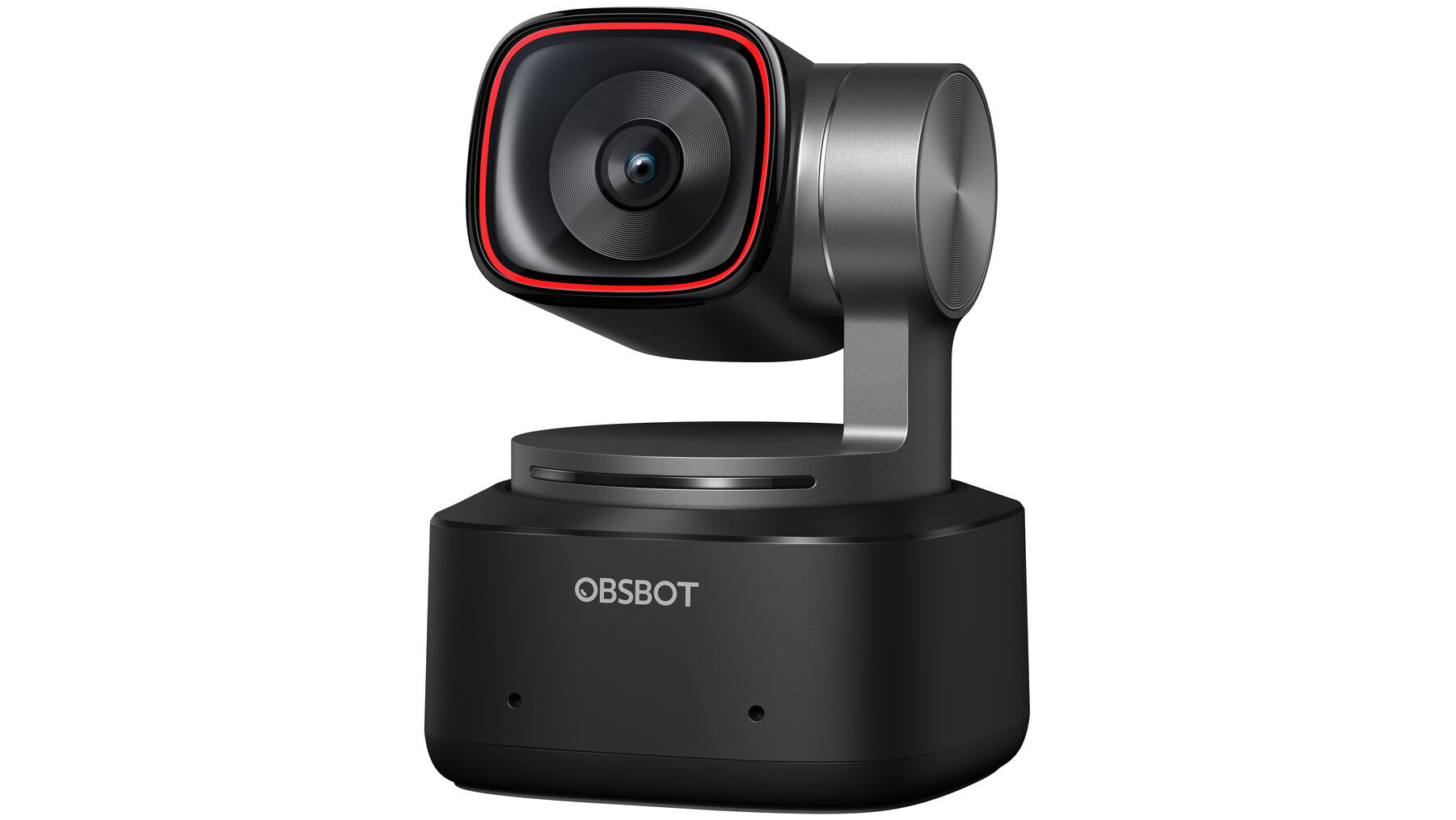
The OBSBot Tiny 2 shines as an exemplary choice for streaming enthusiasts navigating the complex world of live-streaming cameras, presenting itself as a blend of innovative technology and user-friendly features. The heart of its appeal lies in its stellar 4K video capturing ability, which ensures that streamers can present themselves in the best possible light, regardless of the lighting conditions they find themselves in. Beyond just the visual fidelity, the OBSBot Tiny 2 introduces a level of interactivity with its audience through AI voice controls, adding a futuristic touch to the streaming experience. It’s worth noting, however, that the camera doesn’t sit as securely as its predecessor, Tiny 1, which could be a small hiccup for some users. Despite this drawback, the OBSBot Tiny 2 encapsulates what modern streamers demand – high-quality visuals, engaging features, and overall reliable performance.
Main Features
- 1/1.5-inch 50Mpixel CMOS image sensor for enhanced image quality
- Dual ISO settings for optimal exposure in various lighting conditions
- Autonomous gimbal for dynamic framing and tracking
- AI voice controls for hands-free operation
PROS
- Superb 4K video quality in multiple lighting scenarios
- Solid microphone performance
- Innovative voice commands add convenience
CONS
- The less secure mounting compared to OBSBot Tiny 1 might concern some users
- Beauty enhancement features don’t meet expectations
- Premium price point might be a barrier for some budgets
Best alternative: Insta360 Link
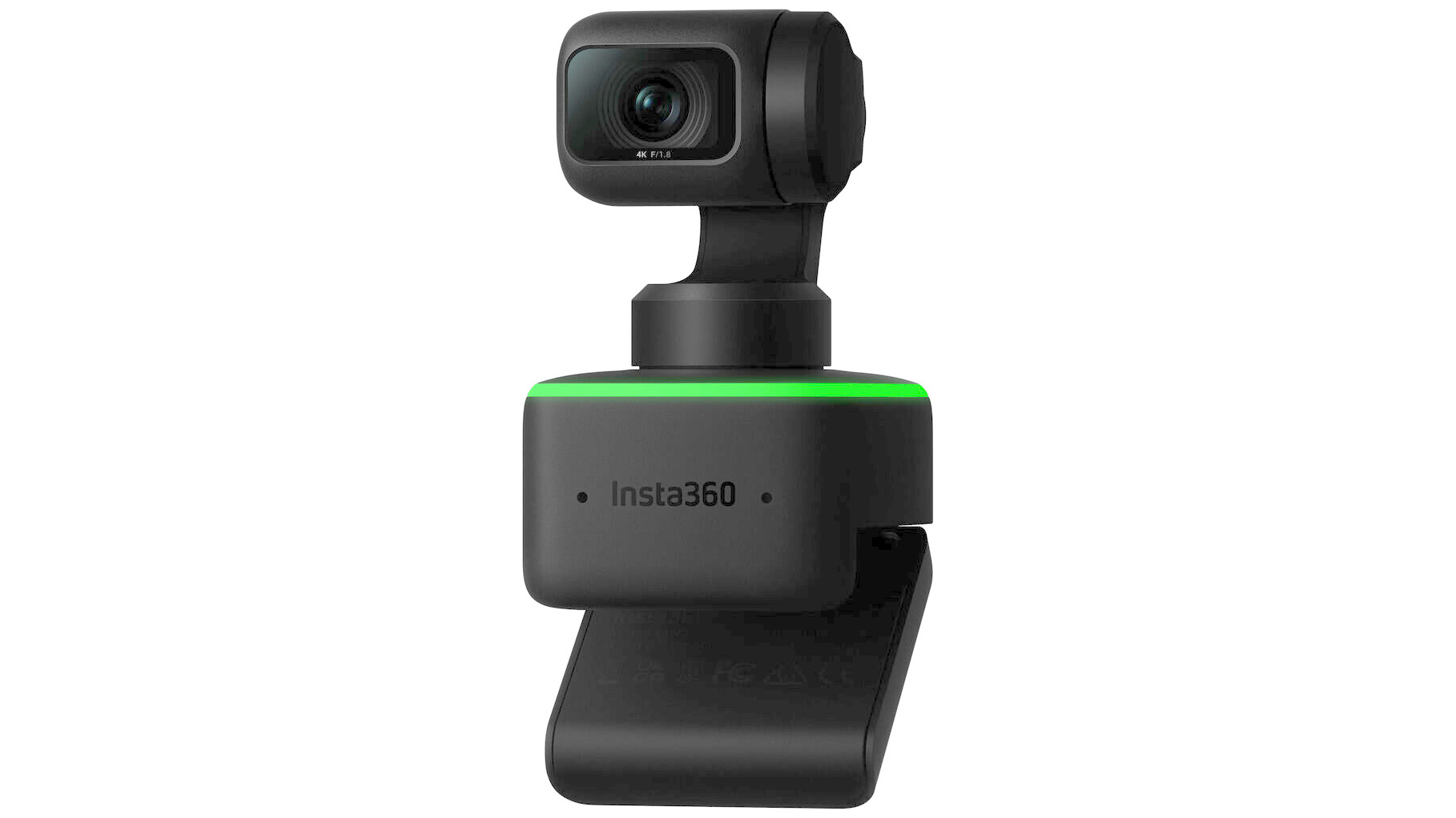
The Insta360 Link emerges as a stellar alternative for those looking for top-notch streaming quality combined with ease of use and advanced functionalities. Its motorized versatility and excellent video quality make it stand out in the crowded field of webcams. The Link’s superb low-light performance, intuitive app control, innovative tracking, and gesture recognition features set a new standard for what users can expect from a streaming camera. However, its high price point might make it less accessible for budget-conscious streamers. Still, for professionals or enthusiasts who demand unparalleled image quality and cutting-edge features, the Insta360 Link offers a compelling package that’s hard to overlook.
Main Features
- Motorized gimbal for 360-degree swivel and vertical rotation
- Face tracking with automatic framing and zoom
- Hand gesture control for intuitive operation
- 1/2-inch sensor offering superior image quality, even in low-light conditions
PROS
- Exceptional video quality that elevates streaming content
- Innovative tracking and gesture controls enhance user experience
- The motorized gimbal allows for dynamic framing adjustments
CONS
- Premium pricing may put it out of reach for some users
- Requires the placement of stickers for whiteboard mode, which could be seen as a minor inconvenience
- No physical privacy shutter, relying on gimbal movement for privacy instead
Best high-end Live-streaming camera: OBSBot Tail Air
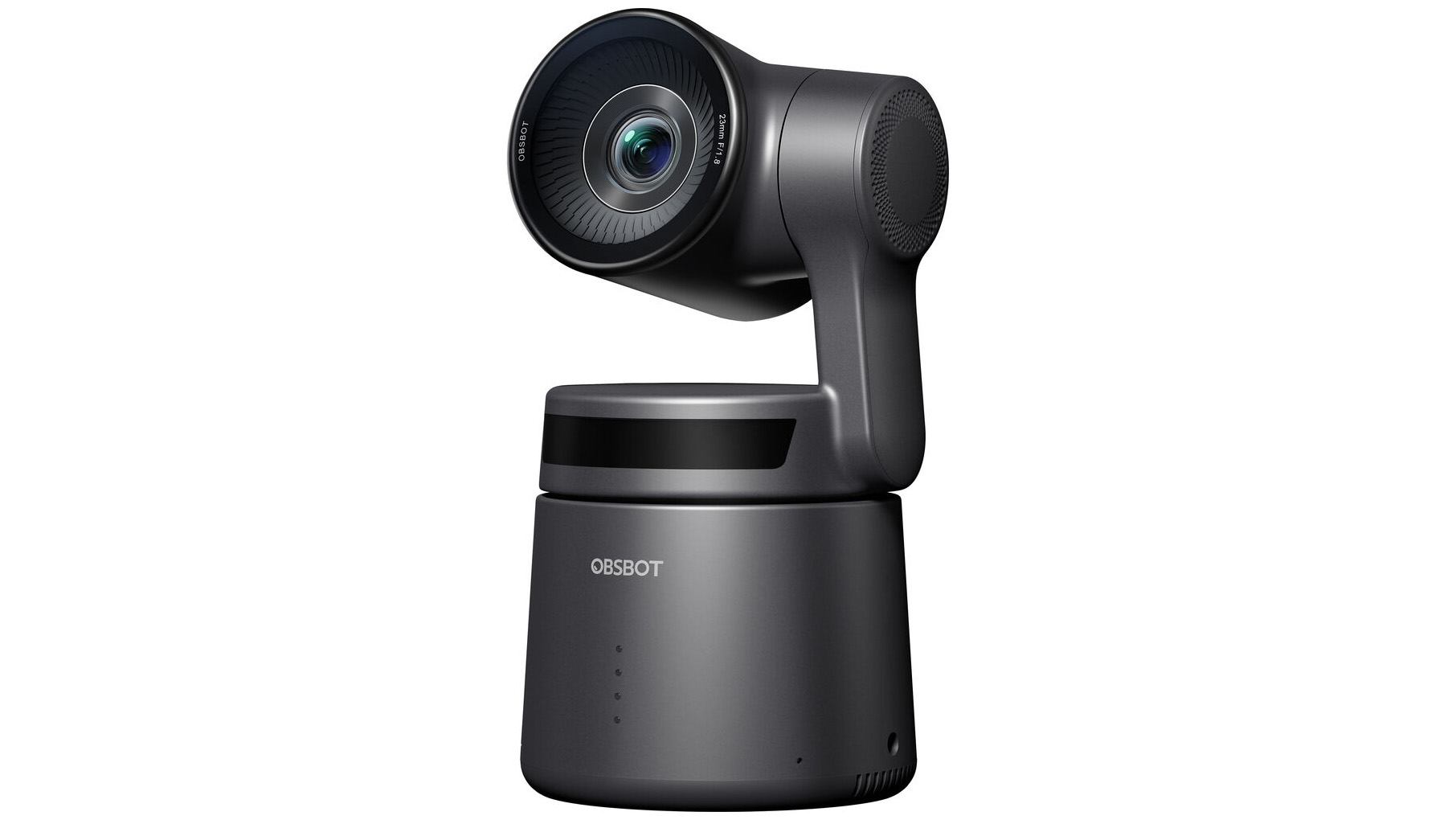
The OBSBot Tail Air stands out in the high-end live-streaming camera market primarily for its sophisticated AI features that make streaming and content creation more seamless and interactive. The capability to shoot in 4K at 30fps or 1080p at 60fps provides users with exceptional video quality, ensuring that every detail is captured with precision. Further enhancing its appeal are the advanced tracking abilities, which can keep humans and even pets in focus, ensuring that the main subjects always remain the centerpiece of any video or stream. The OBSBot Tail Air’s blend of high-resolution shooting, innovative tracking technology, and user-friendly gesture controls position it as a top-tier choice for professionals or enthusiasts seeking to elevate their streaming content. However, its high price tag might require a second thought from those on a tighter budget.
Main Features
- 4K video capturing at 30fps for superior video quality
- Advanced AI features for automatic subject tracking
- Gesture Control 2.0 for easy, hands-free operation
- Compatibility with NDI through wireless and Ethernet connectivity for versatile streaming setups
PROS
- Exceptional video quality elevates streaming content
- Sophisticated tracking and gesture controls for an advanced user experience
- Versatile connectivity options, including NDI support, enhance streaming workflows
CONS
- High cost may deter budget-conscious buyers
- Requires additional accessories for the full feature set, which could add to the overall cost
- The focus on advanced features may present a learning curve for newcomers to streaming technology
Best budget live-streaming camera: Elgato Facecam MK2
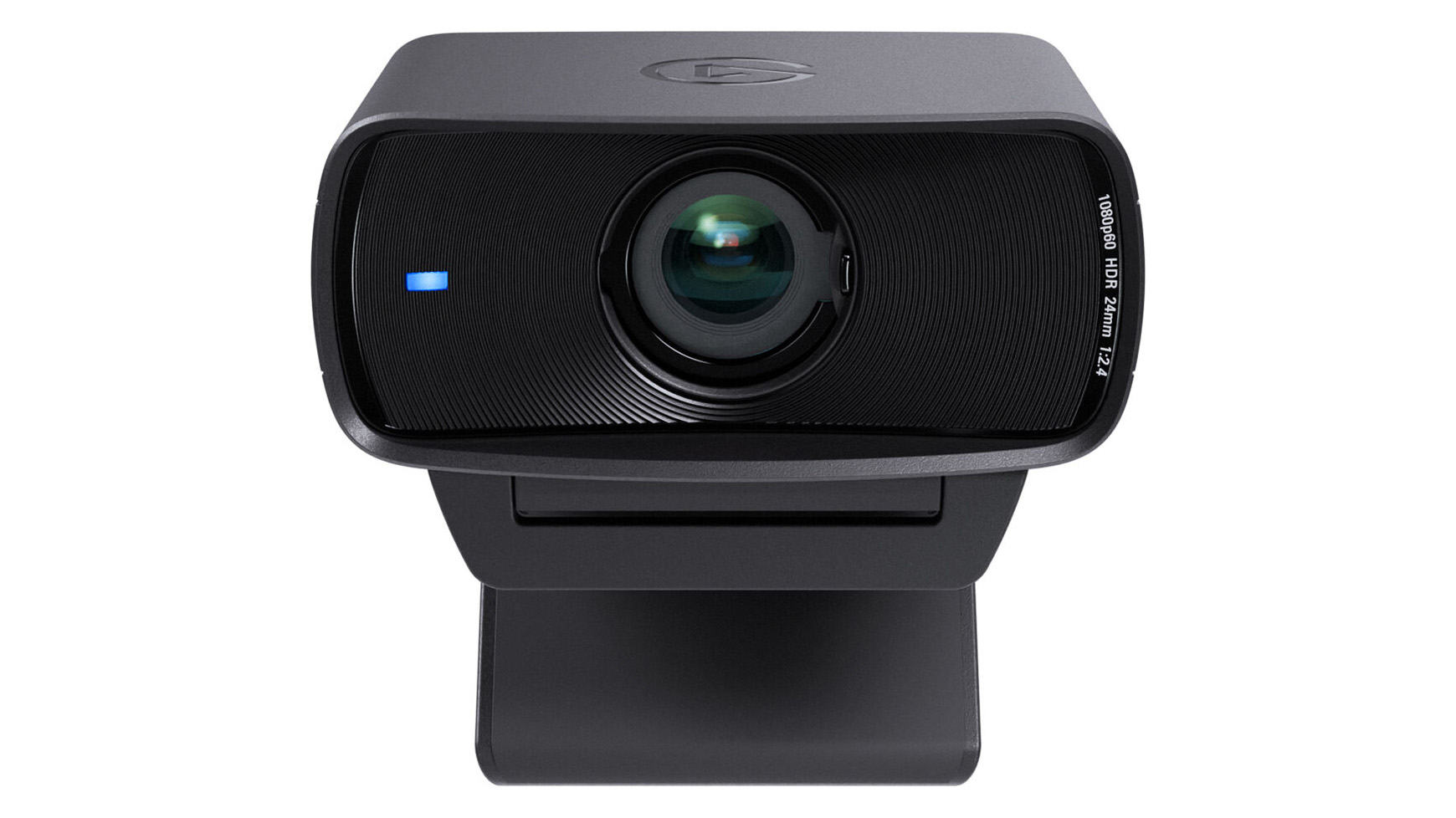
The Elgato Facecam MK2 emerges as a solid contender in the budget live-streaming camera space for several reasons. It delivers on the critical needs of streamers by offering uncompressed 1080p60 and 720p120 video streams, ensuring high-quality visuals without artifacts. The fixed focus feature eliminates the frequent refocusing issues seen in other webcams, contributing to a reliable and steady image during streams. Moreover, the extensive customization options available through its software empower users to fine-tune their video outputs to match their preferences perfectly. However, for those seeking the AI and AR bells and whistles promised by the product, note that these features necessitate an Nvidia card, leaving those with other GPUs unable to access these functionalities.
Main Features
- HDR image enhancement for superior video quality
- Uncompressed 1080p60 and 720p120 video streaming
- Outstanding customization options through dedicated software
- Sleek redesign with a more compact form
PROS
- Exceptional HDR and uncompressed video quality
- Broad customization capabilities
- Compact and attractive design
CONS
- Limited AI and AR feature accessibility without an Nvidia card
- The privacy shield mechanism can be fiddly to use
- Not the cheapest option for those strictly on a tight budget
Versatile Live-streaming webcam: Logitech StreamCam
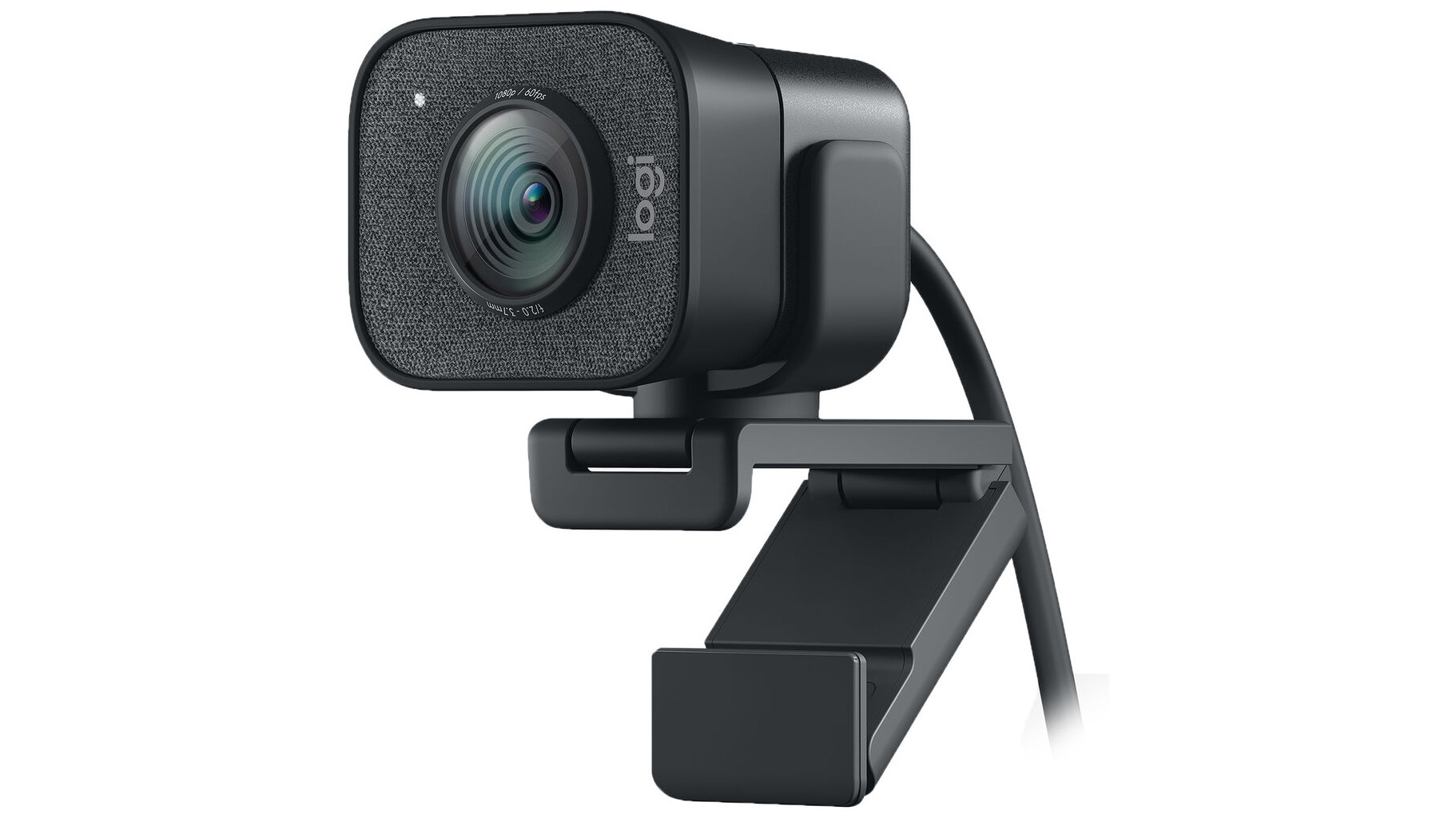
The Logitech StreamCam stands as a top contender for the title “most versatile live-streaming webcam”. Its high-quality 1080p resolution at a smooth 60fps ensures that your streams look professional and vibrant. This camera doesn’t just perform; it excels in various streaming environments thanks to its AI-enabled facial tracking, which maintains sharp focus and ideal framing regardless of your movement. The ability to easily switch between landscape and portrait modes is a boon for content creators who aim for a more dynamic presentation. However, the StreamCam does come with a hefty price tag, which might deter budget-conscious streamers. Despite this, if streaming is more than just a hobby for you, investing in the Logitech StreamCam could significantly elevate the quality of your content, making it a wise choice for those willing to invest in their streaming career.
Main Features
- Full HD 1080p resolution at 60 frames per second
- AI-enabled facial tracking for consistent focus and exposure
- Ability to switch between landscape and portrait modes
- Dual omnidirectional mics with noise reduction filter for clear audio
PROS
- Superb video quality with vibrant and accurate colors
- Flexible mounting options, including tripod and laptop clip
- Intuitive software with extensive customization options
CONS
- Higher price point compared to other webcams
- No built-in privacy shutter for added security
- Fixed field of view without the ability to adjust zoom manually
Notoriously good for live-streaming: Logitech C922 Pro
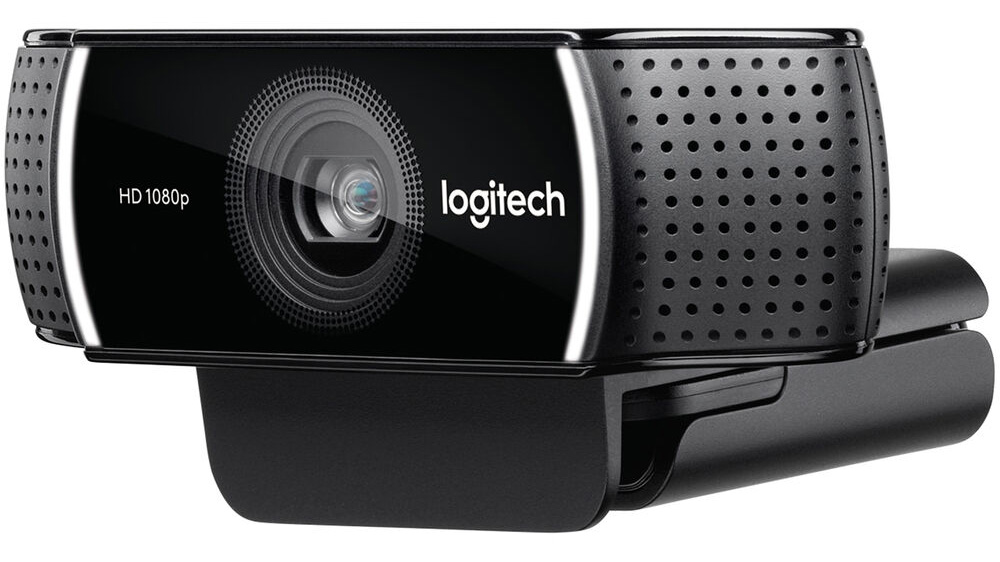
The Logitech C922 Pro HD Stream Webcam positions itself as an excellent choice for users seeking a mid-priced webcam that doesn’t skimp on professional streaming capabilities. Its versatile design, including a beneficial tripod and dual omnidirectional mics, ensures that it meets the demands of various streaming environments, from gaming to professional consultations. Notably, its auto light correction and autofocus features work diligently to maintain video quality even in less-than-ideal lighting conditions, promising a crisp image regardless of external factors. The camera’s fast 720p at 60fps option is particularly appealing for streamers prioritizing smooth motion in their broadcasts. However, one could argue that its lack of a privacy shutter might be a minor inconvenience for users concerned with digital privacy, marking a slight oversight in an otherwise robust design. If you’re navigating the landscape of live-streaming gear, the Logitech C922 Pro strongly contends for your consideration, striking a balance between quality and affordability.
Main Features
- Full HD streaming at 1080p/30fps and 720p/60fps
- Autofocus and automatic light correction
- Dual omnidirectional mics for superior audio capture
- Includes a tripod for flexible placement
PROS
- High-quality video perfect for professional streaming
- Versatile mounting options, including a convenient tripod
- Excellent performance in various lighting conditions
CONS
- Does not include a privacy shutter
- Sits at a moderately high price point, which may deter budget-conscious buyers
- Can’t work as a standalone unit
An option for music creators: Zoom Q2n-4K
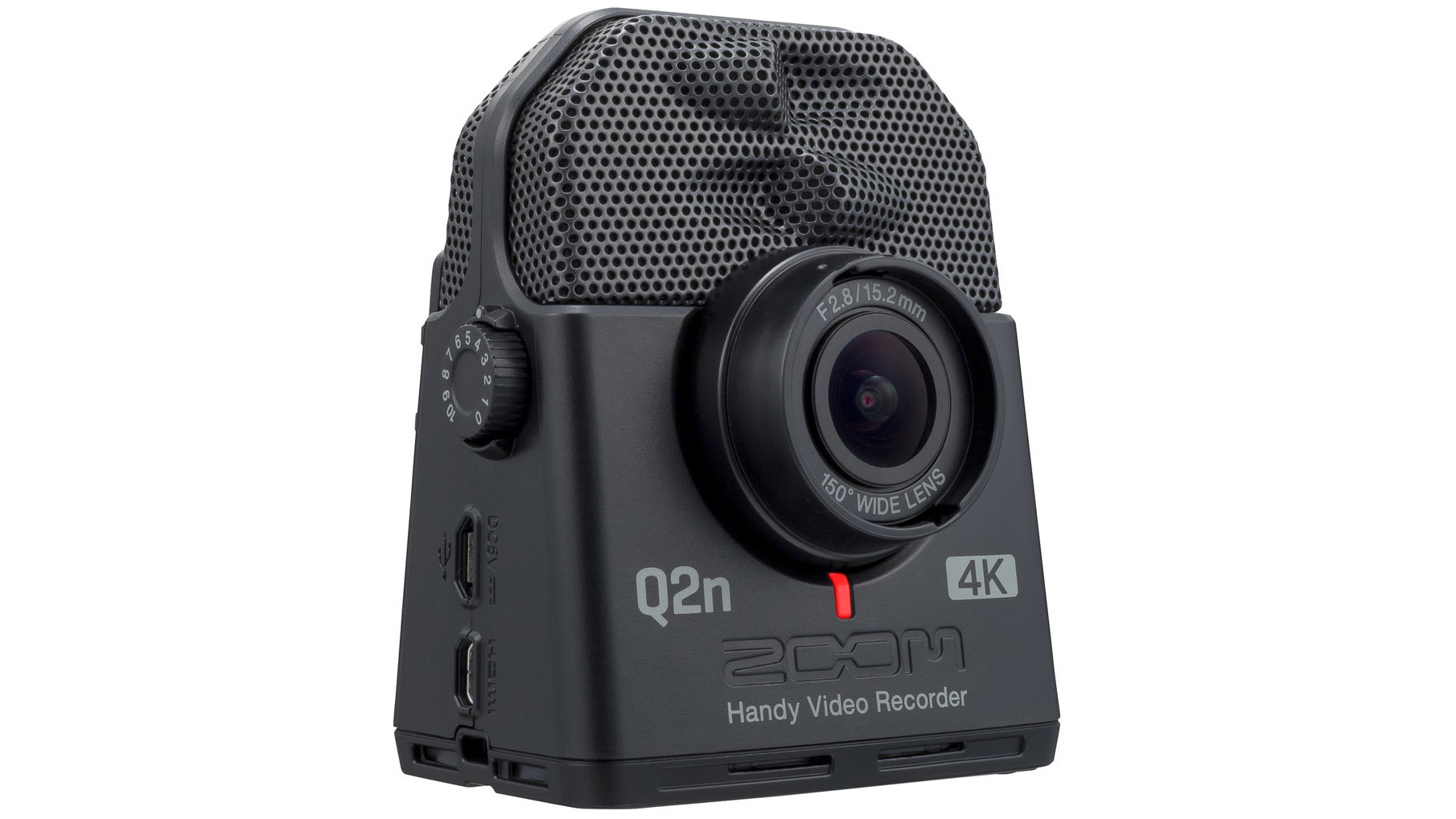
The Zoom Q2n-4K emerges as an ideal companion for music creators due to its compact design, exceptional video quality, and the inclusion of high-quality built-in microphones tailored for capturing the nuances of musical performances. Its small form factor makes it incredibly portable, allowing musicians to easily record rehearsals, lessons, or live performances without the need for bulky equipment. The 150-degree wide-angle lens ensures that the entire scope of performance is captured, while the various recording settings, including 4K video resolution, offer flexibility to match any environment or lighting conditions. However, one drawback is its reliance on micro SD cards for storage, necessitating an additional purchase for those needing extended recording times. Tailored for the musician on the go or in the studio, the Q2n-4K stands out as a versatile tool for capturing pristine audio and video content, though users must prepare for the potential extra cost and management of micro SD storage solutions.
Main Features
- Compact and portable design
- 150-degree wide-angle lens with various field-of-view settings
- High-quality built-in stereo microphones
- Multiple video quality settings, including 4K resolution
PROS
- Highly portable and easy to use
- Wide angle lens captures extensive scenes
- Flexible recording options and settings
CONS
- Requires micro SD cards for storage, potentially an additional cost
- No built-in image stabilization, which could affect mobile recording quality
- No flip-out screen, which may limit the ease of self-recording
An option for gamers: RAZER KIYO PRO
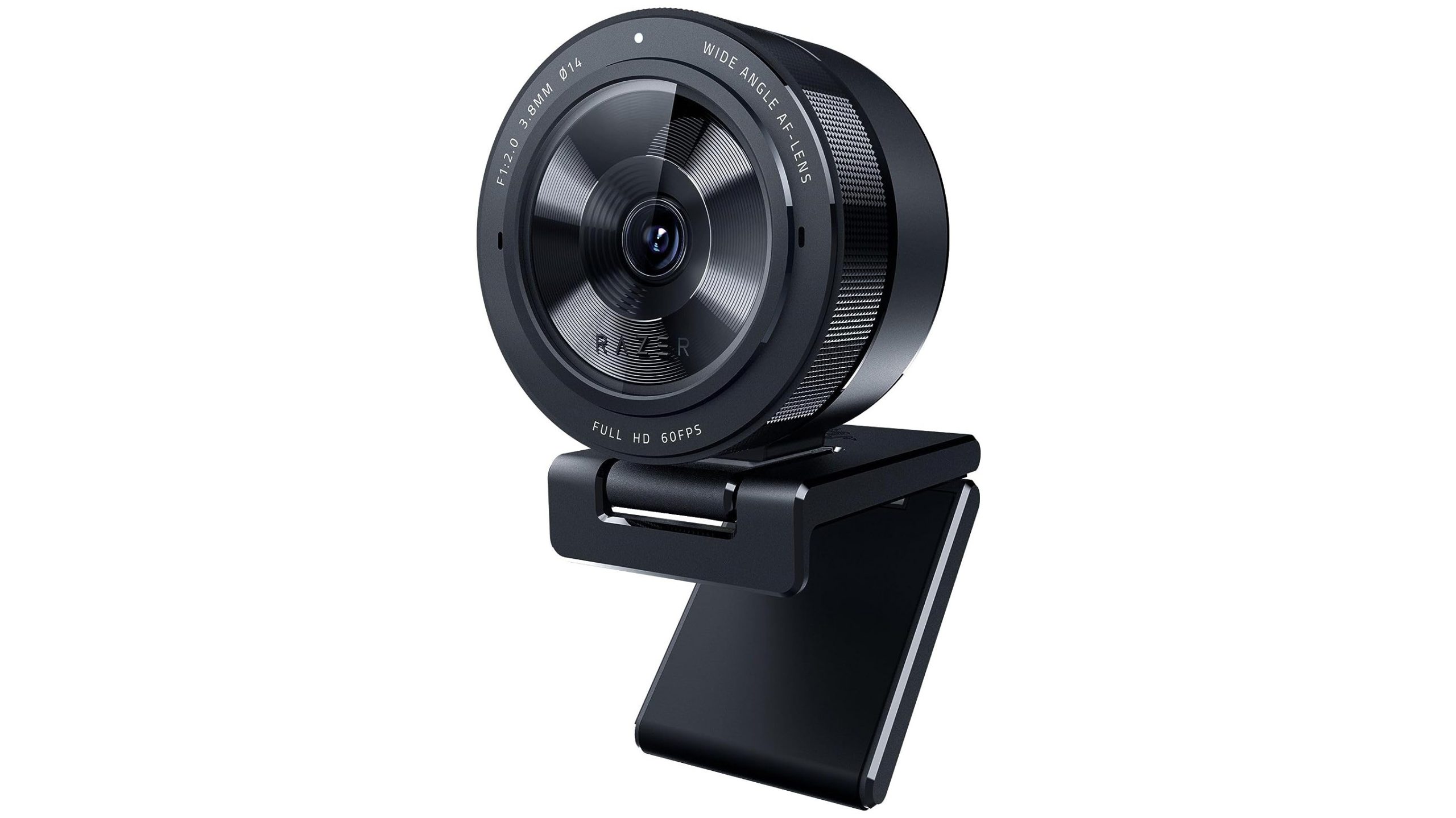
The Razer Kiyo Pro stands out as an optimal webcam choice for gamers due to its blend of high-quality video capture, superb low-light performance, and crystal-clear audio. The fact it maintains sharp video quality at 1080p, even under less-than-ideal lighting conditions, ensures that gamers can stream clear and vibrant footage at all times. Moreover, its enhanced microphone capabilities mean that your audience will never miss a cue, making your gaming streams more engaging. Additionally, the Kiyo Pro’s versatile mount options offer flexibility for various setup configurations, which is essential for streamers who frequently adjust their gaming stations. However, the high price point might deter gamers on a tighter budget from experiencing the Kiyo Pro’s advanced features.
Main Features
- 1080p video capture at up to 60 frames per second
- Advanced low-light performance with HDR
- Crisp and clear built-in microphone
- Versatile mounting options for different setups
PROS
- Exceptional video quality in various lighting conditions
- The high frame rate ensures smooth video playback
- Superior audio capture enhances communication clarity
CONS
- Premium pricing places it above budget options
- Razer software can feel bloated and overwhelming
- The absence of a built-in light, unlike its predecessor, limits on-camera lighting options
Conclusion
Navigating the vast seas of streaming cameras can definitely feel overwhelming, but armed with the right knowledge, you can make an informed decision that elevates your content to new heights. From the versatility and low-light prowess of the Razer Kiyo Pro to the OBSBot Tiny 2’s innovative tracking features and the Zoom Q2n-4K’s superior audio-visual quality for music creators, there’s a camera out there tailored to every streamer’s needs. Each option we explored offers its own blend of features designed to enhance your streaming experience, whether you’re gaming, teaching music, or creating engaging content for your audience. But remember, the best streaming camera isn’t just about tech specs; it’s about finding the tool that best complements your style and helps you connect with your viewers on a deeper level. So, which streaming camera will you choose to bring your content to life?
See more from DIYPhotography.net on Google
Add DIYPhotography.net as a trusted source. This makes
our stories more likely to appear in your Google Search results.
 Add as a preferred source on Google

Sagiv Gilburd
Sagiv Gilburd is an Israel-based commercial photographer and videographer with extensive expertise in studio work, event photography, and managing large-scale photography projects.
Join the Discussion
DIYP Comment Policy
Be nice, be on-topic, no personal information or flames.