

















Yes, But Is It Ready?
UPDATE: I've been taking quite a bash in the comments for not checking the card prior to formatting. Of course you should always check your card. but the idea here is to know which card is empty (or formatted) before putting it in the camera.
Is this CF card filled yet? I remember using a CF card and then placing it backwards in my pocket. but I am not sure it was this card.... I'll just format it and hope it did not have the engagement session pics...
OK, this is probably not the way you want to tell your used cards from your empty ones. There are many ways to remember if a CF card or a battery are used. You can use different pockets for empty and full; You can place them in different cases; You can put the batteries in different orientation if they are empty; you can use rubber bands, or.....
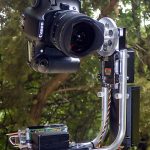
DIYP Reader Damon Hair came up with a clever way to tell the used from the ready. He simply puts a small post-it flag on each ready to use piece, and removes the flag just before using it.
Here is What Damon Says:
"a very simple idea, but it has worked very well for me to be able to manage this, and not guessing if i have dropped a dead battery back into my bag after a shoot.
when i use the card or battery, i simply throw away the tab, and replace it when i get home and charge or dump the card on the HD.
the tab is also most helpful at removing the CF cards from the gepe card case, it's a VERY tight fit, and before using these, was a struggle to remove them in a hurry."
Get the DIYP greatness via RSS, newsletter and Twitter
Connect with the community: Facebook Page, Discussions
Share Ideas, Setups, Images and Projects on DIYP's Flickr, visit Readers Photos


Comments
I don't think it's practical
I don't think it's practical at all, because now you're stuffed with all left-over labels in your bag.
I'll tell you my system. Every CF-card comes with a (mostly transparant) plastic casing to keep it protected. Write on the inside with a permanent marker with mirrored letters, FULL (or 'empty'). When the CF is full, the colored CF card label faces the FULL writing.
When it's empty en label doesn't face the writing. This system also works for transparant AA battery housing.
A great way to tell if a CF card has important photos on it.
Put card in camera. Press display photos button. If you don't see important photos then format. If you do see important photos get a different card.
Might be a solution, but if
Might be a solution, but if you have more than two cards (e.g. 5 or something) I think it will take too much time.
KEEP IT SIMPLE!!!
If you know enough about your camera to format your memory cards, then you know enough about your cards to know that you would check them first before formatting.
Both Jonathan's and Matt's solutions are much easier than the post-it note solution.
Green
Sorry to be another thumbs-down.
Just because green Post-Its were used it doesn't mean it is an eco-friendly solution.
I've numbered my batteries and CF cards 1,2,3,4,5... and use them sequentially. If battery 4 is in the camera, then 5 will be charged and 3 likely to be flat.
I do the exact same thing.
I do the exact same thing. It's a no-brainer. It also makes it easier to troubleshoot in the event that one of your cards or batteries need to be replaced.
it is healthy to think!!!
it is healthy to think!!! makes u younger!!! jajaja!!
Sequential numbering works.
This is definitely the better route to go. I first started do this back in the '80s when I was developing several different types of black and white film in different tanks. I had a series of sequentially numbered caps. I'd predetermine what film would be in each tank, and I would use the caps to keep track of what was in each tank. Especially important when different films had different developing times.
re: should I check the card befor hitting 'format'
Of course you do. but the idea here is to know which card is empty (or formatted) before putting it in the camera.
@sharon, @matt Thanks for pointing that in the comments. I updated the post.
@anon - good point. And a great method. pretty clever. I am going to give this a try for a while.
CF Cards
I number my cards and put my info on the back, I carry them in cases with my number facing out, when they're full, they go back in with the label facing out. I number batteries and flashes with a little white gaff tape, so I'm not always using the same one.
Instead of post-it notes, I
Instead of post-it notes, I use a little bit of ordinary newspaper. No plastic or glues in that, and I do not feel that bad throwing away a one square centimeter piece of paper. Does not work with batteries as well, not for me anysways. I do not have the plastic 'case' for my batteries left.
This idea would work the best
This idea would work the best if you are using a team of shooters with a "base of operations". Drop-Grab-Shoot. Besides the post-it notes are fully recyclable.
The main point is to get a system and stick with it.
Ok, a really silly question:
Ok, a really silly question: why do you need to format your CF anyway?
Kudos to the anonymous for the numbering method, a great and simple idea.
Because it's faster
Formatting my 8GB card in camera takes about 10 seconds regardless of the photos on it. Erasing by "Erase All" took so long the last time I tried I've never tried again.
There's also theories about formatting vs erasing when it comes to card reliability. Can't give any insight on that as I've had 5 or 6 cards in two cameras over the last 6 years and haven't had a single failure yet (...now I've done it...)
Reliability
Flash memory was designed much better than previous forms of reusable memory (magnetic, for the most part). Part of the technology allows for sectors that become damaged to be mapped out so they aren't used again. This only happens when the card is formatted. Erase all doesn't do it. Over time the card will show slightly less capacity than when it was new, but the remaining capacity is completely reliable. (The most I've ever seen the capacity drop over the life of a card was less than 1%, and that was an old 40x 512mb Lexar card. Newer ones have been even more reliable.)
I format my cards after every dump/archive.
You do not need to do "erase
You do not need to do "erase all" if you transfer photographs to a computer using "cut" and "paste" vs "copy" and "paste".
I somehow feel that formatting a card damages it with time. No scientific background to that, just a gut feeling.
Agree, simplicity
I use a different bag and discard (recycle) the case/holder - so fresh require one step more than spent.
Face Up - Face Down
I carry my SD cards in a hard card case, all unexposed cards are placed in the secure position face up, exposed cards go back into the case but face down, simple but it works for me.
I put empty card and battery
I put empty card and battery in a easy to reach pocket of my bag and the full inside the bag. Obviously I have to prepare it at home.I always have an empty card with me, so if I'm far from the bag I don't waste time and shoot chance.
Famous last words...
I use a 32GB CF card, and I never fill it up.
Oh, what a dumb thing to say...
(but it has worked for me so far).
Lock Tabs
I carry around 6 different SD cards with me in two Case Logic carrying cases. I have found that if I finish one off and slide the LOCK tab on it before I stow it that I already know which ones are full and in need of downloading before the next use. Works for me.
This is just dumb
This is both completely wasteful and an incredibly short-sighted solution. All you're doing is wasting money on the post-it tabs and then wasting the tabs once you remove them, they're only sticky for so long. Shame on you and the submitter for even suggesting something so incredibly wasteful.
If you cannot tell if your battery is dead and needs charging, you need to forumulate a better way to handle your equipment and recognizing it. If you just carry all of your cards around with empty/formatted ones jumbled together with cards with shots on them, you need a better way to handle your gear and better organization. Solutions to both issues have been around for years and work so well, you typically only need to learn (or buy) them once instead of continuously buying and throwing away little sticky tabs.
It's not a bad idea, just needs refined.
Instead of removing said awesome green labels....Why not number them? When you go on your first shoot after labelling your batteries and cards, say..1-3 as an example. Put battery 1 and card 1 in your camera, and leave the stickylabel on it. When you're finished with the photoshoot, take out battery 1 and card 1, then place battery 2 and card 2 in your camera. then on and on...It's a slightly different approach than yours, but in the long run it will save you from "recycling" your labels, and it'll give you an idea of where you stand with your organizational skills lol.
Only thing I didn't like, and this is just my opinion, was throwing the labels away after each use...just seemed a waste to me.
Post new comment