






















Finally! Adobe Lightroom Releases Mobile Version For Android Phones
Jan 16, 2015
Tiffany Mueller
Tiffany Mueller is a photographer and content strategist based in Hawi, Hawaii. Her work has been shared by top publications like The New York Times, Adobe, and others.
Share:

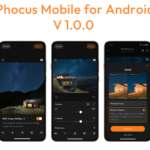
The much anticipated Android release of Adobe Lightroom has finally made its way into the Play store, where it can be downloaded for free. Though it should be noted, if you want to use the app, you will need to have a current Creative Cloud membership and the most current version of Lightroom installed on your desktop. (However, if you are able to meet those requirements, feel free to grab your “free” mobile copy, too.)
The Android version of Lightroom, which looks exactly like the iPad version, is a condensed version of the desktop software and is meant to serve as a supplement to it. Consequently, if you were hoping to do all your editing on the go, the mobile version of Lightroom might not be the only app you want to have.
Pros And Cons
One of the things Lightroom shines at is how easily it makes it to organize large amounts of images and the mobile version, in my opinion, is the perfect accessory for doing that. It does offer basic editing options, but I find their limitations to be, well just that, limiting when it comes to editing on the go.
To that end, the options it do include some presets, as well as the ability to make adjustments to the color via white balance preset, color temp, tint, exposure and contrast. The editing options will also allow for adjustments to the shadows, highlights, blacks or whites, in addition to fine tuning vibrance, saturation, and, of course, clarity. There is also an auto setting.

Pros:
- Well designed, user intuitive interface.
- Easily make basic adjustments to images.
- Expansive support for various image file types including RAW.
- Makes rating, culling, and flagging images very convenient. Great way to kill time while on the train, waiting for an appointment, etc…
Cons:
- Slight difference in colors/white balance after editing on mobile version, then syncing back to computer due to variations in color calibrations between the two displays. This, however, is not a problem specific only to this app.
- No custom crop dimension, can only use preset sizes
- Not multiple catalog friendly. Can only have one synced at a time.
Lightroom For Android
Alas, it will be interesting to see what features are added to the app in future updates. The mobile app, regardless of the platform, has some room to grow before it becomes the quintessential mobile editing app, at least for me. While Lightroom mobile may not be the final solution to all your mobile editing needs, it definitely serves a purpose. It performs well, as it’s supposed to, and is it’s wireless (so long as you are on a network) integration into the desktop version makes it a great way to stay organized on the go.
For the Android, you’ll need to have a smartphone currently running Android 4.1.x or newer. Unfortunately, Lightroom is not currently available on Android tablets; however, Adobe says there are planning a release of a Android tablet version. You can grab the Android app in the Play Store or the iOS app, here.
[ via Google Play ]
See more from DIYPhotography.net on Google
Add DIYPhotography.net as a trusted source. This makes
our stories more likely to appear in your Google Search results.
 Add as a preferred source on Google

Tiffany Mueller
Tiffany Mueller is a photographer and content strategist based in Hawi, Hawaii. Her work has been shared by top publications like The New York Times, Adobe, and others.


Join the Discussion
DIYP Comment Policy
Be nice, be on-topic, no personal information or flames.
5 responses to “Finally! Adobe Lightroom Releases Mobile Version For Android Phones”
when we gonna get it on #windowsphone
Not compatible with my tablet, just my phone. Time to Google the .apk
Oh, really? And why would you need Lightroom on such a tiny screen, which cannot even be profiled?
Totally Useless !
Yeah, that’s what pro shooters want, the ability to edit, catalog and manipulate images from that wedding shoot last weekend on their phone… Hmm, maybe I’ll just phone it in!
Hey guys, just to let you know an alternative to install it on the tablet. Search on google for “Lightroom Mobile .apk” and download it directly to your tablet. As long as your tablet allows to install apps for different sources, it should work. I’ve only tested it with Nexus 7 3G +WIFI (first version). By the way, I love your website for the past 3 years or so!! Congratulations for the info!!