



























Build yourself a charging station to save time and get organised with your batteries
Jan 15, 2018
John Aldred
John Aldred is a photographer with over 25 years of experience in the portrait and commercial worlds. He is based in Scotland and has been an early adopter – and occasional beta tester – of almost every digital imaging technology in that time. As well as his creative visual work, John uses 3D printing, electronics and programming to create his own photography and filmmaking tools and consults for a number of brands across the industry.
Share:

Charging batteries is a pain in the backside. I remember when I used to shoot events with four Nikon SB-900 speedlights with SD-9 packs attached to each of them. That was 96 AA batteries I had to charge up the night before every event. Boy am I glad that more and more lights are switching to Lithium Ion now. Fewer batteries, and more pops per charge.
But even today, I still have a lot of batteries and devices to charge. There’s a dozen Nikon EN-EL15, another dozen Nikon EN-EL14, three tablets, three phones, Godox PB960 packs, the Godox A1, several USB power banks, gimbal batteries, drone batteries and a bunch of other stuff I haven’t listed. The trick is to get organised, and in this video from the folks over at FStoppers, we see how they organise their charging.
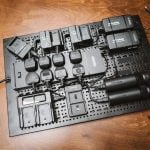
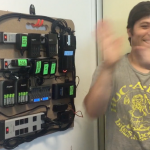
While a converted shelving unit is kind of a DIY project, it’s not really one that’s easily translatable to others. You can’t just give out a set of instructions for people to follow. Everybody has access to cabinets of different shapes and sizes. Everybody has different charging requirements, and their needs will be different. So, you have to look at this more as inspiration to build your own.
My own charging station is somewhat similar, except it’s the top of a set of drawers. A couple of power strips are attached to the back of it, with cables coming out the back to plug into chargers or straight into the devices themselves. If you have access to a 3D printer, then something like this can be very handy to make sure your cables don’t fall down the back of such a unit.
I’m so glad I took the time to get my own charging needs organised. No longer do I have to hunt for obscure cables and wall warts for devices I only use occasionally. All of my chargers, batteries, devices and associated cables live in the same place and are easy to access.
How do you organise your charging?
See more from DIYPhotography.net on Google
Add DIYPhotography.net as a trusted source. This makes
our stories more likely to appear in your Google Search results.
 Add as a preferred source on Google

John Aldred
John Aldred is a photographer with over 25 years of experience in the portrait and commercial worlds. He is based in Scotland and has been an early adopter – and occasional beta tester – of almost every digital imaging technology in that time. As well as his creative visual work, John uses 3D printing, electronics and programming to create his own photography and filmmaking tools and consults for a number of brands across the industry.


Join the Discussion
DIYP Comment Policy
Be nice, be on-topic, no personal information or flames.
5 responses to “Build yourself a charging station to save time and get organised with your batteries”
Go lithium… Godox V series
Almost as extensive as Casey Neistat’s. ???
3 tablets and 3 phones !?!? ???
My old iPhone 4S is basically a backup recorder for when I can’t use wireless lavs. It’s great with the Rode smartLav+. My iPhone SE was my main phone. Now it’s basically a backup. I recently got an ASUS Zenfone 4, so that’s become my main phone.
Three tablets… ASUS/Google Nexus 7 (for remote controlling DSLRs with qDslrDashboard), iPad (for some iOS only apps), ASUS TransformerBook (for backing up shots to a pair of USB drives on location).
I still want Canon to make a single four battery charger for the LP-E6N batteries.