

























Darktable just dropped 3.4.0 with improved tethering and live histogram, and color calibration
Dec 25, 2020
Dunja Đuđić Kalinin
Dunja Djudjic is a multi-talented artist based in Novi Sad, Serbia. With 15 years of experience as a photographer, she specializes in capturing the beauty of nature, travel, concerts, and fine art. In addition to her photography, Dunja also expresses her creativity through writing, embroidery, and jewelry making.
Share:

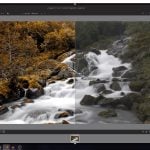
Darktable has just released its 3.4.0 version. As always, it’s completely free and available for Windows, iOS, and Linux. The open-source alternative to Lightroom has been more and more popular among photographers, and the new version brings a bunch of improvements. Some of them are improved tethering and live histogram, as well as color calibration. So let’s dive in and see what you get when you install Darktable 3.4.0.
Since there are a ton of new features and improvements in the Darktable 3.4.0, let’s just go over the main ones:
- The user manual is made available at the same time as the
release. Current manual (multilingual): https://darktable.gitlab.io/doc/. New manual (English only): https://www.darktable.org/usermanual/en/
- The tethering view has been reworked and is now more stable.
- The histogram is back on the tethering view (it was disabled in 3.2
due to lack of time) - A new module grouping feature has been introduced. This makes the “more modules” module (at the bottom right of the darkroom) obsolete and this module has therefore been removed.
- Module masking is now enhanced for use with scene-referred workflows. A new masking implementation has been added, with fully unbounded blending modes, which allows parametric masking either in linear RGB or in JzCzHz color spaces. A boost factor slider has been introduced in the masking GUI so that users may set thresholding parameters above 100% to mask pixels in HDR images. JzCzHz is derived from JzAzBz, which is a perceptual color space developed for HDR and published in 2017, with better properties than CIE Lab from 1976, allowing near-perfect hue linearity, for a robust hue/saturation masking. A JzCzHz hue mask will produce the same output whether it is used before input color profile, after output color profile, or anywhere in-between, providing an important consistency improvement over HSL masking.
- A new color calibration module has been added as a full-featured hub for color correction. It was first intended as a scene-referred (unbounded) rewrite of the old channel mixer, allowing corrections of the color space, both for creative and corrective purposes. A new workflow setting “chromatic adaptation defaults”, in processing preferences, allows users to choose to keep using the white balance module to perform the chromatic adaptation for new edits (“legacy” worflow, the default) or to use the new color calibration instead (“modern” workflow). The modern workflow still uses the usual white balance module, although with different default settings, because input color profiles and demosaicing need at least a rough white balancing early in the pipe.
- Map view has evolved. Images close to each other are now grouped and a count of grouped images is displayed on the bottom-left corner. This provides better performance when many images need to be shown on the map. Mouse-scrolling over a group’s thumb scrolls through the images of the group. Groups containing selected images are highlighted with a white border. The image count is displayed as a white number if all images of the group are exactly at the
same place, and in yellow otherwise.
Compared to the Darktable 3.2, some bugs have been fixed as well:
- Fix orientation in the clipping module after having selected the freehand aspect ratio.
- Fix compilation issue with AVIF format support.
- Fix multiple small memory leaks.
- Fix daylight saving time in $(EXIF_HOUR)
- Fix timestamp display on Windows (use UTF-8 format for timestamps).
- Fix many issues on the zoomable lighttable view introduced in 3.2
with the lighttable rewrite. - Fix possible flickering while displaying thumbnails on the lighttable.
- Fix liquify module interaction with nodes, line and curves when
zooming and/or down-sampling is activated. - Fix some issues with lighttable display (thumbnails) when using
HiDPI monitor. - Fix styles undo/redo in the darkroom.
The installation is available on GitHub, where you’ll also find a very detailed list of new features, improvements, bug fixes, and more.
Let me know, have you tried using Darktable yet? I haven’t tried it out, but I’m tempted to try. Let me know your impressions and if you’ve had any issues with it.
See more from DIYPhotography.net on Google
Add DIYPhotography.net as a trusted source. This makes
our stories more likely to appear in your Google Search results.
 Add as a preferred source on Google

Dunja Đuđić Kalinin
Dunja Djudjic is a multi-talented artist based in Novi Sad, Serbia. With 15 years of experience as a photographer, she specializes in capturing the beauty of nature, travel, concerts, and fine art. In addition to her photography, Dunja also expresses her creativity through writing, embroidery, and jewelry making.


Join the Discussion
DIYP Comment Policy
Be nice, be on-topic, no personal information or flames.
6 responses to “Darktable just dropped 3.4.0 with improved tethering and live histogram, and color calibration”
What extra dependencies need be installed beforehand?
For what operating system?
iOS? I think you mean OSX.
Thank you, I was confused as well.
Not this version, older ones, that was pretty complex
I’ve been using DT since the introduction of version 3.x this time last year – the Xmas update is apparently a tradition. Nice to see the User Manual is current to version 3.4 as well. The extensive Bruce Williams Youtube series is the most comprehensive guide to modules and techniques like masking, and Rico Richardson has good quick tutorials. The blogger “Ji M” of Ubuntu Handbook created an Ubuntu/Mint PPA for Darktable 3.x that has worked so far to provide updates quickly.