

















Create An Automated Macro Rail For Image Stacking
Do you find that producing sharp macro photographs is hard due to the super limited depth of field? The way to get around this is to take multiple images with different focus points and stack them together. A tidies work, no doubt.
Macro photographer Domjan Svilkovic was kind enough to share a setup that needs nothing more than a camera, a micro controller, a bunch of cables, a computer, an old DVD an old floppy drive and some basic electronics. OK, that's a lot of stuff, but considering that the alternative for an automated rails are in the high $100s range, it may very well be worth the extra effort.
Now, just before I hand the floor over to Domjan, beware, this is going to get geeky. And by geeky I mean that you need to have some previous electronics know-how (or better yet, ask a friend).
The Challenge
Anyone who has ever tried it will know, extremely thin depth of field can be a real problem as the object we are photographing is usually significantly larger. (here we are often talking about 0.1mm and below).
The higher the magnification you use the less of the photo ends up inside the depth of field area. This problem is typically solved by a process called focus stacking. In this process you take several shots of the same object, each shot has a slightly different focus point. Once you have all the images, you "stack" them together and combine them into a single image where everything of importance is in focus.
While the stacking process can be done manually, it is easier to use software, for my projects I use the excellent Zerene stacker.
Remember that we said you need to take several shots, each has a different part in focus? OK, by several we meant like 50. For that reason I went to design an automatic macro rail that can very precisely move a small object back and forward a few centimeters. The macro rail had to be able to:
- move in user selectable steps from 0.01mm to about 1mm
- continuously slide (fast) for the initial focusing
- memorize the start and the end positions for the focus stack
- compensate for the 'slack' in sprockets when changing the direction
- control my Canon dSLR and automatically take the photos once everything has been set
- remember some settings between the runs (step size)
- I had to build it from easily available 'junk' as I wasn't prepared to pay more than $20
- simple and quick to build - no heavy machinery required
- controlled by a smallest and cheapest micro-controller I had - the Picaxe 08m
- remote controlled to minimize the possibility of accidentally moving the camera or the subject
[UT: Domjan is a Picaxe master, if you want some background on how to use a Picaxe, check his previous tut - Control Your Flash Settings With a TV Remote Control]
The Build
I actually managed to do this utilizing only the parts I already had in the house (so it didn't cost me a penny while similar rails can be bought for close to $500!). All I needed was an old, broken DVD-ROM drive (for a very nice rail it contains), a unipolar stepper motor (from an ancient 5.25" floppy drive - remember those?), the Picaxe 08m, and a few standard electronic components.
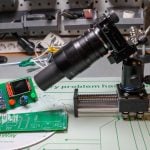
Here is the final result, followed by a diagram:
Construction image and diagram (click for bigger version):
Mechanics
Putting together the mechanical part of the project couldn't have been simpler. Apart from dissembling the CD-ROM all I had to do was superglue a plastic bottle cap to the first sprocket (that would normally be rotated by a small motor which I have actually left in place and simply not use) and add a unipolar stepper motor. These two are connected by a rubber band, and that's it! :) If you use a bipolar stepper you'll have to use a larger Picaxe and also rewrite the code so I don't recommend it.
Electronics
The electronics are also quite simple and should provide little challenge to someone who knows how to solder. Buy a veroboard (stripboard), cut to size and just follow the circuit diagram. (the diagram can be obtained by clicking the image above)
Where there is an 'X' in the diagram cut the copper strip.
The IR receiver (that thing to the right/below the 08m) used is the TSOP1138. Wiring the stepper is a bit tricky as you have to guess the correct order of the wires. This is how you can do it:
- Use a multimeter to measure the resistance between different pairs of wires. Two numbers should keep appearing - one resistance will be twice smaller than the other. If you have a 5 wire motor then there will be one wire that will give this 'half-resistance' to any other wire. Mark this wire. If you have a 6 wire stepper you will find two such wires with the difference that not all the wire pairs will be internally connected (there will be two sets of wires that are connected). Mark both these wires.
- Glue a long paper 'pointer' to the stepper (so you can easily see in which direction it turns). Connect the previously marked wire(s) to the battery + side (4AA battery pack should work fine). Experiment connecting the 4 wires that are left to the battery - side, one at the time. The goal is to find the right sequence (1,2,3,4,1,2,3,4....) that will make the motor turn. Mark the wires 1,2,3 and 4.
- When connecting the stepper to the board connect in order (from left to right): 1,3,2,4 (yes, this is 1,3,2,4)
Hopefully the sequence will be correct.
After you have put all of it together, it's time to program the micro-controller. How to do this is better explained in the Picaxe manual [pdf free download]. Basically all you need is a serial (or USB to serial) cable and a diagram from the manual describing which wire to connect where.
(You need to connect three wires to the bottom left of the board, marked -, RX and TX). You also need to connect a 5V power supply (4 AA NiMH batteries work great). If you want you can also connect a small switch on the '+' wire from the battery.
Components list
- 1X PICAXE 08m
- 1X TSOP1138 (IR receiver)
- 1X ULN2003A
- 1X 4N25 (optocoupler)
- 1X 8-pin DIL IC socket (for beneath the 08m)
- 1X 6-pin DIL IC socket (for beneath the 4N25)
- 1X 16-pin DIL IC socket (for the ULN2003A)
- 1X 10k resistor
- 1X 22k resistor
- 4X 1k resistor
- 2X 470 resistor
- 1X >0.1uF electrolytic capacitor
- 1X 4xAA battery holder (with wires)
- 4X NiMH rechargable AA battery
- 1X a small switch
- 1X 5 or 6 wire unipolar stepper motor
- 1X male 2.5mm stereo audio connector (if you are using a Canon dSLR)
- 1X PICAXE programming cable (almost any serial cable will do)
- 1X small stripboard (veroboard)
- a bunch of wires
Code
Once everything is set, here is the code you need to send to your board:
' Unipolar stepper (12V 1.8deg) connected to ULN2003A:
' green, white, red, brown -> Out1-Out4
' 08m 2 -> ULN In2
' 08m 1 -> ULN In3
' Out4 -> optocoupler for shutter triggering (tip+, sleave-)
' IR detector codes:
' CH+ back focus
' CH- front focus
' NN steps in one slide (in 0.01mm)
' AV/TV the next slide will be continuous (any key to interrupt)
' Vol- mark focus (front) and start moving focus back; mark focus end by any key
' slide to the front of the stack
' Power start shooting
symbol slack = 5 ' how many micro steps to add when changing direction
symbol steppause = 1 ' larger number will make it go slower
' - useful if you have a stepper with very few steps per revolution
symbol stepc = b0
symbol s = b1
symbol i = b2
symbol direction = b3
symbol nsteps = b4
symbol nframes = b5
symbol nslide = b6
symbol j = b7
symbol irflag = b8
symbol olddir = b9
symbol contflag = b10
high 1
high 2
low 4
' (nsteps)
eeprom 0, (20)
read 0, nsteps
contflag=0
main:
infrain2
if infra<10 then
infra=infra+1
infra=infra//10
nsteps=infra*10
pause 500
infrain2
infra=infra+1
infra=infra//10
nsteps=nsteps+infra
write 0, nsteps
elseif infra=37 then
contflag=1
pause 500
infrain2
pause 500
endif
select infra
case 17 ' front focus
direction=2
gosub slide
case 16 ' back focus
direction=0
gosub slide
case 19 ' Vol- - mark focus start
nslide=0
irflag=0
pause 200
do
pause 200
direction=0
gosub slide
nslide=nslide+1
'pause 200
loop while irflag=0
pause 2000
for j=1 to nslide
direction=2
gosub slide
next j
gosub slide
direction=0
gosub slide
case 21 ' Power - start shooting run
gosub shoot
for j=1 to nslide
direction=0
gosub slide
gosub shoot
next j
endselect
'debug
pause 500
goto main
shoot:
pause 5000
high 4 ' shoot
pause 400
low 4
pause 3000 ' wait before the next slide (exposure time)
return
slide:
if direction<>olddir then ' remove sprocket slack
for i=1 to slack
gosub onestep
next i
endif
irflag=0
lup:
for i=1 to nsteps
gosub onestep
pause steppause
next i
if irflag=0 AND contflag=1 then goto lup
contflag=0
olddir=direction
return
onestep:
' s=direction*2
stepc=stepc+direction-1
let stepc=stepc // 4
lookup stepc, (%00000110, %00000100, %00000000, %00000010), s
let pins=s
if pin3=0 then
irflag=1
endif
'pause 1
return
Instructions:
The rail is completely controlled through an IR remote (any universal remote that can be programmed to use Sony TV codes).
- Type in a two digit number to change the size of one slide (as it happens, almost exactly in 0.01mm units in my case).
- CH+/- will make one forward/backward slide.
- If you press the AV/TV key before the CH then the slide is continuous in that direction until any key is pressed.
- Once you have moved your object to a starting position of a focus stack you press the Vol-. That starts the gradual slide which you are supposed to interrupt (any key press) when the end point of the focus stack is reached. The rail will then reset to the starting position remembering the number of steps needed.
- The Power button starts the take-the-shot, move, take-the-shot... loop.
Stacking
Once all the photos have been taken use a stacking software such as Zerene stacker to make the focus stack. These programs are usually designed to be used even with hand-held photos so giving them such a perfect series usually results in a perfect stack even on 'full automatic'.
There you have it :) A useful project for macro photographers with an extremely easy to put together mechanics (old CD/DVD-ROMS or writers are easily obtainable) and a few cheap electronic parts. Once you have all the parts the whole thing can be put together over the weekend.
Even though it's winter and there are very few worthy subjects for macro photography, I have tested the rail and it's working wonderfully! Here is just one example of a small 4mm speck of soil from a potted plant. This is how one frame looks like:

Notice the extremely thin 'slice' that is in focus (about 0.12mm wide)! And here is a result from a stack of 35 photos taken 0.09mm apart:

I believe the difference is obvious :)
Samples


As an added bonus the exactly same setup can be used to automatically build a 360deg product rotation animations! :)
If you still have questions, the Picaxe forum has some great pointers. And if you want to see more of those, stay tuned to Domjan's Picasa - it will build up as more images are made.
About the author: Domjan Svilkovic is
an amateur photographer for about 10 years. His primary passion is the macro photography and he often DIY stuff to save a few (or more than a few) bucks. See more of Domjan's work here.
P.S - If you are into macro and have already killed a DVD player, check our Super Macro Your Cellphone Camera With A DVD Lens tutorial
Get the DIYP greatness via RSS, newsletter and Twitter
Connect with the community: Facebook Page, Discussions
Share Ideas, Setups, Images and Projects on DIYP's Flickr, visit Readers Photos


Comments
A few notes...
Just to say hi and add a few notes. :)
First, don't get the words like 'micro-controller' scare you. I really don't know much about electronics and I designed the thing! It's actually a quite simple 'starter' project even for those who know very little about this stuff. Basically just follow the instructions.
I will be uploading more of my 'stacked-insect' photos to my Picasa album as soon as I actually find some insects :)
http://picasaweb.google.com/dsvilko/FocusStackMacro#
Amazing photographs; and a
Amazing photographs; and a very interesting idea, too.
Just one question: why did you use an "external" motor? Was the "original" motor in the drive (the one used to move the laser head back and forth) unsuitable? May I ask why?
Thanks!
Though some DVD/CD drives use
Though some DVD/CD drives use a stepper motor, far more common are the ones that use a plain electro-motor and some kind of optical feedback. It should be possible to use this feedback to precisely control the built-in motor but it's not that simple and you would definitely need to use a more powerful (and expensive) uC. Stepper motors are easier to control and have a much higher precision and almost no possibility of error in positioning.
Nikons?
Can this be made to work with a Nikon D5000?
I am sure it can but not as
I am sure it can but not as simply and cheaply as for the Canon. My electronics are completely Camera-agnostic. The two contacts (upper right of the diagram) are simply shorted together to trigger the shutter. I don't think you can trigger a Nikon directly by shorting two pins as you can do with Canon. What (I think) you can do is modify a IR or wired Nikon remote and connect the PCB contacts to the button you would normally press to trigger the shutter. Then the uC would simply simulate pressing that button.
Hmm, I'm about to get a GPS
Hmm, I'm about to get a GPS tagger that allows a Canon remote to be plugged into it, so it looks like it would still work with your setup. I might have to give that a try.
When you get it, it's easy
When you get it, it's easy enough to check. Buy a 2.5mm stereo audio connector, plug it in and short the contact between the tip and the base (ignore the middle contact - that's for focus). When connecting to the 4n25 optocoupler (as shown in the diagram) the left wire should go to the tip and the right wire to the base of the jack!
Wow
You are my new hero! Amazing PICAXE software and electronics knowledge. I wish i have half of your brain. I'm cracking my brain to understand your source code now. :)
LOL! Thanks but I consider
LOL! Thanks but I consider myself a complete Picaxe (and uC in general) beginner. For a long time I wanted to make cool stuff using the microelectronics but I always thought that it must be terribly complicated, as most people do. When I discovered the Picaxe line of uC I was shocked! For less than $3 you get a 'small computer' with built-in RAM, and even flash memory for permanent storage. Best of all, it's so easy to connect to your PC and write a program for that it's actually used by kids to learn about programming and electronics - no 'advanced brain' required! You can basically learn all you need to know to design stuff like this from the Picaxe manuals (written for children) and maybe some site that explains basic electronist to complete beginners, such as http://www.kpsec.freeuk.com/compon.htm
Micro-controller programming is today very far from rocket science. You may lack the small amount of time needed to learn the basics, or the interest but you really can't lack the intelect to understand 'this stuff'.
As for the program, it could have been written much better if I have had more program space. On the 08m uC that's basically the biggest program you can fit in - doesn't have enough space even for one additional line of code! I was extremely lucky to be able to fit all I needed and had to do quite a bit of code optimization. In today's world of GB and GHz, there's something cool in being limited to a few dozen lines of code and a 12 bytes(!) of RAM :)
Thanks :)
Thanks for the tips and guidance, Domjan. I will strive harder to be as good as you!
A few clarifications
Thanks for the idea. This looks like something I'll try to build, as I have most of the parts already. I've never made any attempts with the PICAXE, but it seems quite straight-forward.
I have three questions:
1. Is the stepper motor is a 5 Volt version, or do you use an extra driver for 12 Volt operation?
2. Should the connections labeled 1, 2, 3, and 4 be connected via wires so that 1 goes to 1, 2 goes to 2, etc.?
3. (If my assumption above is correct.) In your step 3, are the stepper connections 1,3,2,4 from left to right in your construction diagram, that is, to veroboard strips 11 through 14 in that order?
Thanks a lot!
A fourth clarification :)
Oh, a fourth question: pin 1 of the Darlington array seems to be floating. What should this pin be connected to?
I made a mistake when drawing
I made a mistake when drawing the diagram! :( Well spotted! The wire that connects to the strip 16 (Darlington output pin 6) should go from strip 11 (Darlington input pin 1) and not 12 (Darlington input pin 2)! Darlington pin 5 should be the only floating input. Can't believe I missed that. So sorry.
Hi Wolf! I am glad someone
Hi Wolf! I am glad someone will actually try to build it. As for your questions:
1. Stepper motors usually have a ridiculusly high torque. Even when under-driven with significantly lower voltage they still have enough power. My stepper is designed for 12V and over 1A and I am driving it at 5V and about 70mA per coil - which is more than enough. Please note that the Darlington array ULN2003 can sync up to 500mA per pin so your stepper should use less than that when connected to a 5V battery. 12V stepper would possibly even work better in this regard as it will probably draw less current when connected to 5V than a 5V stepper. Check your stepper power requirement with a multimeter!
2. Yes. Picaxe IO-pins 1 and 2 should be connected the the ULN2003 and control the stepper motor. IO 4 connects to the optocoupler and triggers the camera shutter. There is no connection marked '3'. The '+' wire that's beside the 4 'stepper wires' should also be connected to the stepper.
3. Yes. The wire you marked as first should be connected to veroboard line 11, the third to 12 and so on.
Good luck with your build and if you have any more questions just ask!
My fourth question
Thanks a lot for your prompt answers, Domjan! I guess virtually any stepper motor could be used since the Darlingtons are open-collector.
In terms of my fourth question, I may have found the answer myself. It seems that if pin 11 is connected to pin 2 on the Darlington array, you'll wind up shorting output 2 from the PICAXE. Instead, I think pin 11 should be connected to pin 1 instead of pin 2. Could you confirm this?
Thanks again!
Just checking that you have
Just checking that you have seen my reply... The wire should go from pin 1 (11) to output pin 6 (16) so you guessed correctly!
Works perfectly!
I just finished building the circuit, and it works perfectly!
Now al Il need is some gearing mechanism, because even at a 7.5 degree stepping angle, the rail that I salvaged from a CD-ROM is moving way too fast. Either that, or I'll have to "accidentally" ruin a DVD drive.
re: awesome!
great news, wolf., would love to see a picture of the contraption.
Pictures
Hopefully the forum will allow me to paste links into the comment. I decided to assemble everything in a wooden frame with a plastic slider:
http://gallery.blazingangles.net/v/diverse/dokumentar/Macro+Rail+1.jpg.html
http://gallery.blazingangles.net/v/diverse/dokumentar/Macro+Rail+2.jpg.html
I'll attach the microcontroller beneath the box, too, and have the IR receiver stick out through the top somehow.
I haven't attempted to take any photos using the rail itself yet. I'm still looking for a DIY macro lens that doesn't require me to break one of my other lenses. :)
sweet
too sweet!
Just making sure
hi great idea, never tried anything like this before but love challenges. wanted to find out if i just need the PICAXE-08M microcontroller chip or PICAXE-08M Starter Pack (USB)
thanks
Basically you only need the
Basically you only need the chip and a serial port. As most new computers don't have a setial port you will probably need a USB to serial adapter. Not all adapters work for PICAxe programming. I bought one inexpensive adapter based on PL2303 shipset that works fine. The safest thing would be to buy the original PICAxe USB to setial adapter, if paying a few $ more is not a problem: http://www.techsupplies.co.uk/epages/Store.sf/en_GB/?ObjectPath=/Shops/S...
I believe the original cable has a 3.5mm stereo connector so you will probably also want to get a matching female connector.
Starter pack is actually not a bad value as you get all you need to program the chip and possibly to experiment a bit. I don't have the original kit but did put together it's equivalent that I use for chip programming.
Great
great thanks, looking forward to playing lol.
Me again lol, i don't know a
Me again lol, i don't know a thing about electronics but love a good challenge. A supplier in my country has suggested the following for the stepper motor, is it right?
Approx. 40 steps / rotation, bipolar, 4 connections, approx. 30 Ohm per winding. Operating voltage: approx. 7,5V / 0,25A. Dimensions without axis Ø approx. 35 x 22 mm, axis Ø 1 x 10 mm.
or can you suggest a motor i.e. where i can look?
Go unipolar
Most stepper motors should be able to do the job, as long as they're unipolar as the author described. Otherwise you'll have to rewrite the code.
A 7,5 Volt motor should function with just a 5 Volt supply, but higher voltages may require you to add a separate power supply for the motor.
Quite right. Avoid bipolar
Quite right. Avoid bipolar steppers as you will not only have to rewrite the code but use a completely different circuit and a more powerful uC! Definitelly not for beginners. As for the stepper voltage it's more or less irrelevant as long as the coil resistance is larger than about 20ohms. 12V stepper will have more than enough torq at 5V without a need for a separate power supply.
thanks, will go unipolar
thanks, will go unipolar instead :-), this is going to be fun!
Almost there...
Thanks for sharing this, it will be an awesome photography tool! I've bought the uniboard kit to get the picaxe 08M and to be able to program it, and I've assembled all the bits you listed to replicate your design.
I'm left with two issues:
1: I substituted the IR receiver with an RPM-7138 which was all I could source at the time. I can't get this to work at all, do I need to get the TSOP1138 to be able to do IR? I tried a universal remote and entered all the sony TV codes, but nothing would pickup. I modified the code to move the motor upon any IR input, but that didn't pickup anything either.
2: The stepper will move forward when there is a sufficient pause of just under 50 or more, but if I try to speed it up it ends up twitching a lot. Have I done something wrong in the circuit, or is that the nature of the beast with the stepper I have (unipolar 5 wire).
I hope you can assist, thanks again for this project.
p.s., are the two resistors in the diagram that don't have the value written against them the 470's?
Hi! 1. I only have experience
Hi!
1. I only have experience with TSOP module but just looking at the specifications of the RPM-7138 I don't see why it wouldn't work. Have you made any modifications to the support circuit (how have you connected it to the picaxe)? Do you have a LED? You could try making a simple circuit with the RPM-7138 connected to one 08m pin and a LED (with a 470 resistor) on another. Then write a code that checks the input pin (should idle high) and when it gets low, light the LED. Something like:
main:
if pin3=1 then : low 4 : else : high 4 : endif
goto main
That way you should be able to see if the module is outputting anything.
2. Even though my stepper doesn't require this pause it's certainly possible that others might. I think there is just enough program space to add a pause after each step.There could even be a problem with the electronic noise from the stepper. Maybe try adding a capacitor the picaxe as described in the instruction manual.
3. You are right about the resistors. Both unmarked resistors should be 470 ohms.Then again, maybe your IR module would work better with a different resistor.
I am really not that experienced with electronics. Maybe you could try the Picaxe forum. From my experience, people there are extremely helpful:
http://www.picaxeforum.co.uk/forumdisplay.php?f=2
Another step closer...
Well, I installed a TSOP that was sent overnight and that solves my infrared problem. The issue I have now is that the stepper will not reverse, it will only go forward. Interestingly, if I change your lookup code to the following I get a better run but still no reverse, and still no fast running:
lookup stepc, (%00000110, %00000010, %00000000,%00000010), s
Using your code with a pause it will run (one direction) but there's a hiccup every second click. My stepper is a 5 wire unipolar and it came with instructions for the correct order - I also checked that order using the methods described in the article.
So, to be specific, can you please tell me how the above drives the stepper in relation to the darlington... I don't really know where to look, and googling does not bring up a heap of picaxe stepper code using lookup? Comments from picaxe experts welcome. In the meantime I'll keep fiddling with the configuration, I've checked the circuit diagram over and over and made sure I implemented your fix to the diagram error. I don't expect anyone to do all the work for me, even if someone can suggest things to check to get reverse working would be great.
As a side note, gearing things down has gotten me around 7 clicks per mm which should be fine for my reversed 50mm 1.8. It seems the 48 turn stepper is the only type I can buy in town.
NVM
Well, I see where I went wrong, the devil is in the detail... 1324, NOT 1234 in the stepper wiring :(. One other thing... the stepper specs give you the order of the wires, and you can verify this with the test sequence given... however, you need to start at a different wire for this to work; in my case, the starting point is at wire #4 (I think). I'm still experimenting. The secret is to keep shuffling the starting wire (still doing the 1324 thing) until you get proper stepping.
Stepper motor wiring
If the stepper makes periodic "hiccups," it may be because you have wired the stepper motor incorrectly. I found the proper sequence as follows:
1. Locate the common wire. Attach this to a battery's + (plus) connector.
2. For each wire, briefly touch the battery's - (minus) connector. If the wire makes the stepper motor tick one step forward, then this is the right wire. Otherwise start over from the first wire you tried.
3. Eventually you'll have a sequence of four wire colors, say, black-orange-brown-yellow. When each of these wires touch the - (minus) connector in turn, Bl-Or-Br-Ye-Bl-Or-Br-Ye-etc., the stepper motor will slowly rotate. These connectors correspond to wires 1, 2, 3, and 4, which should be connected to the board in the sequence mentioned in the original post.
Success!
It's all working perfect now, even got shutter release working on my D90. For Nikon's shutter I used the remote that came with my solmeta GPS - I hard wired the two wires for focus together, and wired the shutter release wire in separately, so it works straight off the 'Canon' outputs. Just stick the camera focus into manual mode before plugging it all in.
I still need to mount the slide, but it works great on the bench. Here's a pic of my rig:
http://www.flickr.com/photos/ebswift/5396512724/
Great!
Great to hear. Being new to the PICAXE, I'm already starting on a new project based on the 08M that may prove to be even more geeky. But first I'll have to find a way to hack a D70 remote control so that it can be used with the macro rail, too.
Interested to see
Sounds interesting wolf, please share it with us when you get it working.
On a side note, I am going to see if I can use that optical isolator somehow to trigger flashes that won't trigger using RF-602's. I'm also interested to see if I can use the 08M to get low speed flash sync working manually using RF-602's as a trigger (flash won't sync up when using a reversed lens on my D90 and RF-602 as remote trigger for camera and flash).
D70 wired remote control hack
Turns out it was quite easy to hack Yongnuo's clone of Nikon's ML-L3 remote control: http://blog.blazingangles.net/soapbox/2011/02/nikon-wired-remote-control....
Sample Pic
Here's my first test run, it's a tiny piece of wood with moss growing off it:
http://www.flickr.com/photos/ebswift/5402938077/lightbox/
I don't have a macro lens, so that was DIY as well - an 18-55mm kit lens with the 50mm 1.8 sticky taped in reverse to the front of it. Lighting was via an SB-900.
Another sample
I should probably share my first try, too. Except for white balance and slight cropping, the images are completely unaltered. Hence, there are some artifacts visible from the stacking that I haven't attempted to fix.
One frame: http://gallery.blazingangles.net/v/diverse/dokumentar/Moss+-+Single+Image.jpg.html
128 frames stacked: http://gallery.blazingangles.net/v/diverse/dokumentar/Moss+-+DMap+Method.jpg.html
Looks great for such a deep
Looks great for such a deep stack!
Well done! It's weird and
Well done! It's weird and strangely gratifying to see a carbon-copy of your own PCB on someone else's picture :) Good luck with your flash triggering experiments though I must confess I didn't quite understand what you plan on doing.
VSM Simulation
So I can learn more about electronics and picaxe I've re-constructed this design as a full circuit simulation in picaxe VSM. Other people might benefit from this too, so grab the source files from my site here:
http://www.ebswift.com/Articles/Electronics/Picaxe/MacroRail/
The simulation goes through a real-world sequence, right down to a simulated infrared remote control. There is a green LED in place of the opto-isolator and the shutter release.
Extremely cool!
Extremely cool! Picaxe VSM unfortunately doesn't work under Linux (maybe wine - will have to check) so I can't run the simulation but the video is great! Should make things much clearer for Picaxe beginners.
Thank you for making the effort of building the simulation!
hi i found two dvd rom
hi i found two dvd rom drives, dissembled them but they don't appear to have a sproket that moves the rail, instead it looks like a long drillbit with a type of engine?
http://en.wikipedia.org/wiki/File:Dismdvd.jpg help? i'm not good at this but how do i attached the bottle cap and motor?
hi please can you explain how
hi please can you explain how to attach the download cable to the microcontroller or circuit board for downloading without a con039?
(You need to connect three wires to the bottom left of the board, marked -, RX and TX). where do these three wires come from? sorry but your working with a clean slate here lol. i don't have a serial port so can i go straight and use the USB download cable? but where do i connect the 3.5mm jack?
Have you read the 'Serial/USB
Have you read the 'Serial/USB download circuit' section of the Picaxe manual 1? It's on the page 39/40.
You have a USB download circuit? You should then connect the jack tip to the '-' mark, the middle to the 'TX' mark and the base to the 'RX' mark on my circuit.
For the anon question about
For the anon question about the dvd drive, it's a bit of a lottery as to what kind of innards you get. Mine was able to connect up via a sprocket. I was lucky enough to have a number of CDROM drives I could rip apart until I found the best fit. You need to get creative with your mounting.
For the anon question about the download cable, the best page I found to explain just that part of the design is here:
http://dave.fraildream.net/picaxe/pxhwser.shtml
I used that page to reproduce the same design on a breadboard, then trouble-shoot my own connections on the macro rail circuit. You will need a serial port connection, I got mine from Jaycar. You might be able to find an old cable to use.
Hi Thanks, will do. Have
Hi
Thanks, will do. Have been trying to figure out wat to do about the dvd rom, will have to think about it more.
thanks again
There is always a way, if you
There is always a way, if you are crafty. You could use a thinest (but long) screw you can find. You would than fasten the screw directly to your stepper (not the one in the drive!) and fix a matching nut to the rail bridge (the part that moves). You would have to remove the original drive. Hopefully you understand what I had in mind. It should work and with a screw pitch of 1mm or less should provide enough resolution for moderate magnification (something like up to 5:1).
I was thinking of something
I was thinking of something similar, but your idea is better :-). I'll give it a try thanks!
Hello everyone, Do you have
Hello everyone,
Do you have the HEX file, as I don't have the picaxe cable? So I can upload the source code with the pickit 2.
Thank you in advance for your help.
You don't need the original
You don't need the original picaxe cable (I don't have one). All you need is (almost) any kind of a serial cable.As far as I know you can't upload your code to the Picaxe from anything other than the Picaxe 'compiler'/uploader software as the communication is bidirectional. You also can't program a blank pic with a compiled Picaxe code. I am not altogether sure what you are hoping to do.
so a blank pic 12f683 can't
so a blank pic 12f683 can't be program ? i have to buy the Picaxe 8m ? or i can upload the firmware with PICAXE Programming Editor ?
Thank You
If you could upload both the
If you could upload both the firmware and the Picaxe code to a blank pic, from a free Picaxe editor than there wouldn't be much point in developing and selling Picaxe uC :) As far as I know there is no way to download the Picaxe firmware and it's certainly not available online for download.
You can program a blank pic but it want be in Picaxe BASIC and the whole project would get a lot more complicated.
@Matt the Picaxe 8m is
@Matt the Picaxe 8m is relatively cheap if bought from the suppliers, I bought 3 (two for experimenting later lol).
TSOP-1138
If I use the TSOP-1740 instead of TSOP-1138. does it still work or not?
Thanks
I've got no idea, though, if
I've got no idea, though, if I am not mistaken, the '40' in the 1740 probably indicates that it uses the wrong frequency. The Sony IR protocol uses the 38kHz.
Yes It Is 40 kHz IR receiver
Yes It Is 40 kHz IR receiver So it want work ?
Can do that without electronics
Here is what a did years ago.
No electronics involved. Keep it simple :-)
As I see it you have to
As I see it you have to balance between simple to build and simple to use. Deep stacks (>100 shots) with a manual macro rail can be very tiring. Time invested in building an automated version is worth it if you plan on doing a lot of stacked macros. It's also a cheap, simple and fun project that can teach you the basics of working with modern microcontrollers.
no rail
I did not use a rail either, just the focusing ring on the lens, very easy to use :-)
And a panohead for the flowers, 2 rows,3 columns,stack of 50 per image, no automated software either.
You are using a small sensor
You are using a small sensor camera and are not exactly shooting macro (1:1 or greater). When shooting 3:1 macro with dSLR you get a DoF of about 0.05mm and manual focusing with the lens is no longer practical (or even possible). Extremely high pixel density of compact cameras leads to a much larger DoF and far fewer problems.
Can do that without electronics
http://thefrenchguy.com/gallery/index.html
Wire 4
Hi Domjan.
I would like to say that this idea is great and will help me immensely. I am attempting to construct it and am nearly there with it.
I am a little confused about the wires to the bottom of the pcb arrowed 4. (lines 6 + 20)
They seem to be arrowed to go under the board and connect to each other ?
Is this correct?
Or do they go under the board, connecting to each other then onto stepper 4 ?
The same with wires marked 1 + 2 (12 + 13) Do they go under the board and connect through lines 6 +7 then onto stepper 1 + 2?
Hope you can clear this up for me.
Thanks.
steve
The same numbered wires have
The same numbered wires have to be connected together, but not the the stepper.
In case you haven't seen it allready, I'll repeat once again:
I have made a mistake when drawing the diagram. The wire that connects the input pin 2 of the ULN2003A to the ULN output pin 6 (veroboard strip 12 to 16) should be connected to ULN pin 1 (strip 11), not 2!
Good luck with yout project!
Hi Domjan. Thank you for
Hi Domjan.
Thank you for sharing this idea. It will help me immensely.
Can you tell me if wires marked 4 coming out of 6 +20 join up under the board or both join up and go on to stepper wire 4?
The same with wires 1 + 2. Do they come out of 13 + 12 through to 6 + 7 then onto stepper 1 + 2 ?
Could you make this a little bit clearer for me please.
Thanks.
Steve
- Rx Tx
Thank you for your last bit of information.
Can I just ask you about these 3 wires you say to connect.
I looked through the manual and failed to find the bit that mentions these wires.
Can you point me to that part of of the process please.
apart from this bit of information, i am nearly done with my first attempt at this rail.
Thanks again.
Steve
Which three wires?
Which three wires? Programming wires (RX, TX, -)? If that is the case then I believe the "serial download circuit" chapter of the linked Picaxe manual should be quite clear. How you connect it to your computer depends on the cable you are using, with both the Picaxe programming USB cable and a 'homemade' serial cable oprions well documented. Compare the provided programming circuit diagram (manual) with my stripboard diagram. Should be obvious that the wire I marked as RX is connected to the Picaxe serial out and the TX wire to the Picaxe serial in. That means that the RX should be connected to the computer RX and TX to the computer TX.
Thanks.
I realised once I sent the message Domjan. I was having a thick moment.
Cheers.
- Rx Tx
Hi Domjan,
I just read the manual again.
Are you saying that I would need to either cut up or make a serial cable to connect from pc to the terminals - rx and tx?
I was thinking that the serial cable needed to be plugged into the jack socket you have on our board.
Which socket? I don't
Which socket? I don't remember putting any sockets on my board. Also, why would you need to cut the programming cable? If you have the original Picaxe programming cable then you simply add a female socket to the RX, TX and - wires. If you have a generic USB->serial cable then you simply plug the three wires directly into the serial connector. Please read the part of the manual concerned with the Picaxe programming again. Compare the diagrams shown there with my diagram and all should be clear.
Also, it's better to use the 'Reply' button - makes a discussion more readable.
Struggling now
Ok, so I have followed the procedure twice now. Everything is correct on my board, including the mistake correction. I got another picaxe 08m chip and the usb serial cable from picaxe. Everythign is connected, The com port is configured, but the software will not see my chip to program it. :0(
Any ideas. ?
I made 2 boards just incase, still no joy.
I hope that you understand
I hope that you understand that from your description of the problem I can discern absolutely nothing of it's cause :) I am relatively certain that my diagram is correct (some people have successfully replicated a working board) so you have probably connected something wrongly. That, or a software problem.
Do you have a protoboard or some other easy way of building a bare-bones programming circuit from the manual (only the Picaxe, the battery and the two resistors). It's the best way to check are your uC, programming cable and software working correctly. You have to try to isolate the problem and this is a good first step.
Take high-resolution photos of your board and post them to the Picaxe forum. People there are very helpful and possibly someone will spot the error. I'll also have a look. My original thread would probably be a good place to post: http://www.picaxeforum.co.uk/showthread.php?17248-Motorized-macro-rail-o...
One last problem
Hi Domjan,
I am nearly there now.
The problem I have is that I can get the motor to turn one way only. According to the manufacturer, i have it in the right sequence.
CH+ makes the spindle jiggle back and forth
CH- makes the spindle turn forward
Vol- makes the continuous turn forward.
Any key stops it.
The motor then jiggles a little and stops there.
I can not get the motor to go back.
I can not start the sequence of shots either.
Any idea on this?
Cheers.
Steve
I am glad that you are making
I am glad that you are making progress! The problem you are describing is almost certainly to do with the wrongly connected stepper. Experiment with the wiring order. Have you manually tested the correct wiring sequence, like I have described? Simply connect the wires in the correct sequence to the battery. A (long) pointer that you have glued to the rotor should rotate in one direction with equally sized steps.Reversing the sequence has to move it in the opposite direction. Experiment. It took me a couple of tries to get it right.
Once you are certain you have the correct sequence, be careful that you connect the wires 1,3,2,4 and not 1,2,3,4 to the board!
Another (less likely) problem could be too fast stepping for your stepper motor. If that is the case, removing the ' (comment) from the "pause 1" line as the end of the program should slow it down a bit and make it more stable. You could even try with a longer pause if that doesn't help.
It's one or the other.
PS: What has been the problem? Why couldn't you program your 08m?
RE Glad
Thanks for getting back fella.
The problem I had with connection was the serial cable I had bought. My pc don't like them.
I went and bought the USB from Picaxe and that worked fine.
The other problem I had was the picaxe chip. It was listed as an 08M but in fact, was only an 08.
I have the 08M2 now. it programmed fine.
According to the motor manufacturer, I have the sequence correct, same sized steps in a CW direction.
Can I ask, this 2 digit number you refer to inputting to change the step size..is this any random 2 digit number?
I have noticed now that depending on this number I input, depends on how the stepper moves.
with different number the motor either moves forward only, or jerks back and forth without moving.
I am using my Sony Bravia remote just now, but managed to sourcce the same remote you have used. I am going to mess with this for now to see if i can get it going, and not give in until my new remote comes.
Thanks again.
Steve
I am sorry to hear that you
I am sorry to hear that you are still having problems. I still think that the symptoms that you describe are best explained by a wrongly wired stepper. That was what I was getting with a wrong wiring. Can you turn the stepper in both directions by manually connecting the wires to the battery in sequence, like I have described? You HAVE to check this! If you have checked that you can then it's either a timing problem (try adding a longer pause by changing the steppause variable to 10, for example) or it could even be that your stepper does not have enough torque (unlikely). Could you post a link to your stepper specs?
If that doesn't help, check to see if all the 4 stepper wires are 'firing' correctly. Make a simple LED probe (a LED and a 470R resistor) and connect it between the stepper + wire and each of the 4 wires in turn. LED should blink when the rail is command to move.
What I am certain is that it has nothing to do with the remote. If it shows the described symptoms now, buying a different remote won't help.
stepper spec
Hi Domjan.
Here is a link to the stepper I purchased
http://www.magenta2000.co.uk/acatalog/MPM35-48.html
When testing the wires, i can get it to move in both directions, yes.
I thought I had found the right config, and checked with the supplier who agreed.
Still not got it going properly. :(
Have you tried changing the
Have you tried changing the starting wire, as per ebswift's suggestion? I don't see why it wouldn't work if you have the correct sequence. Did you do the LED test?
Maybe the stepper is so 'noisy' that it disrupts the uC (though I would expect a reset in that case). Maybe add a (few) capacitors?
Can't really tell much from the link you provided. I didn't know a same stepper can be run both as a unipolar and a bipolar. It says it has 6 wires. Did you find both common wires and connect them together? I have no experience with a 6-wire stepper but that is how it should work, I think.
If you can't find the solution maybe you better ask at the Picaxe forum: http://www.picaxeforum.co.uk/forumdisplay.php?2-Active-PICAXE-Forum
Try to provide as much information as possible.
Also, if you haven't done so
Also, if you haven't done so allready, read all the comments. You seem to have the same problem ebswift had. Maybe the same solution will work for you.
last thing i ask
Hi again Domjan.
Can you eplain the part where you say "punch in a 2 digit number" to the ir remote.
Is this any random number or a specific number?
If i type in a different number, or "incorrect" one, my motor does not perform correctly. It just wobbles in same place.
Thanks again.
Steve
You can input any number you
You can input any number you like, as long as it's a two digit number. You have to input a leading 0 if you need a 1-9. This number determines how many stepper full-steps will there be in one rail jump. There are no 'wrong' numbers. I see no reason why a stepper wouldn't behave correctly at certain numbers of steps. It seems to me that your stepper is not behaving correctly at all and that there is still a significant error somewhere in your setup. Have you tried any of the 'debugging' tests I have suggested? Increse the steppause to 500 (half a second between the steps), punch in 10 steps per jump and observe carefully what happens when you command the rail to move one jump in each direction - it should move 10 steps. Are all steps of precisely equal size, in both directions?
it's strange
I found that when i input ,say, 0-1 the motor would step fine, but only in one direction. If i put in 0-2 then the motor would just jiggle.
Anyhow, thanks for everything so far m8.
This project is now on hold for a while. I have ordered a 1.8 deg stepper i found online. I have a 7.5 degree. (7.5 seems to be the easiest to find)
I have also ordered more parts to start over before I start messing with the program.
When I know the board side is absolutely correct, I will look at changing the program like you said.
Cheers. Steve.
Getting frustrated now..
Hi Domjan,
OK, so I got more parts and started again. I know the board is right for sure.
I have bought another stepper (http://www.techsupplies.co.uk/epages/Store.sf/en_GB/?ObjectPath=/Shops/Store.TechSupplies/Products/GBX008)
Same thing. It only seems to step twice then jiggle, even though I have tested he wires on the battery to get the right sequence.
Any ideas now i am working on this motor?
I don't know programming so have no idea.
Steve.
Hi Steve. I also found this
Hi Steve. I also found this a bit confusing. The jack socket is for the canon link, I'm assuming the serial cable wires would have to be soldered to the required areas on the board for the computer connection. thing is, i would need a cable that has a usb plug on the other end and when i ordered the serial cable i just got the cable, no plugs.
I decided for safety sake to go with the picaxe usb download cable and the 3.5mm download socket. from what i've read in the manual as you said, using just the wires isn't explained.
thanks Domjan for your explainations, it's just that some of us are still new to this type of thing and whenever creating a tutorial create it as if you were talking to someone who doesn't have a clue.
Nearly there.
Nearly there now. I am struggling with my motor though. It goes forward easy enough, but it wont go back, it just jiggles in situe. Any ideas anyone?
Post new comment