
























How to use PlayStation controller to edit photos in Lightroom
Aug 10, 2017
Dunja Đuđić Kalinin
Dunja Djudjic is a multi-talented artist based in Novi Sad, Serbia. With 15 years of experience as a photographer, she specializes in capturing the beauty of nature, travel, concerts, and fine art. In addition to her photography, Dunja also expresses her creativity through writing, embroidery, and jewelry making.
Share:

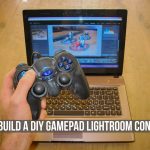
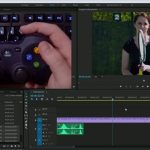
If you love both photography and video games, here’s one of the fun ways to bring them together. New Zealand photographer Ben Stewart shows you how to connect Play Station controller with Lightroom. He uses a PS3 controller, but it can also work with other models. Also, although he demonstrates the technique on a PC, it should work for Mac users as well.
There are two main pieces of software you’ll need for this: SCPToolKit and JoyToKey. SCPToolKit is a free tool that allows Windows to recognize the controller over Bluetooth or USB. JoyToKey basically gets the controller to work as a keyboard. It’s shareware software, so you can pay if you think it’s worth it. JoyToKey lets you use the joystick buttons instead of the Lightroom keyboard shortcuts, which is how this actually works.
When you open JoyToKey, you can set up the buttons for the operations you want them to perform. For example, Ben uses the triangle button to convert the photo to black and white and back to color, or clicking the analog sticks to copy and paste the settings.
Mac users can connect the PS3 controller via Bluetooth without a driver, and Ben suggests a program called Joystick Mapper. Also, he points out that if you want to use another controller, this should work, but the steps will be slightly different.
Keep in mind that Lightroom doesn’t have the shortcuts for everything, so there are still some things you may have to do with the mouse. But still, this could speed up the editing or at least culling process. And if nothing else, it can at least be fun to try.
[SPEED THROUGH LIGHTROOM EDITING – Using a PlayStation controller in LR via PetaPixel]
See more from DIYPhotography.net on Google
Add DIYPhotography.net as a trusted source. This makes
our stories more likely to appear in your Google Search results.
 Add as a preferred source on Google

Dunja Đuđić Kalinin
Dunja Djudjic is a multi-talented artist based in Novi Sad, Serbia. With 15 years of experience as a photographer, she specializes in capturing the beauty of nature, travel, concerts, and fine art. In addition to her photography, Dunja also expresses her creativity through writing, embroidery, and jewelry making.

Join the Discussion
DIYP Comment Policy
Be nice, be on-topic, no personal information or flames.
5 responses to “How to use PlayStation controller to edit photos in Lightroom”
Serge
Aleta Landureth-Foil
Ruben Doorstam Deni Kukura Driek van der Stam
Mmmmmm
Chris Go wir brauchen ne PlayStation…zum arbeiten natürlich nur :-D